[Fix] Mapped Network Drives don’t work in Windows 10 v2004

windows 10 2004 mapped network drives not working

After updating to Windows 10 version 2004, mapped network drives don’t reconnect after a restart. Here are some of the symptoms you may be experiencing:

  • Mapped drives that link to your NAS (e.g., Synology, ReadyNAS, etc.) or Windows 2000/XP/2003 computers do not work after upgrading to Windows 10 v2004. Remapping the drive works only for the current session. Enabling the SMB 1.0/CIFS File Sharing support in Windows Features dialog also doesn’t help.
  • As soon as the computer restarts, a red X sign appears on the mapped drive, and the drive doesn’t reconnect. The following error appears when you attempt to access the mapped drive:

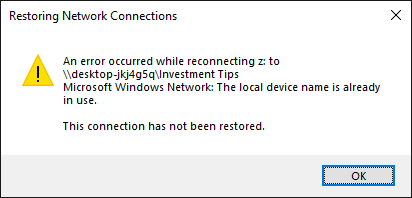
    Restoring Network Connections

    An error occurred while reconnecting z: to \\computername\share_name

    Microsoft Windows Network: The local device name is already in use.

    This connection has not been restored.

    windows 10 2004 mapped network drives not working

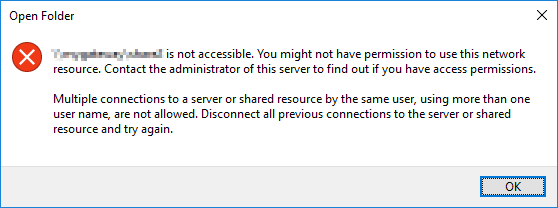
  • The UNC paths to network shares work correctly, but only if you haven’t already mapped a drive letter to the share. If not, the following error occurs when you access the share using the UNC path: (e.g., \\computername\share_name)

    \\computername\share_name is not accessible. You might not have permission to use this network resource. Contact the administrator of this server to find out if you have access permissions.

    Multiple connections to a server or shared resource by the same user, using more than one user name, are not allowed. Disconnect all previous connections to the server or shared resource and try again.

    windows 10 2004 mapped network drives not working

  • When you try to connect to the network share using \\servername\share_name or \\IP_Address\share_name using the correct domain\username and password, you may get the error code 0x80070043 - The network name cannot be found.

Many users have rolled-back Windows 10 to version 1903 or v 1909 due to the above issues.

Let’s see how to fix this issue without having to rollback Windows 10 to v1909 or v1903.

Read more

Windows Defender Shows the Same Threat Repeatedly. How to Clear the Protection History

windows defender same threat repeatedly - pup or trojan

On some Windows 10 and 11 computers, Microsoft Defender Antivirus may repeatedly warn about the same threat, although you’ve taken the necessary action (remediated) on that threat.

windows defender same threat repeatedly

When you click “Start actions” after choosing “Remove”, nothing happens. Windows Defender would keep showing that non-existent threat.Read more

Fix for Windows Update Error 0x800F0922 in Windows 10/11

quality update 0x800f0922

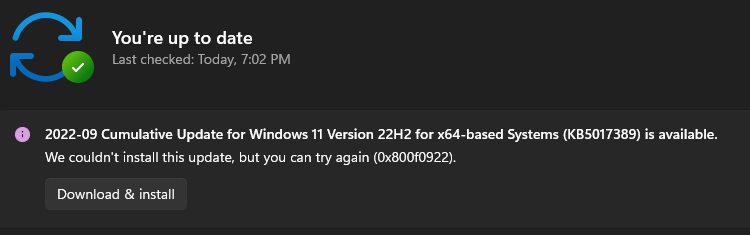
When installing an update, especially a Cumulative Update or .NET Framework package in your Windows 10 or 11 computer, the update installation may fail with an error code 0x800F0922 (“CBS_E_INSTALLERS_FAILED“) or 0xc1900104 or the error message “Something didn’t go as planned”.Read more

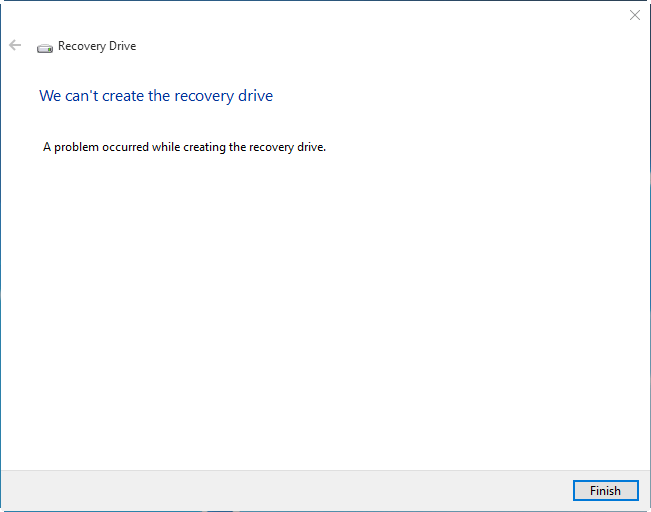
“We can’t create a recovery drive on this PC” Error

We can't create a recovery drive on this PC

Windows allows you to create USB recovery media using the RecoveryDrive.exe (“Create a recovery drive”) utility. When you attempt to create the recovery drive in Windows 10 or 11, the following error appears, and the process stalls: We can’t create a recovery drive on this PC Some required files are missing. To troubleshoot problems when … Read more

Error “Could not find the Recovery Environment” When Resetting PC

could not find the recovery environment - reagentc.exe

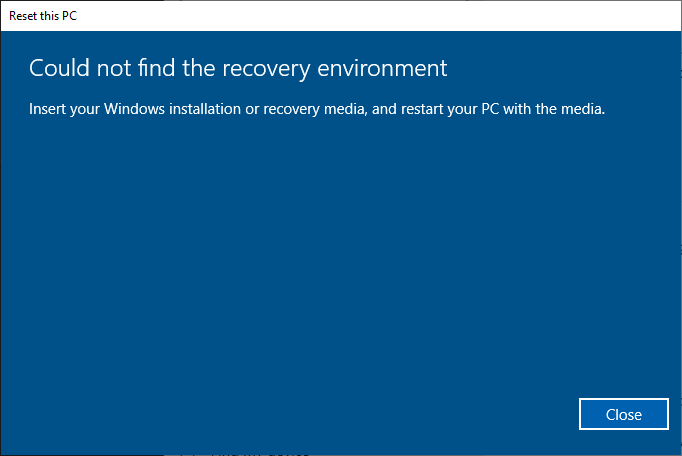
When you attempt to use the Reset this PC option to Reset (“Remove everything”) or Refresh (“Keep my files”) Windows 10 or 11, the following error may appear:

Could not find the recovery environment

Insert your Windows installation or recovery media, and restart your PC with the media.

could not find the recovery environment - reagentc.exe

This error occurs if the Windows Recovery Environment (Windows RE) is disabled or if the WinRE image is corrupted in the system.

With the Windows RE feature disabled on the computer, if you boot into the Windows RE (without the setup or repair disk), the following features would be missing in the Windows Recovery Environment:

Additionally, if Windows RE is disabled or corrupted, the following error occurs when you attempt to create a Windows Recovery Drive (USB).

We can't create a recovery drive on this PC

We can't create a recovery drive on this PC
Some required files are missing. To troubleshoot problems when your PC can't start, use your Windows installation disc or media.

This article tells you how to fix the errors “Could not find the recovery environment” and “We can’t create a recovery drive on this PC” by enabling or repairing the Windows Recovery Environment feature.Read more

How to Extract Specific Files from Windows 10 or 11 ISO

extract specific windows image from multi-edition iso

There are situations where you need a specific Windows system file from the install.wim image present in a Windows 10/11 setup disk or ISO. In the case of missing system files, the DISM & SFC procedure will automatically restore them. Alternatively, you can restore missing Windows system files (of any version) from the WinBindex.Read more

Error 0x800706D9 Installing or Updating Store Apps

You may be unable to download new apps or update existing apps using the Microsoft Store due to error 0x800706D9Something unexpected happened. Error code 0x800706D9 translates to “There are no more endpoints available from the endpoint mapper”, which doesn’t make much sense for the end-user.

Also, the same error is shown when you install or update apps using PowerShell.

store apps error 0x800706D9

The error message is:

Add-AppxPackage: Deployment failed with HRESULT: 0x80073CF6, Package could not be registered.

error 0x800706D9: While processing the request, the system failed to register the windows.firewall extension due to the following error: There are no more endpoints available from the endpoint mapper.

This post tells you how to fix Microsoft Store 0x800706D9 in Windows 10 and 11.Read more

Windows Defender “HostsFileHijack” alert appears if Telemetry is blocked

defender hostsfilehijack

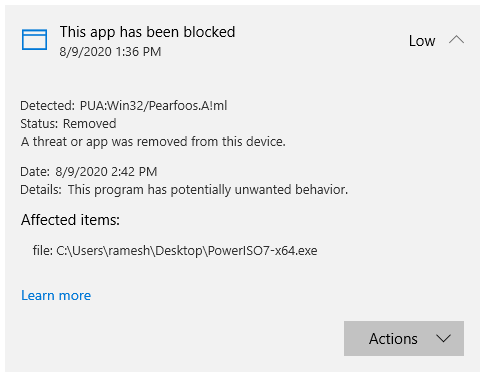
Since July last week, Windows Defender started issuing Win32/HostsFileHijack “potentially unwanted behavior” alerts if you had blocked Microsoft’s Telemetry servers using the HOSTS file.

defender hostsfilehijack

Out of the SettingsModifier:Win32/HostsFileHijack cases reported online, the earliest one was reported at the Microsoft Answers forums where the user stated:

I’m getting a serious “potentially unwanted” message. I have the current Windows 10 2004 (1904.388) and only Defender as permanent protection.
How is that to evaluate, since nothing has changed at my hosts, I know that. Or is this a false positive message? A second check with AdwCleaner or Malwarebytes or SUPERAntiSpyware shows no infection.

“HostsFileHijack” alert if Telemetry is blocked

After inspecting the HOSTS file from that system, it was observed that the user had added Microsoft Telemetry servers to the HOSTS file and routed it to 0.0.0.0 (known as “null-routing”) to block those addresses. Here is the list of telemetry addresses null-routed by that user.Read more

How to Open .hlp Files in Windows 10/11 Using WinHlp32.exe

restore winhlp32 .hlp viewer in windows 10

A long time back, most of the software used to ship with .hlp (WinHelp help format) help files. Since Windows Vista, the legacy .hlp format has been deprecated. To view 32-bit Help files with the .hlp file extension in Windows Vista (and higher — through Windows 8.1), you will need to download and install WinHlp32.exe (KB917607 package) from the Microsoft Download Center.

However, this update isn’t available for Windows 10/11. Installing one of the KB917607 installers on Windows 10 or 11 would cause the following error:

Windows Update Standalone Installer
The update is not applicable to your computer.

This article tells you how to restore the missing WinHelp (.hlp) viewer on Windows 10 or 11.

Read more

How to Download Missing System files from Microsoft

download windows system files dll exe sys from microsoft server

If a Windows system file is missing, the first thing that comes to our mind is the System File Checker (Sfc.exe). The sfc.exe /scannow command-line restores missing or corrupted system files by fetching a good copy from the WinSxS folder. If that fails, you usually run the DISM .. RestoreHealth command-line to fix the WinSxS repository. In some cases, DISM requires a slipstreamed Windows setup disk from which the install.wim file is used.

Here is another way to download any version of a Windows system file (.exe, .dll, or .sys) directly from Microsoft’s server.Read more