24H2 Bug: Ellipsis Menu shows upwards

24h2 bug: menu showing upwards

Windows 11 24H2 has a bug wherein the menu shows upwards, thus hidden from the viewport when the window is in a maximized state. This occurs when you click on the ellipsis icon (the button with three dots). It’s supposed to show the dropdown menu instead of upwards. This bug hasn’t been fixed at least until build 26100.3037.Read more

mdnsNSP.dll (Bonjour) is Blocked from loading into LSA

mdnsnsp.dll blocked from loading - winsock provider

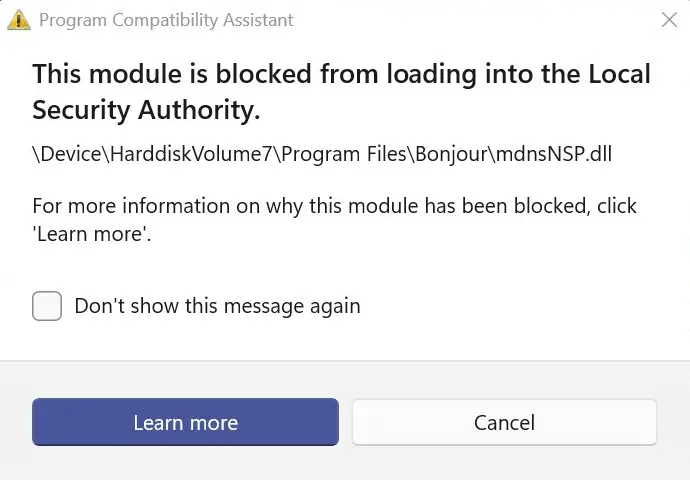
When you start Windows, the Program Compatibility Assistant notification dialog launches, mentioning that the module mdnsNSP.dll has been blocked from loading.

This module is blocked from loading into the Local Security Authority.

\Device\HarddiskVolume#\Program Files\Bonjour\mdnsNSP.dll

For more information on why this module has been blocked, click 'Learn more'.

Read more

Old menu bar appears in File Explorer in Windows 10 or 11

old menu bar in explorer in windows 11

When you open File Explorer in Windows 10 or 11, the old menu bar containing the File, Edit, View, and Tools menu options may appear.

old menu bar in explorer in windows 11

The menu bar may appear with a white background and doesn’t look good in dark mode. And there is no GUI option to hide the old menu bar. Previously there was a setting (“Always show menus”) in the Folder Options dialog, but it has been removed in the recent builds.Read more