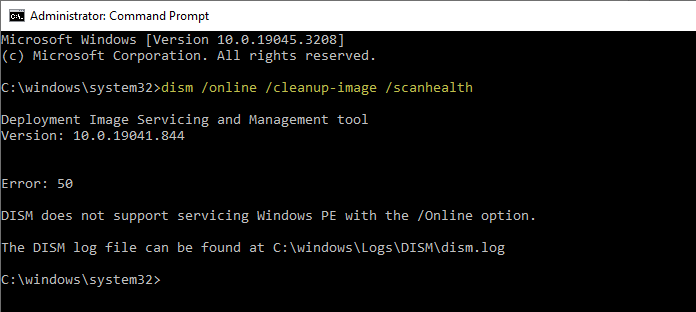
When you run the DISM tool (with the /online switch) to scan or restore the health of the operating system components, the tool may throw up Error 50. Here is the full error message verbatim:Read more
Windows
You’re browsing the “Windows” parent category, which lists articles on every Windows Operating System.
Windows 10 Desktop Background Slideshow Not Seeing Subfolders
The new Settings interface in Windows 10 doesn’t allow selecting multiple files at once as the desktop slideshow. You can only select one folder at a time. Also, the images in the subfolders are not utilized for the slideshow.Read more
How to Prevent Installing Extensions in Microsoft Edge
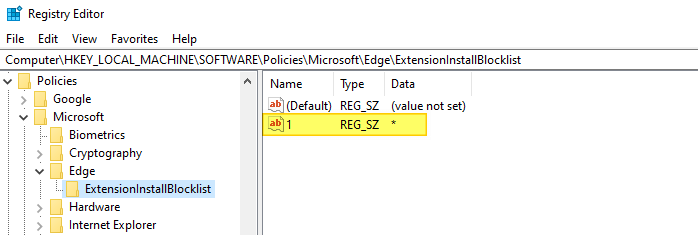
Microsoft Edge extensions support can be enabled or disabled using the Local Group Policy Editor or the registry. If you’re the computer administrator and want to prevent users from running extensions on Microsoft Edge (Chromium), this guide has the instructions. Prevent Installing Extensions in Microsoft Edge Method 1: Block Edge Extensions Using the Registry Editor. … Read more
How to Clear Background (Wallpaper) History in Windows 10
When you change the desktop wallpaper, Windows remembers the file name and path of the last four wallpapers. The Personalize page (“Choose your picture”) displays the thumbnail image of five wallpapers; first thumbnail image is usually the current background, followed by thumbnails of previous four background images. This post tells you how to clear the wallpaper history using Registry Editor.Read more
Add “Settings” Cascading Context Menu on the Desktop in Windows 10
Microsoft has moved most of the Control Panel features into the Settings UI in Windows 10, and at some point the classic Control Panel may be removed altogether. The Settings panel has different categories: System, Devices, Phone, Network & Internet, Personalization, Apps, Accounts, Time & language, Gaming, Ease of Access, Cortana, Privacy, Update & security, and Mixed reality.Read more
How to View Your Windows 10 Product Key Using Script or Command-line
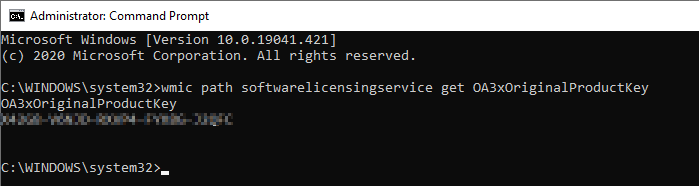
There are many tools to extract the Product Key from a live system or from the registry hive of an offline computer. Additionally, here is a neat little Vbscript that gets the Product Key of your current Windows installation–no third-party program required. The script works on Windows 7, 8 and Windows 10.Read more
Find Which Program is Constantly Reading or Writing to Disk
Does your hard drive LED in the computer’s chassis show non-stop disk input or output activity? If the I/O operations occur at an alarming rate, sometimes even at 100% disk usage, find the process and stop it from running, especially if you’re using Solid State Drive. If you’re wondering which process is thrashing your hard drive continuously, here is how to find the offending program.
How to Cancel or Delete a Stuck Print Job and Clear Paper Jam
Everyone would have experienced this. When printing documents, the printer may get stuck in the middle for some reason or the other. This also causes the print job to get stuck in the queue, and canceling the jobs via Printer properties doesn’t help.Read more