Show Full Path in the Address Bar for Special Folders in Windows 10

show full path in address bar for special folders windows 10

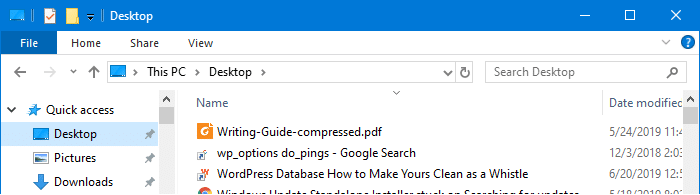
Quick access contains links to Desktop, Documents, Pictures, Music, and Videos folders by default. When you access one of those special folder links via Quick access, the address bar shows the location as This PCDocuments, This PCDesktop etc, instead of the absolute path to the Documents or the Desktop folder.

show full path in address bar for special folders windows 10

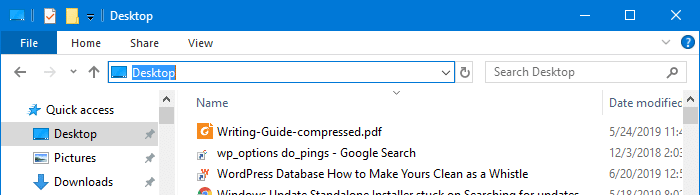
And, when you click on the address bar or press Alt + D, only the folder name – e.g., Desktop appears instead of its absolute path.

show full path in address bar for special folders windows 10

The same happens to other shell folders such as Documents, Pictures, Videos, Music, Downloads, etc.,

You may be wondering how to make Windows 10’s File Explorer show the full path of the shell folders. And, this article tells you how to accomplish that using the Windows Registry.

Read more

How to Automatically Backup the Entire Registry in Windows

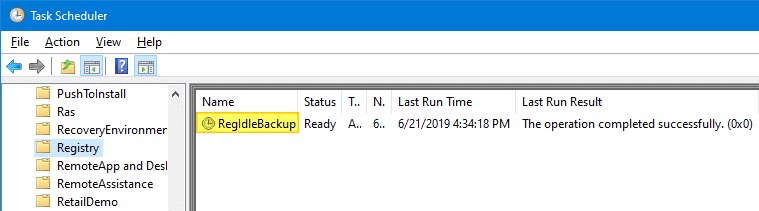
RegIdleBackup - Registry Idle Backup Task - Scheduler Registry Backup

Every System Restore point or shadow copy maintains a complete backup of the registry hives. However, Windows 10/11 doesn’t automatically create System Restore points every day. Restore Points are created only when installing important updates or drivers.

Notwithstanding the System Restore’s excellent capabilities, relying upon System Restore as a file or registry backup method is not sensible. It’s because System Restore points are cleared on a FIFO basis once the space threshold is reached.

The registry files (hives) are located in the Windows\System32\Config folder. The hives are always in use when Windows is running. So, you’ll need a specialized program that uses Windows API or volume shadow to backup the hives.

This article discusses six different methods to completely backup your Windows registry hives.Read more

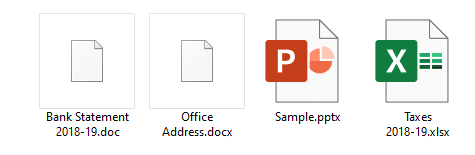
.Docx/Doc Files Not Showing Word Icon but Only White Plain Icon

word .docx and .doc files show generic white icon

Many users have reported that the Word icons are not showing up for .docx and .doc files on their systems. Instead, they show up with a generic (unknown) or plain white icon even though the files open in Word when double-clicked (i.e., the file association settings are intact.)

word .docx and .doc files show generic white icon

Cause

Blank or missing Word icons on .doc and .docx files may occur due to multiple reasons, such as deleting the Office installer folder (which contains the Office icons) or installing multiple versions of Office on a computer. This may have been caused if you install and later uninstall a Microsoft Office alternative software (e.g., Open Office, WPS Office, etc.)

An incorrect Programmatic Identifier (e.g., docx_auto_file) or wrong file association settings in the Windows registry for Word documents can also cause this issue. Last but not least, a corrupt icon cache can also trigger the problem.

This article tells you how to fix the icons for Word document file types .docx and .doc using different ways.Read more

How to Remove Easy Clean Mode in CCleaner

disable ccleaner easy clean option

CCleaner 5.57 introduced a cleaning mode named Easy Clean to make the interface simpler and easy to understand for users who are not tech-savvy.

Easy Clean provides a simpler, more intuitive interface and uses everyday language to explain the types of files that can be cleaned. Files are now categorized as either ‘Trackers’ or Junk’ and when a user wishes to customize their clean, the purposes of each file type is explained (for example, Temporary Internet Files are described as ‘Files left behind when you visit websites’).Read more

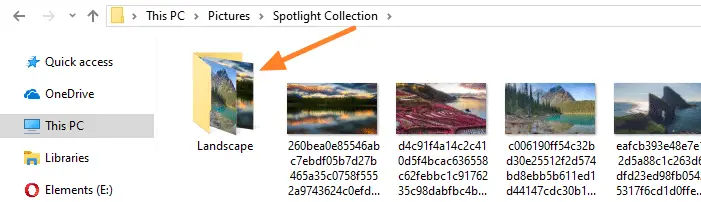
Disable Folder Thumbnails without Disabling Thumbnail Preview for Files

disable folder content thumbnails

When a folder contains one or more images in it, the contents of the folder are shown as the thumbnail image for that folder.

disable folder content thumbnails

Windows allows you to enable or disable thumbnail previews in File Explorer using the Always show icons, never thumbnails setting in the Folder Options dialog. When you turn off thumbnail previews, icons are shown instead of thumbnails — for both files and folders. The Folder Options dialog doesn’t have an option to disable thumbnail preview selectively for folders or for files only.Read more

Get File Hash Checksum (MD5, SHA-256) via Right-click Menu

get file hash via the right-click menu

Hashing means taking an input string of any length and giving out an output of a fixed length. Using the cryptographic hashing algorithm — e.g., MD5, SHA-256, SHA-384, you can verify if two files are identical or not. The checksum is a hash value used for performing data integrity checks on files. It’s a kind of signature for a file.

When you download large files from the internet such as the Windows 10 ISO images, there are chances that the file gets corrupt or a few bits lost due to inconsistent connection or other factors. Hash verification is the best way to compare the two hashes – source file on a website or server versus the downloaded copy.Read more

Register Google Chrome Portable with Default Apps or Default Programs

register chrome portable with default apps

A long time back, I made a simple program that will register Mozilla Firefox Portable with Default Programs or Default Apps in Windows. Many users asked if a tool can be made for other portable browsers, such as Opera, Chrome, etc.,

This post has a VBScript that will register or unregister Google Chrome Portable (from PortableApps.com) with Default Apps in a single click. After registering, you can set Chrome Portable as the default browser via Default Apps.Read more