Register Thunderbird Portable with Default Apps or Default Programs

thunderbird icon

thunderbird iconMozilla® Thunderbird is a freeware email client that has lots of features, including quick message search, customizable views, support for IMAP/POP, RSS support, etc. Mozilla Thunderbird®, Portable Edition is the popular Mozilla Thunderbird email client bundled with a PortableApps.com Launcher as a portable app.

PortableApps.com is a popular portable software solution allowing you to take your favorite software with you. A fully open source and free platform, it works from any synced cloud folder (DropBox, Google Drive, Box, etc), from your local PC on an internal or external drive, or on any portable storage device (USB flash drive, memory card, portable hard drive, etc) moved between PCs.

The portable version of Mozilla Thunderbird lets you store your email and address book on a removable drive so that you can take the data with you wherever you go.

In this article, we’ll see how to add or remove Mozilla Thunderbird, Portable Edition to Default Apps/Default Programs in Windows.
Read more

Register Opera Portable with Default Apps or Default Programs in Windows

add opera portable to default apps - vbscript

Opera, Portable Edition is the popular Opera web browser bundled with a PortableApps.com Launcher as a portable app. It’s packaged in a portable browser version that you can always have at hand on a USB drive. The advantage of using the portable app is that you can take your bookmarks, browsing history, extensions, and saved passwords with you.

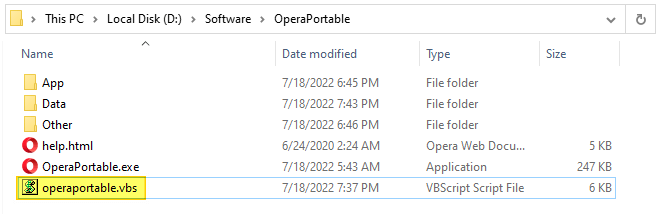
This article covers a VBScript that can register Opera Portable Edition with Default Apps or Default Programs in Windows Vista through Windows 10/11.

Read more

How to Get Windows 10 Classic Paint in Windows 11

get back classic paint windows 11

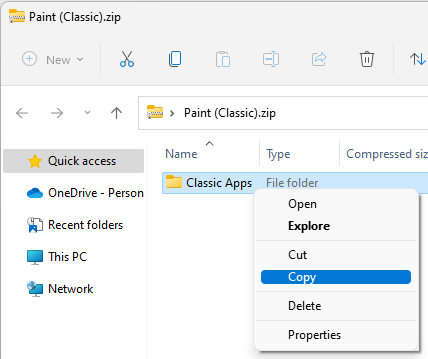
Windows 11 has got the redesigned and modern (UWP) Paint app that has an updated UI that matches the new visual design of Windows 11. The modern Paint app’s new design includes rounded corners, Mica, and more. It has a new toolbar with updated icon designs, a rounded color palette, and a new set of drop-down menus for tools such as brushes, stroke size, and flip/rotate controls.Read more

Register Google Chrome Portable with Default Apps or Default Programs

register chrome portable with default apps

A long time back, I made a simple program that will register Mozilla Firefox Portable with Default Programs or Default Apps in Windows. Many users asked if a tool can be made for other portable browsers, such as Opera, Chrome, etc.,

This post has a VBScript that will register or unregister Google Chrome Portable (from PortableApps.com) with Default Apps in a single click. After registering, you can set Chrome Portable as the default browser via Default Apps.Read more

Send To Mail Recipient Error: “There is no email program associated”

Whether an email client is installed in the system or not, errors “There is no email program associated to perform the requested action” and/or “An error occurred while attempting to invoke the default e-mail program” may occur when you try to email a file using one of these methods:Read more

Register Firefox Portable with Default Apps or Default Programs in Windows

Firefox logo

Firefox logoMozilla Firefox®, Portable Edition is the popular Mozilla Firefox web browser bundled with a PortableApps.com Launcher as a portable app, so you can take your bookmarks, extensions, and saved passwords with you.

This article lists two methods with which you can register Mozilla Firefox Portable Edition with Default Apps or Default Programs in Windows Vista through Windows 10/11.Read more