Add “Open with Notepad++” to the Right-Click Menu

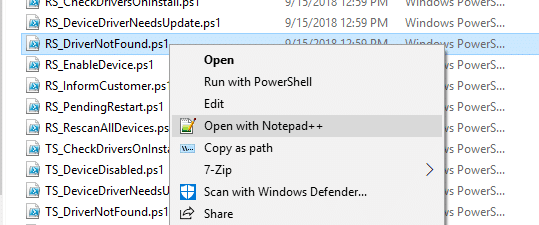
Notepad++ right-click menu in Windows

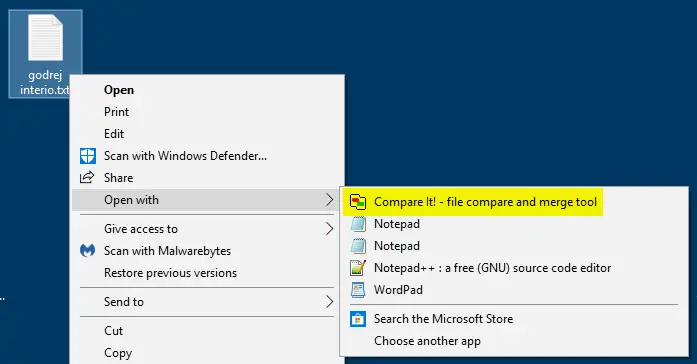
Many users have replaced Notepad with Notepad++ as the default text editor on their computers. Others use Notepad++ only when needed, and launch it via the Open with menu and choose Notepad++ from the list of options.

This post tells you how to add the Open with Notepad++ command to the right-click menu for text files in Windows. This tip is especially helpful for those who use the Notepad++ portable copy.Read more

[Fix] Cannot import file: The specified file is not a registry script

specified file is not a registry script

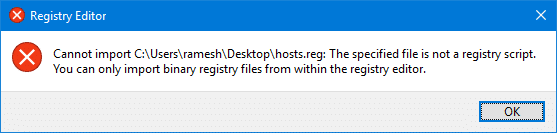
When you try to import a registry file (.reg) by double-clicking it or by using the Import option from within the Registry Editor, the following error occurs. As a result, the .reg file is not imported.

Registry Editor

Cannot import filename.reg: The specified file is not a registry script. You can only import binary registry files from within the registry editor.

specified file is not a registry script

This post tells you how to fix the .reg file import error in Windows.Read more

[Fix] Cannot Add a Program to Open with List in Windows

cannot add program to open with menu in windows

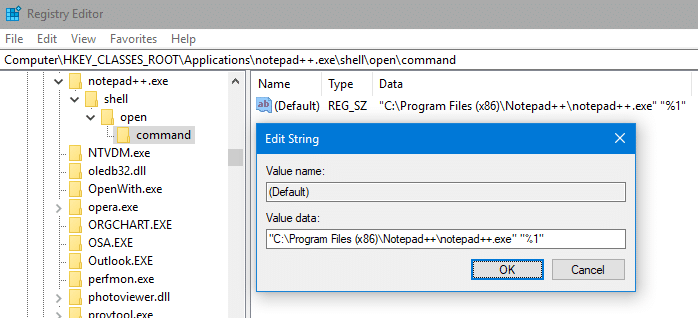
When you right-click on a file, select “Open with”, click “choose another app” and select a program using the Browse dialog, the program may fail to appear in the “Open With” dialog.

It may appear as if nothing happened after you selected the program in the browse dialog — i.e., the Open with dialog simply ignores your selection. This is a bug that exists since the Windows XP era (at least) and remains in Windows 10 as well. This article shows how to fix the Open with problem.Read more

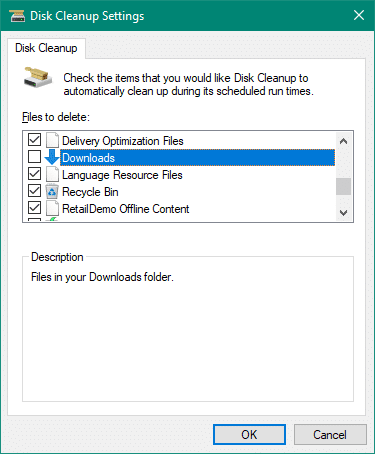
Stop Disk Cleanup and Storage Sense from Emptying your Downloads folder

disk cleanup downloads folder

If you use Disk Cleanup, you will want to be aware of a change to its options since the October 2018 feature update (v1809). Disk Cleanup, now also has the option to delete the contents of your Downloads folder.

disk cleanup downloads folder

However, many users like to use the Downloads folder as permanent storage area to preserve their downloaded files. This post tells you how to prevent Disk Cleanup and the modern Storage Sense tools from clearing files in your Downloads folder.Read more

[Fix] “Managed by your organization” in Chrome or Microsoft Edge

chrome policy "managed by your organization"

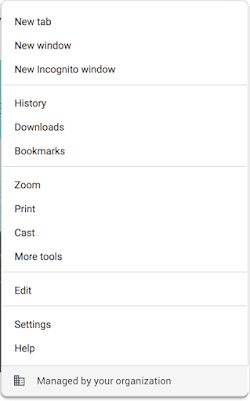
In Microsoft Edge or Google Chrome, some users see the message “Managed by your organization” when they click the “More” menu.
chrome policy "managed by your organization"

The message indicates that the browser (Microsoft Edge or Chrome) is being managed. If a user clicks on the “Managed by your organization” link, they are directed to chrome://management/ which contains details about Chrome Browser management on Chrome browser, or the edge://management page on Microsoft Edge.

This message is also seen on the Chrome/Microsoft Edge (chromium) Settings page.
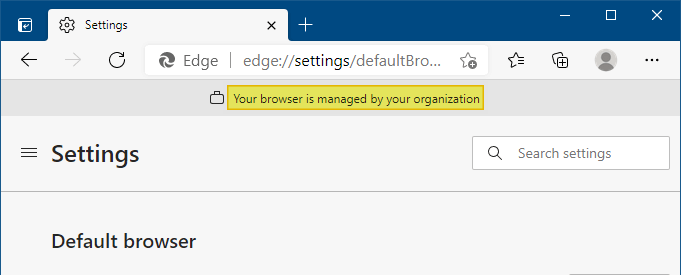
edge managed by organization

Clicking on the “Managed by your organization” link opens the edge://management page, which displays the following message:

Microsoft Edge is managed by your organization

If you use Microsoft Edge at school or work, it might be managed, or set up and maintained, by your organization. Your organization can set up or restrict certain features, install and block extensions, monitor activity, and control how you use it.

If Microsoft Edge is managed, you can view the policies that are set by your organization on the edge://policy page.

This post tells you how to remove the Managed by your organization notice and also explains how to remove the Microsoft Edge or Chrome policies that cause the notice to be shown.Read more
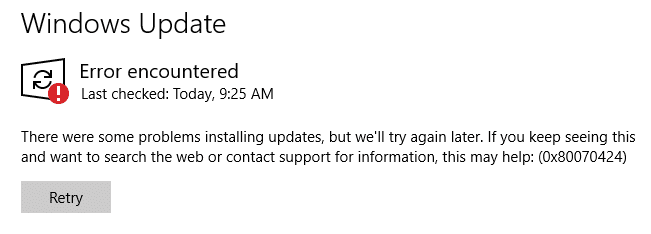
Error 0x80070424 in Windows Update and Microsoft Store

windows update error 0x80070424

When you attempt to check for updates from the settings page in Windows 10, the error 0x80070424 may appear. Also, the Windows Update service may be missing from the list when you open the services console. Error encountered There were some problems installing updates, but we’ll try again later. If you keep seeing this and … Read more

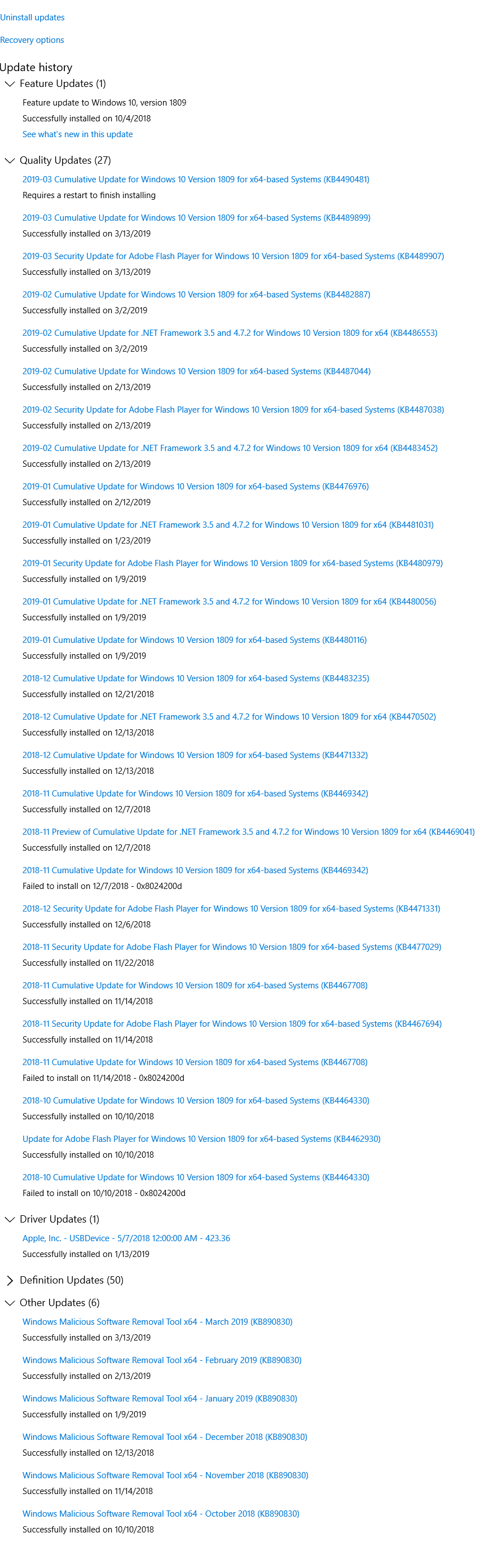
How to Check if a Windows Update (KB) is Installed on your Computer?

view update history in windows update settings

The Windows Update channel delivers all necessary updates suitable for your system. Most of the time, manual intervention is not required for installing updates. In some cases, especially during manual installation of an update using standalone installer, you may need to first check if a specific update (a prerequisite update) is installed on your system.

This article explains how to check if a specific Windows Update (KBnnnnnn) is installed in your computer or not.Read more

[Fix] Windows Batch Files (.bat) do not run when double-clicked

comspec setx

When you double-click a Windows batch file (.bat) or a .cmd file, one of the following symptoms may happen: The error “Windows cannot find ‘filename.bat’. Make sure you typed the name correctly, and then try again.” occurs when you run a .bat or a .cmd file. The batch file opens a Command Prompt window, but … Read more

Error 1083 “The executable program that this service is configured to run in does not implement the service”

fix for services error 1083 and 1053

When you attempt to start some Windows services using the Services MMC or command-line, error 1083 or 1053 is shown, and the service fails to start. Here is the error message verbatim: Windows could not start the [service name] service on Local Computer.Error 1083: The executable program that this service is configured to run in … Read more