Microsoft Defender’s command-line utility MpCmdrun.exe is used for scheduling scans or updating the signatures using the command-line. This post tells you how to set up Microsoft Defender to scan the computer daily at a specified time using Task Scheduler and in Windows 10 or 11.Read more
Windows 11
Fix Cannot Unpin FTP Links from Quick access (Home)
When you access an FTP site using File Explorer and Pin it to the Quick access section, the FTP site shortcut remains stuck and can’t be removed or unpinned. When right-clicking on the Pinned FTP link in the navigation pane the context menu doesn’t contain any options, except for an option named Expand, and that too dimmed out.Read more
How to Reinstall Microsoft Print to PDF After Deleting it Accidentally
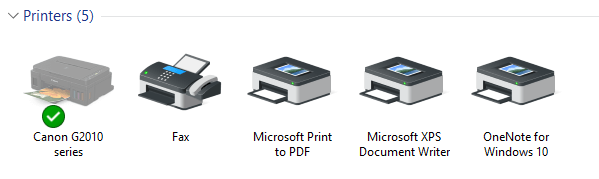
Windows 10 and 11, as you know, includes the Microsoft Print to PDF virtual printer built-in that can print (convert) documents to PDF format from any application.
Microsoft Print to PDF is a handy tool in Windows 10/11. In the previous Windows Operating Systems, users needed to use a third-party tool or virtual printer driver to convert documents or web pages to PDF. Most users, including me, have been relying upon the Cute PDF Writer driver or similar drivers supplied with PDF reader applications — e.g., Adobe Acrobat or Fox It Reader. And don’t forget Microsoft’s own Office Add-in: Microsoft Save as PDF or XPS.
Interestingly, many Windows 10/11 users accidentally delete Microsoft Print to PDF and wonder how to restore it. This post explains how to restore/reinstall the Microsoft Print to PDF printer if you’ve accidentally deleted it.Read more
[Fix] Quick Access Pinned Shortcuts Stuck or Not Working

Quick access (Home) in Windows 10 and 11 provides a convenient way to access folders you frequently use by pinning them. However, in some situations, the pinned shortcuts in Quick access get stuck, and you cannot remove or unpin them.Read more
How to Save Windows 10/11 Spotlight Wallpapers
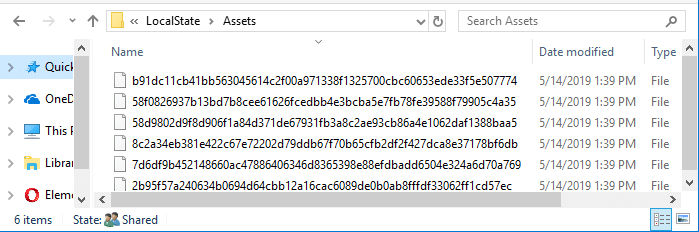
Windows Spotlight brings to you some fantastic images that are worth storing. Unfortunately, at present, Windows 10/11 doesn’t have a GUI option to save these lock screen wallpaper images; this has to be done manually or using a custom app or script. This post tells you how to save Windows Spotlight lock screen images automatically or manually.Read more
Stop Windows from Changing the Default Printer Automatically
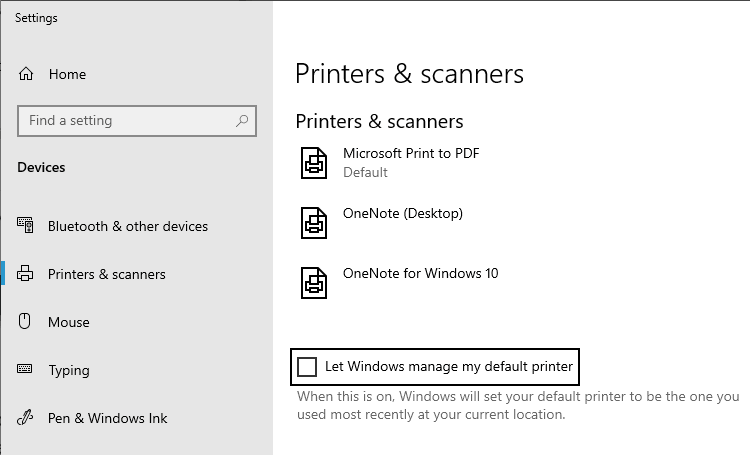
On Windows 10 and 11, if you have multiple printers (including virtual printers, such as Microsoft Print to PDF and Foxit PDF) and set your preferred one as the default, the default printer changes automatically the next time you print to a non-default printer.Read more
Pin Recent folders (Recent Places) to Explorer Navigation Pane in Windows 10/11
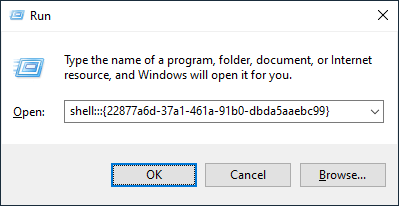
The Recent Places shell folder that appeared under the Favorites area in the navigation pane in the earlier Windows OS is not shown in Windows 10 and 11. Windows 10/11’s Quick access (which replaces Favorites) shows the “Frequently” used folders rather than the “Recently” opened folders.
The Recent Places shell folder still exists in Windows 10 and 11. Recent Places, now known as Recent folders, is handy in Explorer and Common File Open/Save dialog boxes in various applications. Today’s post shows you how to do the following things:
Windows Photo Viewer Opens Multiple Windows When Multiple Files are Selected
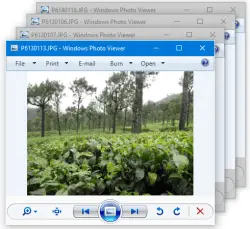 You may be wondering why Windows Photo Viewer, which previously opened images in a single window instance when multiple files were selected and previewed, is now opening up separate windows or instances–one for each image file selected.
The Windows Photo Viewer multiple instances problem usually seen in Windows 10 or 1 is not due to any design change, and no functionality is broken. It’s a simple file type association setting and fixing it that can straighten things up.
Selecting multiple files in a folder, right-clicking, and selecting preview should open a single Windows Photo Viewer window, and the user can cycle through the chosen set of images using the arrow keys. This is the expected behavior, and that’s how Windows Photo Viewer worked in the earlier OS.
You don’t have to read the next section if you’re not looking for an explanation for this problem. Proceed straight to the Solution part.
Read more
Remove Quick access and User Folders from File Explorer in Windows 10/11
Quick access, introduced in Windows 10, replaces the Favorites feature present in the earlier versions of Windows. It lets you pin your favorite folders, and it also lists frequently accessed folders.
In addition, File Explorer in Windows 10/11 by default displays the special user folders at the top, as well as in the navigation pane pinned under This PC. The shell folders namely 3D Objects, Desktop, Documents, Downloads, Music, Pictures, and Videos show up above the fold. These folder icons clutter the view, and push the disk drives category down below, which some users dislike.
This article tells you how to remove Quick access and also hide the special user folders from This PC view — both from the right pane as well as from the navigation pane.
How to Update Microsoft Defender and Run a Quick Scan in One Go
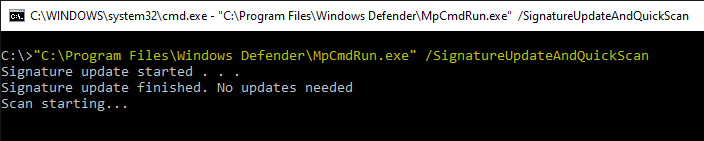
The Microsoft Defender command-line utility MpCmdRun.exe is mostly used to schedule scans and update the definitions. The MpCmdRun.exe command usage info can be obtained by running MpCmdRun.exe with “/?” or without any parameter.
However, it doesn’t mention a useful switch that updates Defender signatures and runs a Quick Scan at once.Read more