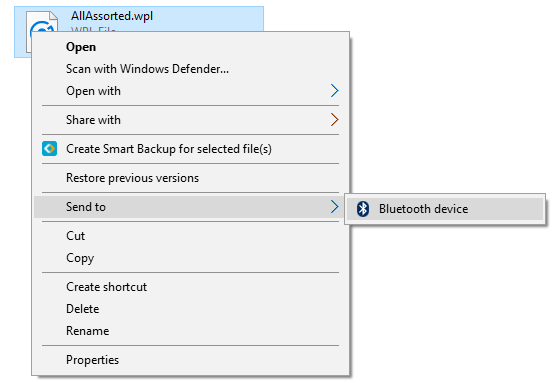
When right-clicking a file and clicking the Send To menu in Windows, only the Bluetooth Device shortcut may be displayed, although the other shortcuts, including the default ones, such as Compressed (zipped) folder, Desktop (create shortcut), Mail Recipient, are intact in the user’s Send To folder.
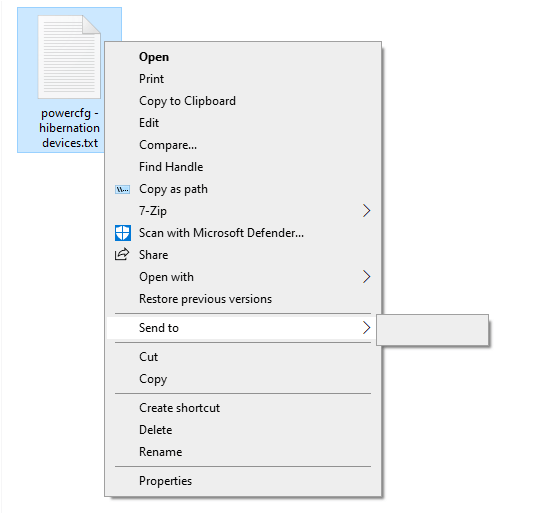
On some systems, the Send To menu may be completely blank:
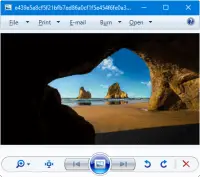
Windows Photo Viewer is one of the things that gets removed or hidden from access after upgrading to Windows 10. The new Photos app takes charge as the default handler for image files in Windows 10 and Windows 11.
The good news is Windows Photo Viewer application still exists in the same location in Windows 10 and Windows 11. But what is removed is only its registration.
Windows Photo Viewer is a lightweight app similar to the Office Picture Manager and Windows Live Photo Gallery, both of which are discontinued by Microsoft. But, Windows Photo Viewer remains an integral part of Windows 10/11.
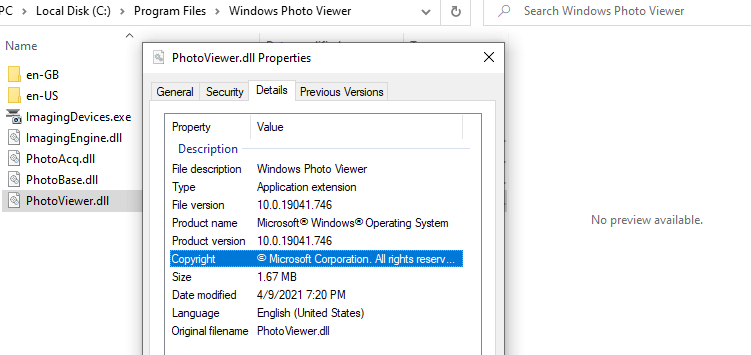
Windows Photo Viewer is powered by a single DLL file named photoviewer.dll located in the C:\Program Files\Windows Photo Viewer directory in Windows 11 and earlier OS.
Windows Photo Viewer – photoviewer.dll in Windows 10 version 21H1.
For example, this command-line will open a file named D:\sample.png using Windows Photo Viewer:
Now, all we need to do is add Windows Photo Viewer file association settings to the registry. If you’re not a fan of the new Photos app, you can restore the missing Windows Photo Viewer registration in Windows 10 and 11. Read more
Earlier, we learned how to exit and restart the explorer shell safely in earlier versions of Windows. Task Manager has the Restart Explorer option in Windows 8, Windows 10, and Windows 11 that lets you gracefully restart the explorer shell.Read more
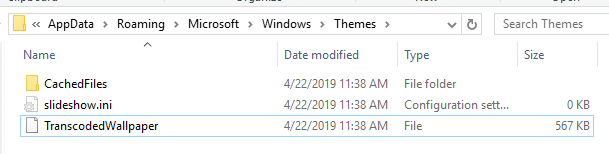
If you’re using the Desktop background slideshow or third-party wallpaper changer software and want to find the file name of the currently displayed desktop wallpaper, then this article is for you. The current wallpaper path is are stored in the registry but is not displayed in the modern Personalize settings page in Windows 10/11.
This post tells you how to find the current wallpaper file name and path in Windows 8, Windows 10, and Windows 11.Read more
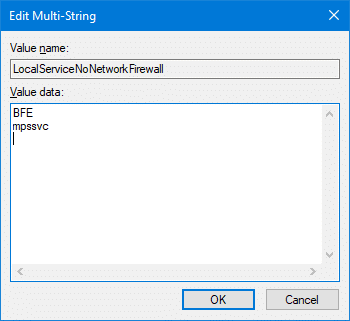
When you try to start the Windows Firewall in a Windows computer, you may get a message stating that the the Base Filtering Engine (BFE) service is not running, and any attempts to start the BFE service may result in the error 1083:
Windows could not start the Base Filtering Engine service on Local Computer.
Error 1083: The executable program that this service is configured to run in does not implement the service.
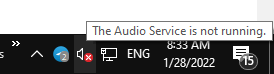
The speaker icon in the Taskbar’s notification area may appear with a red cross. When you hover the mouse pointer, it may say, “The Audio Service is not running.”
Clicking the speaker icon may launch the Get Help or the audio troubleshooter. This happens if the Windows Audio service is turned off. As a result, there will be no sound output in your device.
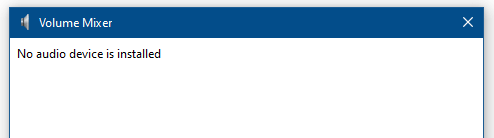
Launching the Volume Mixer by running Sndvol.exe would show the following error: