[Fix] Cannot Delete WindowsApps folder on Non-System Drives

cannot delete windowsapps folder

If you have changed the default app save location to an external hard drive or secondary drive, Windows will create three folders, namely, WpSystem, WindowsApps, and WUDownloadCache on the target drive.

You may later change your mind and revert the default save location to C:. But you may be unable to delete the leftover WindowsApps folder on your secondary drive due to tight NTFS permissions assigned to the folder. The other two folders, WpSystem and WUDownloadCache can be deleted easily.

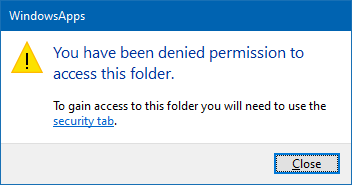
When you access the WindowsApps folder on your secondary drive, you may see the following message:
cannot delete windowsapps folder

You have been denied permission to access this folder.

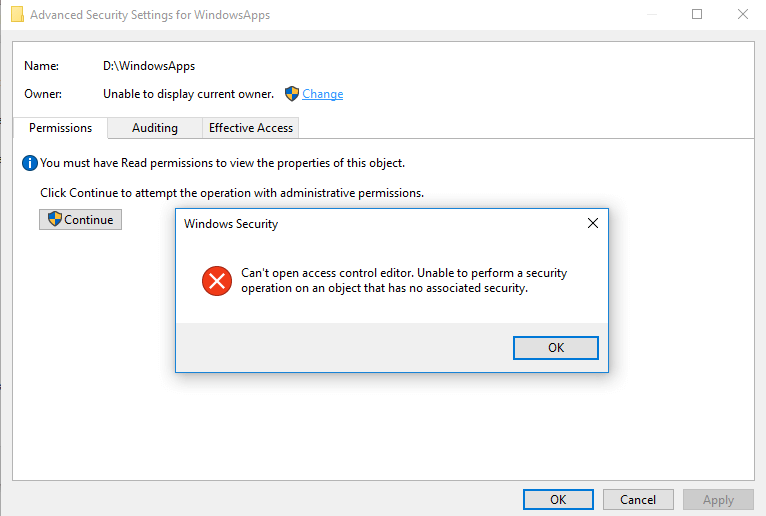
And the Advanced Security Settings dialog shows the error:

Can't open access control editor. Unable to perform a security operation on an object that has no associated security.
cannot delete windowsapps folder

This article explains how to properly delete the leftover WindowsApps folder on your secondary or external hard disk drive(s).Read more
Restore “Import pictures and videos” AutoPlay Option in Windows 10/11

import pictures and videos autoplay windows 10

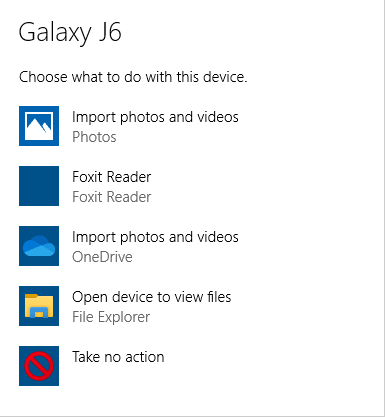
Windows 10 has the Import photos and videos option in the AutoPlay dialog which helps you import photos and videos from your phone, SD card, camera, etc. The option uses the built-in Photos app to import photos and media from the device into your Pictures folder.

import pictures and videos autoplay windows 10

However, many users would like to have the classic “Import pictures and videos” import wizard (powered by the Windows Photo Viewer) instead.Read more

Windows Update Service Properties Grayed Out in Services MMC

windows update service properties tab grayed out - wuauserv sddl fix

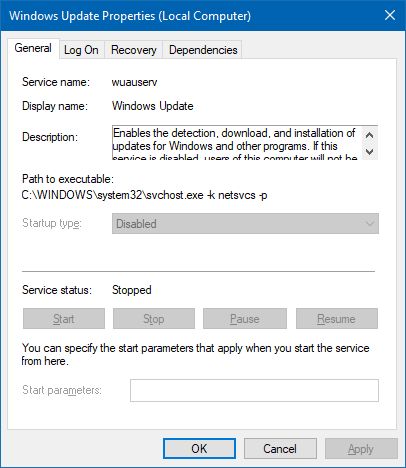
When you open the Services MMC (services.msc) and double-click Windows Update service properties, the Start and Stop buttons are grayed out. Also, you may be unable to change the service Startup type.

windows update service properties tab grayed out - wuauserv sddl fix

As a workaround, you can change the service startup and other settings using the registry or run the SC.exe command-line tool under the SYSTEM account and modify the service settings.

This article tells you how to make the Windows Update service configurable (by administrators) using the Services MMC.Read more

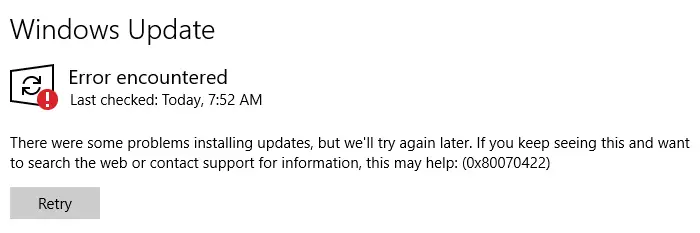
Error 0x80070422 in Windows Update and Store

windows update error error 0x80070422

When you open Settings and check for updates on your Windows 10 or 11 computer, the error 0x80070422 appears. Here is the entire error message:

There were some problems installing updates, but we'll try again later. If you keep seeing this and want to search the web or contact support for information, this may help: (0x80070422)

Read more

Enable or Disable Windows Defender Using Shortcut or Command-line

Windows Defender, the built-in anti-virus program in Windows, has useful features such as cloud-based protection, offline scanning, limited periodic scanning, tamper protection, controlled folder access, etc.

Almost every aspect of Windows Defender can be managed or automated using the MpCmdrun.exe command-line tool and PowerShell cmdlets. There are times when you need to temporarily disable your Windows Defender real-time protection on your test (non-production) systems and switch it back on after a few minutes.

You may prefer a single-click shortcut or script solution because of the following reasons:

  1. It takes several mouse clicks to turn off/on the Windows Defender real-time protection through the user interface.
  2. The Turn off Microsoft Defender Antivirus Group Policy setting or its equivalent registry setting DisableAntiSpyware = 1 would require rebooting the computer.
  3. Microsoft has discontinued the DisableAntiSpyware policy/registry setting in Microsoft Defender Antimalware platform versions 4.18.2007.8 and higher. DisableAntiSpyware no longer works!

hand point iconThis post explains how to enable or disable Windows Defender in a single click using desktop shortcuts or command-line without requiring a restart.
Read more

Error 0x80070424 in Windows Update and Microsoft Store

windows update error 0x80070424

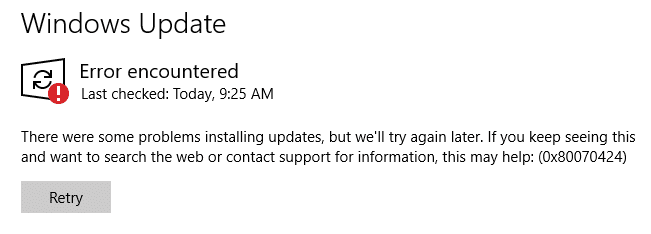
When you attempt to check for updates from the settings page in Windows 10, the error 0x80070424 may appear. Also, the Windows Update service may be missing from the list when you open the services console. Error encountered There were some problems installing updates, but we’ll try again later. If you keep seeing this and … Read more

How to Enable the Built-in Administrator via Windows RE

There are situations where you’ll need to activate and use the built-in Administrator account in Windows 10 or 11. The built-in Administrator account is disabled by default. If your existing admin user account profile gets corrupted (and you have no alternate user account with admin privileges), you’ll need to enable and use the built-in administrator account to fix things up or create a second administrator account.Read more