When you attempt to install .NET Framework 3.5 or any other optional feature using “Windows Features” (optionalfeatures.exe) dialog or using DISM command-line, error 0x800F0954 may popup.Read more
Windows 11
[Fix] Wi-Fi Networks (SSID) Not Visible in Windows 10/11
Your Windows 10 computer may not show available Wi-Fi Networks (No Wi-Fi Networks Found) sometimes after installing a feature update. Many of the users have reported that they are unable to search and discover new Wi-Fi access points after going through the Fall Creators Update. However, this issue still exists in computers running v2004 which is the latest Windows 10 build as of this post.
Welcome to the Windows-land where the “mandatory updates” and “security patches” would more often than not, make your life harder by either messing up or not showing something. One of the rather recent additions to the list is the Wi-Fi problem.Read more
Taskbar Volume Control Icon does not Work in Windows 10/11
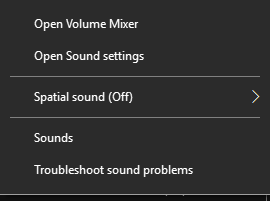
Sometimes, the Taskbar volume control icon in Windows may not respond to the mouse click. The slider doesn’t appear when you click on the speaker icon, and nothing happens when you right-click on it. The audio may still work in all applications, but only the controls don’t open. Due to this, users have to open sndvol.exe from the Run dialog to open the Volume Mixer and control the sounds.
This post explains how to fix the volume control (speaker) icon in Windows 10 and Windows 11.Read more
Fix: Calculator Does Not Work in Windows 10 or 11
The built-in Calculator app is a UWP (modern) app in Windows 10 and 11. This post tells you how to fix the Windows modern Calculator app when it fails to open or crashes a moment after opening.Read more
How To Merge Videos In Windows 11/10 Using the Built-In Photos App
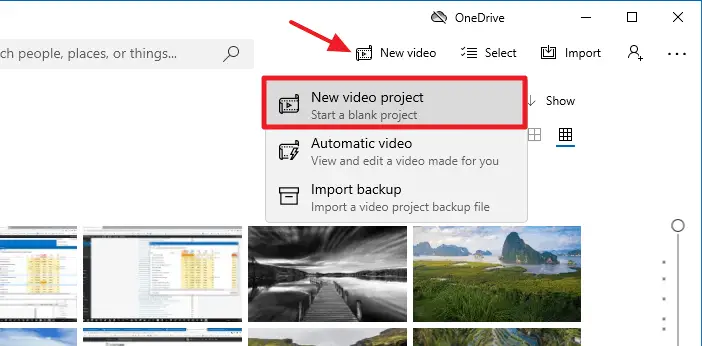
Want to merge videos in Windows 10 or Windows 11 but don’t have any idea how to proceed? Here we will explain to you how to merge videos with Windows’s built-in Photos app in a step-by-step manner.
You must be knowing that Windows Movie Maker (Windows Essentials 2012) has been retired by Microsoft and the download links have been taken offline officially though you can download Windows Essentials 2012 from some independent or third-party sites like ours.
Leaving Windows Movie Maker aside, still, you have something best in-built with Windows 10 and Windows 11 that helps you merge your videos. That’s the built-in Photos app. With its simple and user-friendly interface, the Photos app allows a user to merge videos effortlessly.
Fix: Keyboard Input Not Working in Modern (Store) Apps
If the keyboard input doesn’t work in modern (Store) apps like Microsoft Store, OneNote for Windows, Start menu search, Lock screen, etc, this article tells you how to fix the issue. Cause When you type something in those modern apps, nothing may happen. This happens if a built-in Scheduled Task is disabled accidentally. Despite this … Read more
[Fix] UAC Yes Button is Missing or Grayed Out
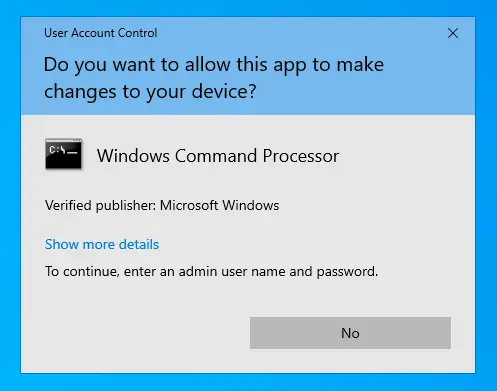
Some users are facing a weird problem wherein the “Yes” button in User Account Control (UAC) dialog is disabled or grayed out. As a result, you’ll be unable to launch any program under elevated privileges (run as administrator).Read more