How to Add “Edit with Snip & Sketch” Option to Right-Click Menu

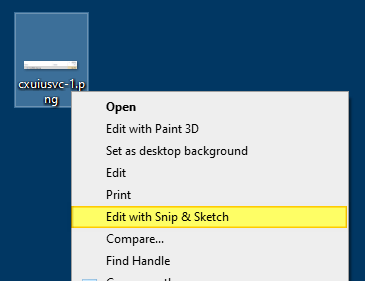
Add "Edit with Snip & Sketch" to the right-click menu.

The Snip & Sketch app in Windows 10/11 lets you annotate screenshots, photos, and other images with your pen, touch, or mouse and save, paste or share them with other apps. The Snip & Sketch app doesn’t allow the pasting of images from the Windows clipboard to the app’s canvas area. This is a significant limitation in the Snip & Sketch app.Read more

(Solved) Microsoft Print to PDF Error 0x800f0922

microsoft print to pdf error 0x800f0922

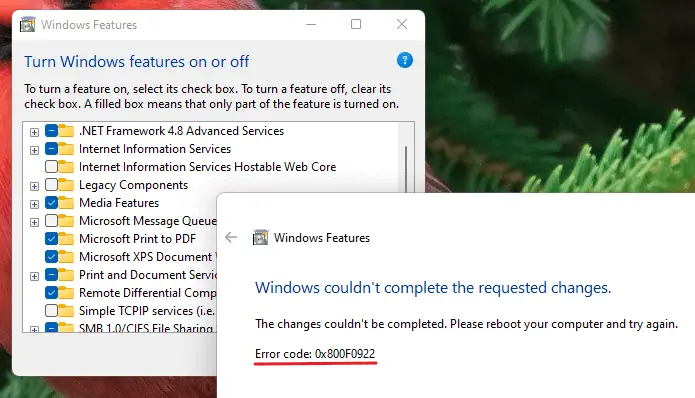
We saw in detail how to reinstall the Microsoft Print to PDF printer in Windows 10 or 11. During the process, some users have encountered the error 0x800f0922 no matter which method they used (DISM, PowerShell, the “Add a Printer” wizard, or the Windows Features GUI) to install the driver.

microsoft print to pdf error 0x800f0922

The Windows Features method might cause the following error:

Windows couldn't complete the requested changes.

The changes couldn't be completed. Please reboot your computer and try again.

Error code: 0x800F0922

Read more

How to Fix .JAR (Executable Jar File) File Association in Windows

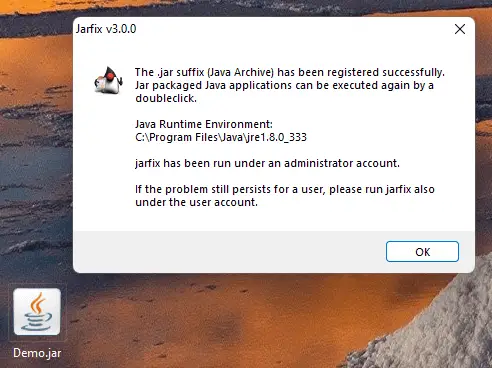
jarfix - repair .jar file association settings

Jar (Java ARchive) or “executable Jar file” is executed by Java Runtime Environment (javaw.exe) program. On Windows, the Java Runtime Environment’s setup will register a default association for Jar files so that double-clicking a Jar file on the desktop will automatically run it with “javaw.exe -jar” command-line argument.Read more

“Failed to open the file” Error in Snipping Tool or Snip & Sketch App

snip failed to open the file

When you use the Snipping Tool to screenshot the screen or a window, the snip may be copied to the clipboard but the Snipping Tool can’t open the image. The following error appears after taking a screenshot: Snipping Tool Failed to open the file. On Windows 10, the Snip & Sketch tool may throw the … Read more

How to Remove “Learn about this picture” Desktop Icon in Windows 11

remove learn about this picture icon

When you select the “Windows Spotlight” option as the desktop background in the Personalize settings page, Windows 11 adds a desktop icon named “Learn about this picture.” The “Learn about this picture” is a shell folder (special icon) that, when double-clicked, opens the Bing Images search results page for the current desktop spotlight wallpaper.
Read more

Error 0x80070643 Installing KB5007651 (Update for Windows Security platform)

kb5007651 error 80070643

Windows 11 users are seeing the error 0x80070643 (“Fatal error during installation”) when installing KB5007651 (Update for Windows Security platform) via Windows Update. Here’s the error message verbatim: Updates failed Update for Windows Security platform – KB5007651 (Version 1.0.2109.27002) Install error – 0x80070643 [Fix] Error 0x80070643 Installing KB5007651 Many users have indicated that the following … Read more

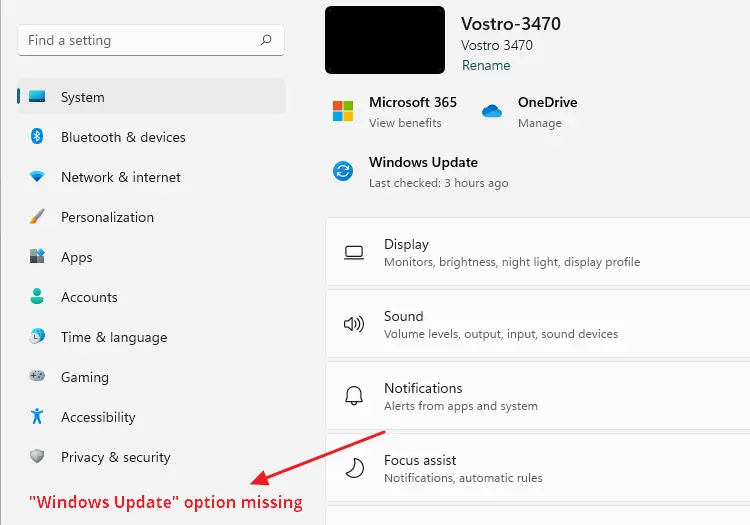
Restore Missing Windows Update (wuauserv) Service in Windows 10/11

windows update service missing in the list

The Windows Update service (wuauserv) enables the detection, download, and installation of updates for Windows and other programs. If this service is disabled, users of this computer will not be able to use Windows Update or its automatic updating feature, and programs will not be able to use the Windows Update Agent (WUA) API.Read more

Restore Missing BITS Service in Windows 10/11

The Background Intelligent Transfer Service (BITS) service transfers files in the background using idle network bandwidth. If the service is disabled, then any applications that depend on BITS, such as Windows Update, will be unable to automatically download programs and other information.

If the BITS service is missing in the Services MMC console in Windows 10/11, use the registry fix in this article to restore it.Read more

Copy Detailed File Info to Clipboard via Right-Click Menu

copy file information, version, product via right-click menu

The Details tab in the Properties sheet shows the file version, product name, copyright, and other details. However, Windows doesn’t let you copy the information to the clipboard.

copy file information, version, product via right-click menu

In this article let’s see how to copy the file info to the clipboard using PowerShell. You can also incorporate the command to the right-click menu if desired.Read more

Remove “Edit with Clipchamp” from the Right-click Menu

remove "edit with clipchamp"

Clipchamp is a video creation and editing suite from Microsoft. This software is available via the Microsoft Store. This app will be installed as an inbox app in the upcoming builds of Windows 11. Note that this app is pre-installed in Windows 11 Insider build 22581.1 and higher.

Clipchamp installation would add the “Edit with Clipchamp” item in the context menu of image and video files. Notably, the “Edit with Clipchamp” and “Share with Skype” context menu entries are also shown in the Windows 11 fast context menu.

remove "edit with clipchamp"

There are some bugs in the Clipchamp context menu. If you open the classic context menu by clicking “Show more options,” you may see that the “Print” command (or “Set as desktop background”) is the default option. This means that double-clicking on image files will open the Print dialog or set the image file as the desktop background.

remove "edit with clipchamp"

The above bug could be simulated in the current version (v2.3.0.0) of Clipchamp.

See also: Troubleshoot Shell extension issues in Windows.

Also, the Clipchamp context menu removes the “Enqueue in Winamp” context menu option. A Winamp user reported this:

After installing the latest Beta release build of Windows 11, the Enqueue in Winamp option has disappeared from the right-click menu for media files. In Winamp, I tried unchecking “Show Winamp actions in folder context menus” and then re-enabling it, but I can’t seem to bring it back. I use this feature on a daily basis, so it’d be terrible to lose it. Anyone has any ideas on how I can get it to show back up?

Just figured it out. It replaced “Enqueue in Winamp” with “Edit with Clipchamp”, a new video editing program Microsoft just added in the Beta update. I went to add/remove programs and uninstalled Clipchamp, and my enqueue option returned.

If you wish to remove the “Edit with Clipchamp” context menu entry, you can do it using a simple registry edit.

Read more