Microsoft recently introduced the Search Highlights feature in Windows 10 and 11. Search Highlights is designed to help Windows users discover more information and related content. Search highlights present noteworthy, informative, and interesting information about what’s special about each day—like holidays, anniversaries, and other moments in time both globally and in your region.Read more
Windows
You’re browsing the “Windows” parent category, which lists articles on every Windows Operating System.
Fix for Duplicate Desktop Icons in Windows
Every time when you place a file or a shortcut on your Desktop, you may get 2 identical icons. If one icon is deleted, the other icon will also be removed if you refresh the Desktop. The path for both icons would be the same. You may be wondering what causes the display of duplicate desktop icons in Windows.
Cause
This problem is caused by inadvertently dragging the desktop folder about in the person’s profile folder or All Users. Or, the user may have incorrectly changed the “User Shell Folders” registry value.
The Desktop is composed of two folders, one is the current user’s Desktop, and the other is the “All Users” (a.k.a, Public) Desktop. The Desktop is a special folder that displays the icons from both these locations.
Duplicate desktop icons issue occurs if both are set to the same folder. For instance, if the current user “Desktop” and All users’ “Desktop” paths (in the registry) are pointing to the same folder (e.g., %USERPROFILE%\Desktop), the Windows shell enumerates the items twice and displays the same set of icons twice on the desktop.Read more
Windows Search not Finding Text Inside PDFs in Windows 11
Many Windows 11 users have reported a Windows Search issue wherein the PDF content search in File Explorer does not fetch anything. When you do a search in File Explorer, the results for other documents (e.g., Word, Excel, etc.) are discovered but not PDF files.
Even if you use the content: or contents: search operator (e.g., contents:contoso) in File Explorer to search for file content, the search results may be empty.
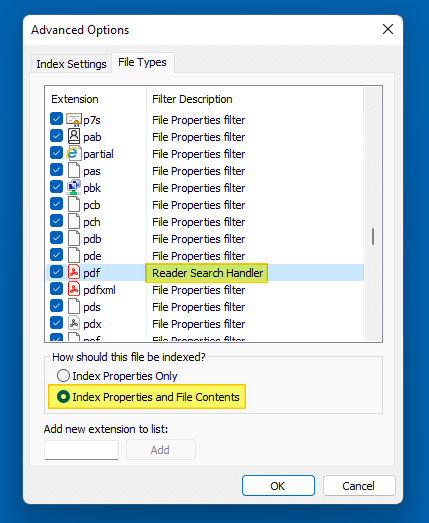
This post tells you how to fix PDF search indexing (file content search) issues, especially in Windows 11. The instructions apply to all versions of Windows.Read more
How to Recover PATH Variable After Deleting it Accidentally
The PATH is a variable that Windows uses to locate needed executables, especially from the command line. Unfortunately, there are situations where users accidentally delete the PATH variable. This can happen when users inadvertently overwrite the PATH data rather than appending them.
There are also cases where some buggy applications or installers have wiped out the entire PATH environment variable data. This article explains the different ways to recover the PATH variable that was accidentally erased.Read more
How to Restore Old Classic Notepad in Windows 11
Windows 11 comes with the modern Notepad app that automatically replaces the old/classic Notepad program. The new Notepad UWP app supports color emojis, dark mode, RichEdit editing enhancements, Ctrl+} for toggling between matching brackets/parentheses, multilevel undo, drag & drop, and automatic URL detection.Read more
[Fix] PDF Preview Shows Directory Index or ERR_FILE_NOT_FOUND
When you preview PDF files in File Explorer or Microsoft Outlook on your Windows 10 or Windows 11 computer, the preview pane may show the directory index of the current folder instead of previewing the PDF file’s contents.

In some cases, it shows the following error:
File not found It may have been moved, edited, or deleted. ERR_FILE_NOT_FOUND
How to Get Back Enhancements Tab (Loudness Equalization) in Speaker Properties
After installing the audio driver update or upgrading the Operating System, you may notice that the “Enhancements” tab is missing in the Speaker/Microphone properties window.

The Enhancements tab provides options to configure Bass Boost, Virtual Surround, Room Correction, Loudness Equalization, and other features.