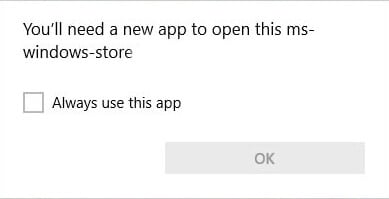
[Fix] Turn Windows Features On Or Off is Blank in Windows 10/11

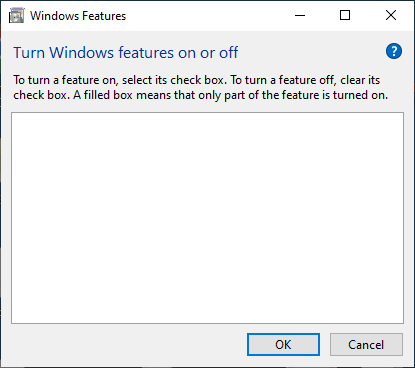
windows features white box

The Windows Features dialog box (optionalfeatures.exe) lets you add or remove additional or optional Windows features. For instance, you can remove Media Features → Windows Media Player using the Windows Features (“Turn Windows Features On Or Off”) dialog box if you no longer plan to use WMP.

Sometimes, the “Turn Windows Features On Or Off” box may be completely empty.Read more
How to Repair Windows 10/11 System Files Using DISM and SFC

If the system files in your Windows 10/11 computer become corrupt and the System File Checker (SFC /scannow) is unable to reinstate the critical system files, it’s due to corruption of the Component Store located in the C:\Windows\WinSxS directory. This directory contains the files needed for the SFC utility to restore missing or damaged system files. The Component store stores all the Windows system files grouped by components and as hard links.

Read more

Microsoft Defender: “Managed by your administrator” or “Your IT administrator has limited access”

defender settings grayed out - managed by administrator

In the aftermath of a malware attack, the Windows Defender Security settings page may show the message Some settings are managed by your organization or This setting is managed by your administrator. The real-time protection and cloud-based protection options may remain disabled or grayed out.

Here is what the Windows Defender Settings page might look like. The controls for real-time protection, cloud-based protection, and Automatic sample submission options may be disabled and locked down or grayed out.Read more

Increase Lock Screen Display Off Timeout in Windows 10 and 11

The lock screen which exists in Windows 8 and higher is an additional screen with a background image. The lock screen, which conceals the login screen, shows the time and date, quick status of running apps and the current Windows Spotlight image details.

After 60 seconds of no user activity, the lock screen display turns off to conserve power. This timeout applies when you lock the device or workstation, as well as during startup.Read more