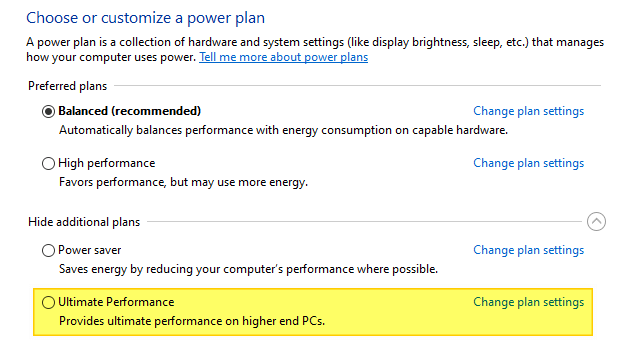
Windows Defender “HostsFileHijack” alert appears if Telemetry is blocked

defender hostsfilehijack

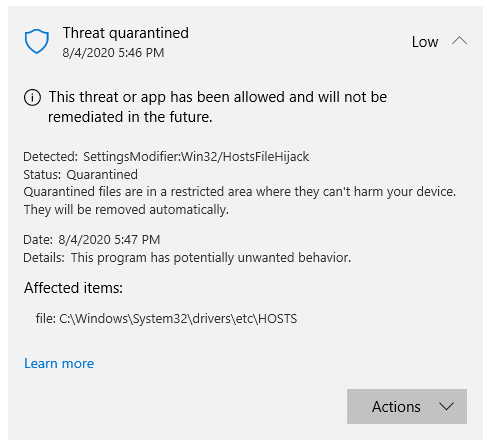
Since July last week, Windows Defender started issuing Win32/HostsFileHijack “potentially unwanted behavior” alerts if you had blocked Microsoft’s Telemetry servers using the HOSTS file.

defender hostsfilehijack

Out of the SettingsModifier:Win32/HostsFileHijack cases reported online, the earliest one was reported at the Microsoft Answers forums where the user stated:

I’m getting a serious “potentially unwanted” message. I have the current Windows 10 2004 (1904.388) and only Defender as permanent protection.
How is that to evaluate, since nothing has changed at my hosts, I know that. Or is this a false positive message? A second check with AdwCleaner or Malwarebytes or SUPERAntiSpyware shows no infection.

“HostsFileHijack” alert if Telemetry is blocked

After inspecting the HOSTS file from that system, it was observed that the user had added Microsoft Telemetry servers to the HOSTS file and routed it to 0.0.0.0 (known as “null-routing”) to block those addresses. Here is the list of telemetry addresses null-routed by that user.Read more

Fix: Api-ms-win-crt-heap-l1-1-0.dll or api-ms-win-crt-runtime-l1-1-0.dll is missing

api-ms-win-crt-heap-l1-1-0.dll missing

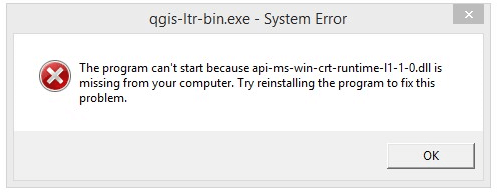
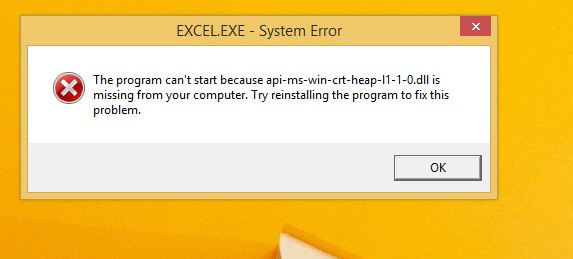
When you run a program on a computer running Windows 8.1 or earlier, you may see an error denoting that the module api-ms-win-crt-heap-l1-1-0.dll or api-ms-win-crt-runtime-l1-1-0.dll is missing. Here’s the full error message verbatim:

The program can’t start because api-ms-win-crt-heap-l1-1-0.dll is missing from your computer. Try reinstalling the program to fix this problem.
The program can’t start because api-ms-win-crt-runtime-l1-1-0.dll is missing from your computer. Try reinstalling the program to fix this problem.

api-ms-win-crt-heap-l1-1-0.dll missing

For example, these errors may occur when playing online games or while running programs that were compiled using Microsoft Visual Studio 2015 & Windows 10 SDK — e.g., Office Word, Excel, Access, Skype, QGIS, Apple iTunes, or Adobe products.

api-ms-win-crt-heap-l1-1-0.dll missing

These DLL missing errors usually indicate that the VC++ runtime libraries are missing. A runtime library is a collection of files (usually .dll files) used by some programs at run-time to provide one or more native program functions or services.

tips bulb iconUninstalling and reinstalling the respective program can help in cases where the software vendor has packaged the runtime library within the installer.

Many users have attempted to download and install the Visual C++ Redistributable for Visual Studio 2015. However, this may not resolve the issue. This article tells you how to fix the above errors easily using an update released by Microsoft.Read more

How to Open .hlp Files in Windows 10/11 Using WinHlp32.exe

restore winhlp32 .hlp viewer in windows 10

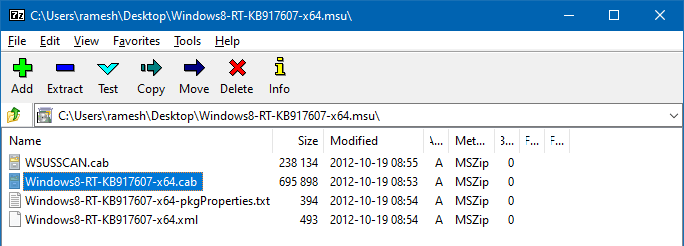
A long time back, most of the software used to ship with .hlp (WinHelp help format) help files. Since Windows Vista, the legacy .hlp format has been deprecated. To view 32-bit Help files with the .hlp file extension in Windows Vista (and higher — through Windows 8.1), you will need to download and install WinHlp32.exe (KB917607 package) from the Microsoft Download Center.

However, this update isn’t available for Windows 10/11. Installing one of the KB917607 installers on Windows 10 or 11 would cause the following error:

Windows Update Standalone Installer
The update is not applicable to your computer.

This article tells you how to restore the missing WinHelp (.hlp) viewer on Windows 10 or 11.

Read more

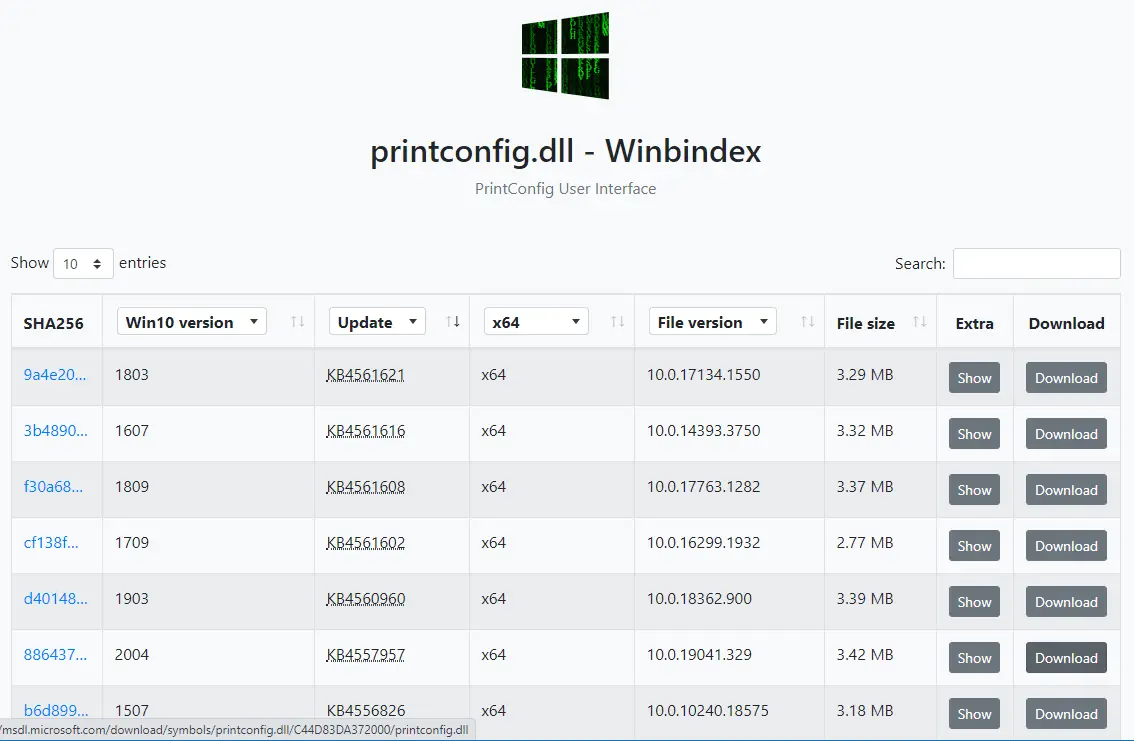
How to Download Missing System files from Microsoft

download windows system files dll exe sys from microsoft server

If a Windows system file is missing, the first thing that comes to our mind is the System File Checker (Sfc.exe). The sfc.exe /scannow command-line restores missing or corrupted system files by fetching a good copy from the WinSxS folder. If that fails, you usually run the DISM .. RestoreHealth command-line to fix the WinSxS repository. In some cases, DISM requires a slipstreamed Windows setup disk from which the install.wim file is used.

Here is another way to download any version of a Windows system file (.exe, .dll, or .sys) directly from Microsoft’s server.Read more

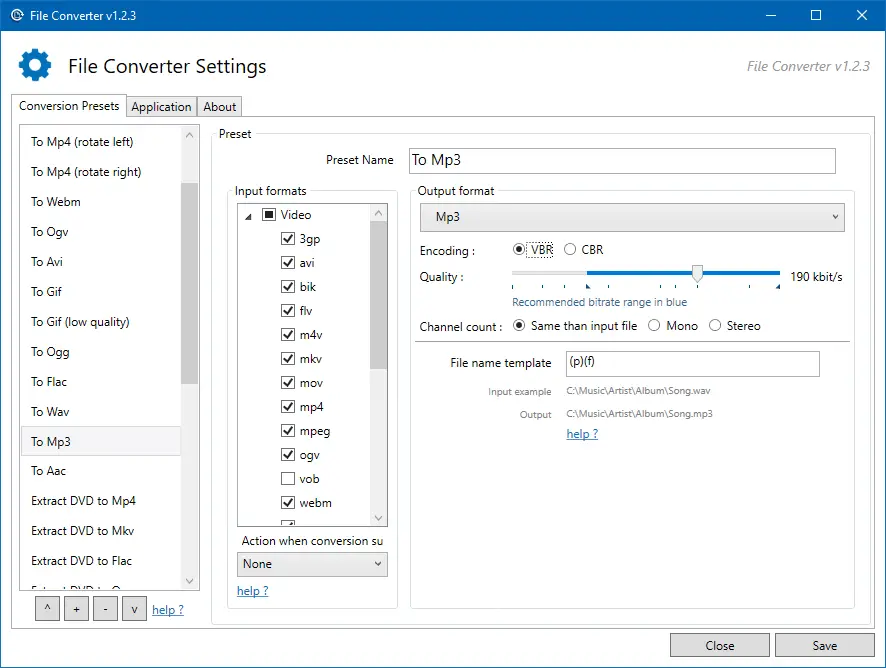
How to Convert WMA to MP3 Format in Windows

convert mp4 to mp3 offline - extract audio from video - file converter

Windows Media Audio (WMA) is a proprietary technology developed by Microsoft that forms part of the Windows Media framework. WMA produces better sound at low bitrates compared to MP3. It leads to smaller file sizes. Since the WMA format is proprietary, we have more devices that use the MP3 format compared to WMA.

If your device (e.g., DVD player) doesn’t support WMA file format, then you’ll have to convert the WMA files into MP3, as most, if not all devices support MP3. Converting WMA files to MP3 is also a good idea if you want to play them across different platforms (e.g., macOS, iOS, Android, ChromeOS, or Linux). For instance, Chromebooks don’t have native support for WMA files. You’ll need to install VLC Player for Chrome OS or convert the WMA files to one of the formats (.mp3, .m4a, .ogg, .wav) to be able to play the music on your Chromebook.

Windows Media Player is the native media player (in Windows Operating Systems) which supports WMA file format. But Windows Media Player has no audio format conversion capability. However, WMP can rip CD/DVD audio into WMA, WAV, or MP3 file format, though.

Read more

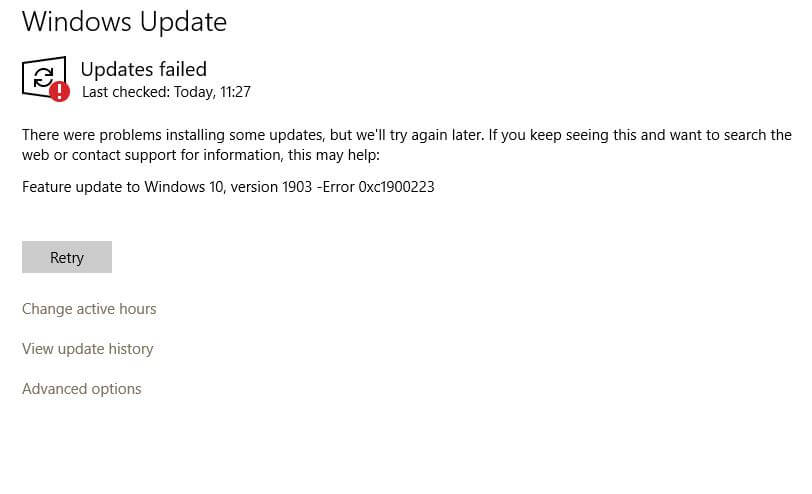
Fix Error 0xc1900223 When Installing Windows 10 Updates

windows update error 0xc1900223 in windows 10

The error 0xc1900223 may appear when you attempt to update your Windows 10 installation, especially when installing a feature update like v1903 or v1909. There is no actionable advice from Microsoft, regarding this error.

windows update error 0xc1900223 in windows 10

However, the error continues to occur even when attempting to install the update every time.

The SetupDiag utility (download) would log this error:

Error: SetupDiag reports abrupt down-level failure.
Last Operation: Finalize
Error: 0xC1900223 - 0x20009
LogEntry: Error MOUPG CSetupManager :: ExecutePreDownloadMode (8491): Result = 0xC1900223

The usual Windows Update troubleshooting methods may not fix this error. This post tells you how to prevent the error 0xc1900223 in Windows 10.Read more

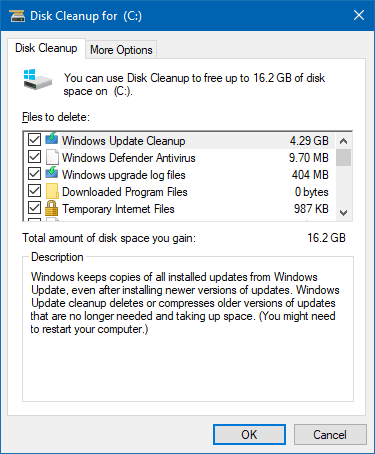
How to Free Up Gigabytes of Disk Space in Windows

free up disk space in windows 10

Windows 10 updates, especially the feature updates, consume enormous disk space as Windows stores the older copies in case you want to roll back to the previous version. Hard disk drives have become cheaper and affordable nowadays. A 1 TB SATA HDD costs less than $50. But, if you’re using an old, low-capacity hard drive from an old computer and want to free up disk space, this article tells you how to do that.

After installing a feature update, Windows 10 automatically cleans up the previous Windows installation files (Windows.old) after ten days. However, there are some other ways with which you can free up disk space in Windows. Let’s see some of the options.Read more

How to Find the Motherboard Make and Model Number in Windows

find motherboard make and model

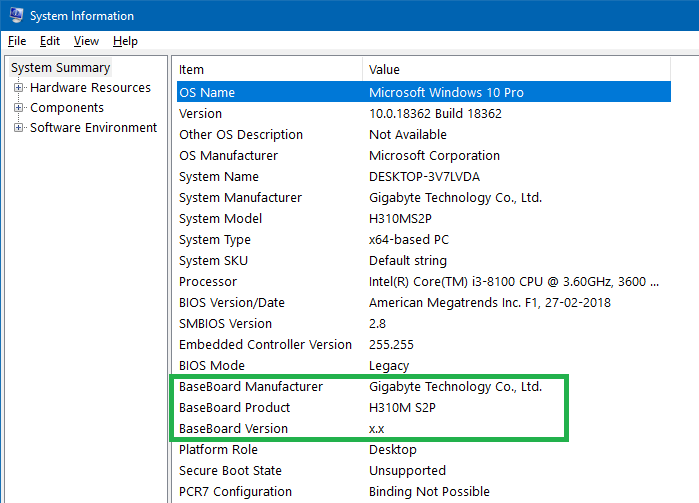
Knowing the technical specifications of your motherboard is very important, especially if you’re planning to upgrade the processor or RAM. Once you find the make and model of your motherboard, you can get the user manual from the respective manufacturer’s site.

If you’ve got a computer from a friend and want to know the system specifications — including the motherboard make and model, information about the memory module, etc., you can do so without using any third-party tool.Read more

Fix: Device Harddisk DR0 has a “bad block” Error in Event Viewer

hard disk bad block found event viewer

Of late, one of my Windows 10 computers has been running sluggishly, hangs frequently or shuts down abruptly. The malware scans turned out to be normal and there are no processes consuming huge CPU time or memory. The disk usage remained at 100% though, regardless of the app I open.

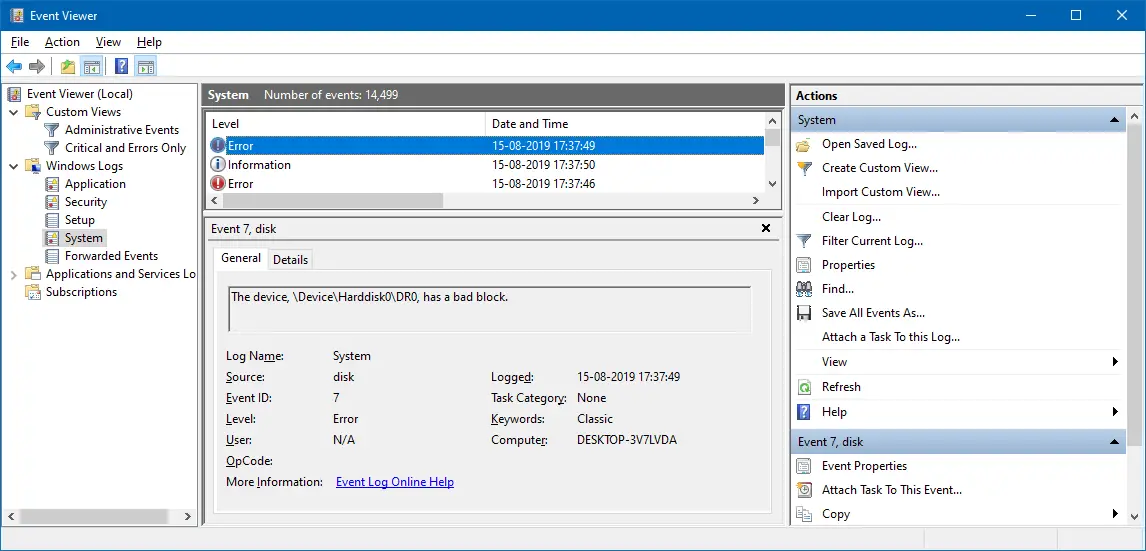
The System event log showed multiple disk error entries. Here is one such event:

Log Name: System
Source: disk
Date: 15-08-2019 17:37:49
Event ID: 7
Task Category: None
Level: Error
Keywords: Classic
User: N/A
Computer: DESKTOP-3V7LVDA
Description:
The device, \Device\Harddisk0\DR0, has a bad block.
hard disk bad block found event viewer

After restarting Windows, the following event log entry gets added.

Log Name: System
Source: Microsoft-Windows-Kernel-Power
Date: 15-08-2019 19:28:09
Event ID: 41
Task Category: (63)
Level: Critical
Keywords: (70368744177664),(2)
User: SYSTEM
Computer: DESKTOP-3V7LVDA
Description:
The system has rebooted without cleanly shutting down first. This error could be caused if the system stopped responding, crashed, or lost power unexpectedly.

The same error occurred for my secondary hard drive (Disk 1), and the error message read The device, \Device\Harddisk1\DR1, has a bad block.

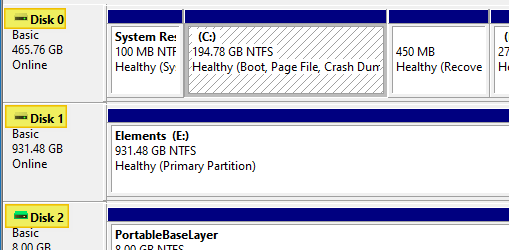
If you have multiple hard drives and want to know which hard drive has a bad block, note down the Disk # indicated in the event log. Open Disk Management to see the list of drives and the corresponding drive #.
disk management hard drive number

A bad block is an area of the hard drive that is no longer reliable for storing and retrieving data. Bad block may indicate corruption or physical damage.

There are two types of bad blocks: A physical bad block comes from damage to the storage medium. A soft, or logical, bad block occurs when the operating system (OS) is unable to read data from a sector. Examples of a soft bad block include when the cyclic redundancy check (CRC), or error correction code (ECC), for a particular storage block does not match the data read by the disk. (TechTarget.com)

And, I couldn’t clone the drive using Macrium Reflect or EaseUS ToDo Backup. Macrium Reflect threw the error “clone failed” code 9, and EaseUS software stalled at 51% while cloning the disk.

In this article, I’ll tell you how I resolved the hard drive “bad block” error.Read more