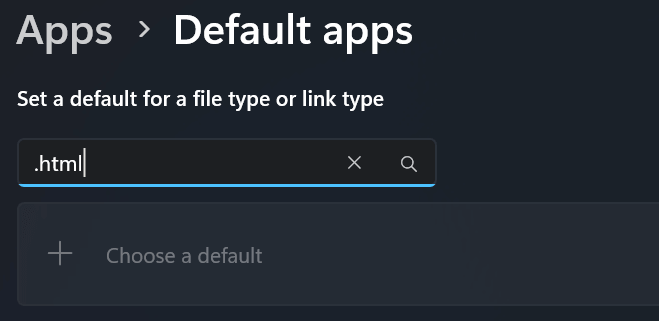
You may be unable to change the default app for HTML file type in Windows 11. The file type may be associated with Microsoft Edge, and you cannot change the default app to Code Editor, Visual Studio Code, or any other app.Read more
registry
How to Downgrade Windows 10 or 11 Pro to Home Edition
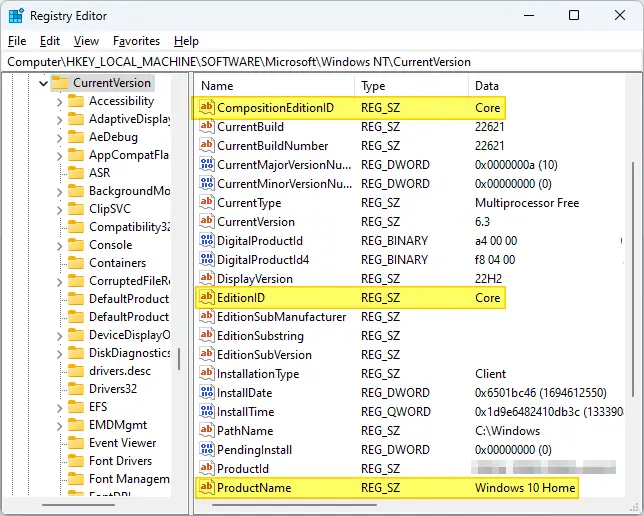
If you’re wondering how to downgrade Windows 10 or 11 Professional to Windows 10/11 Home Edition without a clean installation, this article is for you. The trick is to change the Edition ID in the registry and then do a repair installation using the ISO or Media Creation Tool.Read more
[Fix] Temporary Files and Folders Pop Up at Logon
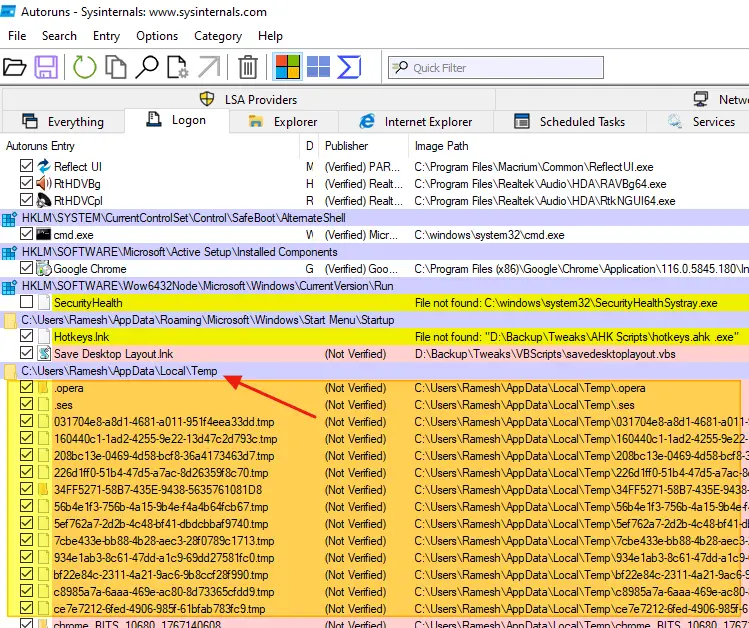
When you log in to your computer, several files and folders may open at startup. A few text-based files by the names “StructuredQuery”, “MSI67784”, “cv_bug,” and lastly, “chrome_installer” may open.Read more
Add “Play All” Right-Click Menu for Music and Video Files in Windows 11
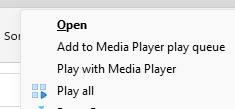
Using a registry tweak discussed in this article, you can add the “Play all” command to the right-click menu to play all music or video files in the current folder.
The classic ribbon UI in Windows 10 was awesome. But the new File Explorer UI in Windows 11 lacks functionality. It doesn’t have the much useful command buttons for Slideshow, Play All option for music and video files, Email, Zip, etc.
Change the sort order for files and folders whose names contain numerals
This article was previously published under Q319827 at Microsoft Support site. © Microsoft.
Original Title: The sort order for files and folders whose names contain numerals is different in Windows Vista, Windows XP, and Windows Server 2003 than it is in Windows 2000.
Information in this article also applies to Windows 10 and 11.Read more
Sound Scheme “Windows Default” has Yellow Exclamation Mark
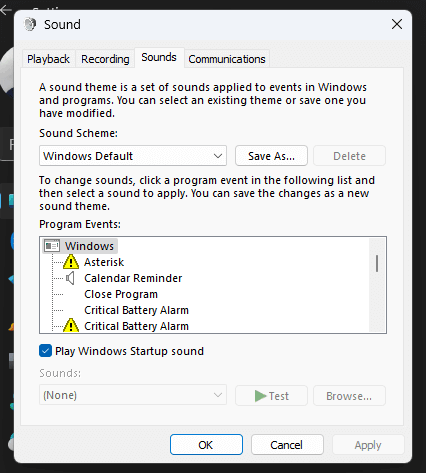
When you open the Sounds dialog (mmsys.cpl) and switch to the “Windows Default” sound scheme, some program events may show up with a yellow exclamation mark — actually, a yellow triangle with a black exclamation mark.Read more
Shell Folder Icons Appear on the Desktop in Windows 11
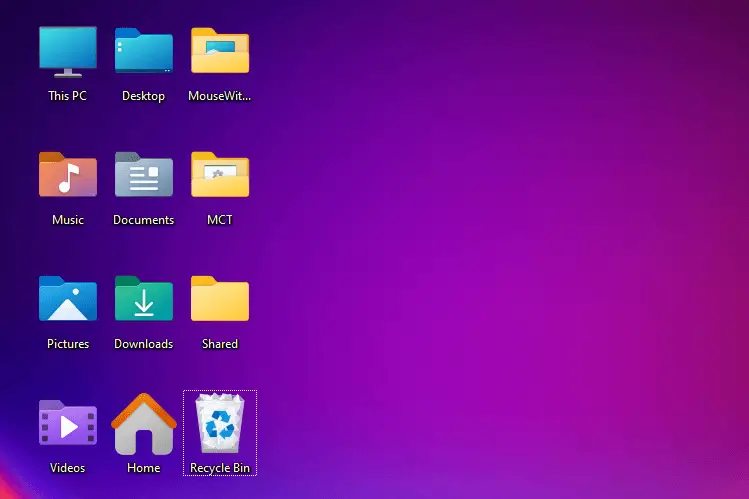
On some systems, the shell folders such as Music, Pictures, Desktop, Downloads, Videos, and Home icons appear on the desktop after installing Windows 11. These shell folders are not supposed to appear on the desktop by default.Read more
Task Manager Startup Entries Keep Getting Disabled
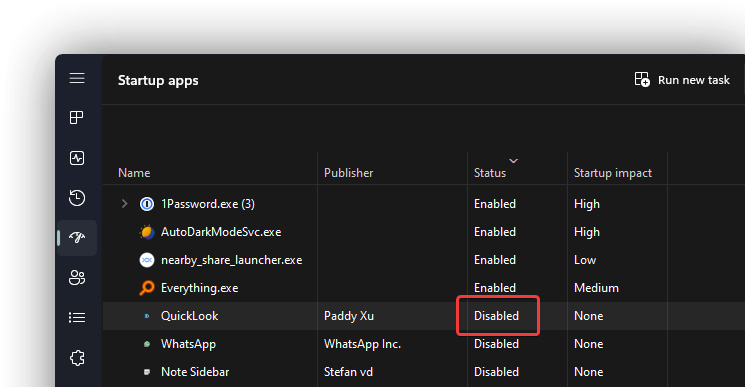
When you install a Store app, it may register its startup tab. But ITS Startup entry may get disabled automatically. If you re-enable the entry via the Task Manager Startup tab and restart, the startup entry reverts to “Disabled.”Read more