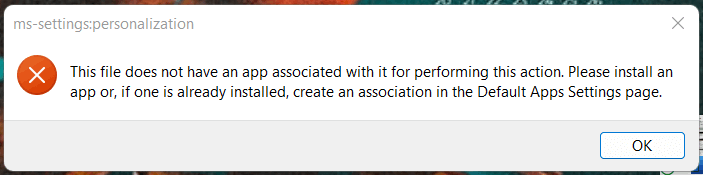
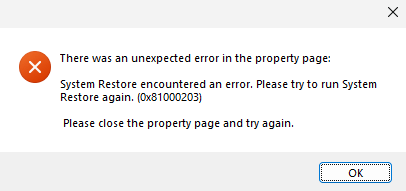
When you open the System Properties dialog (sysdm.cpl) and click System Protection, the error 0x81000203 occurs. Here’s the full error message verbatim:Read more
[Fix] System Restore Encountered an Error 0x81000203
This category contains posts about Microsoft’s latest Operating System – Windows 10.Windows 10’s always been interesting, as every new major update will usually include additional features.

There are many different types of diagnostic logs in Windows. Each log is to diagnose a specific component. The Windows Update client creates the Windows Update ETL or Windows Update log files, the Component-Based Servicing uses “cbs.log”, and the DISM tool writes to “dism.log”, etc.Read more
After reinstalling or resetting Windows 11, you may be unable to print from modern apps — e.g., Photos, Snipping Tool, Notepad, Windows Mail, etc.
When the Print button is clicked or Ctrl + P is used, the print dialogue box may appear on the screen briefly before disappearing suddenly. Performing the following steps may not resolve the issue.Read more
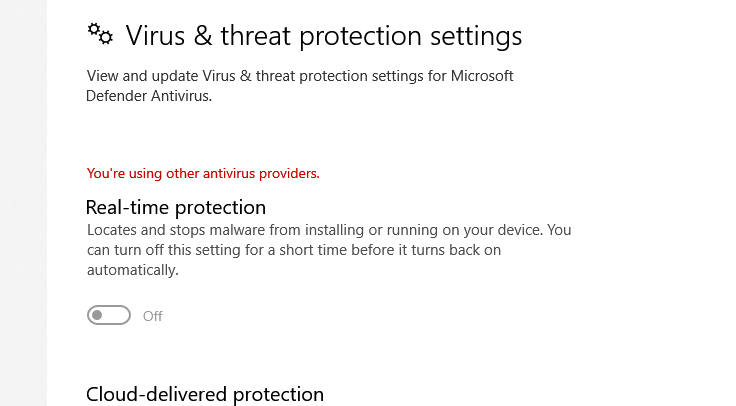
When you open Windows Security, the security dashboard may show the message “You’re using other antivirus providers.” even though you don’t have any third-party antivirus program installed. In some cases, the real-time protection option would be available. But it reverts to “off” status immediately after you try to turn it on. If you open the … Read more
The Windows Security user interface has various options. Each of these pages can be opened directly using URL shortcuts, similar to the shell: commands we used to open special folders directly.Read more