Stop Disk Cleanup and Storage Sense from Emptying your Downloads folder

disk cleanup downloads folder

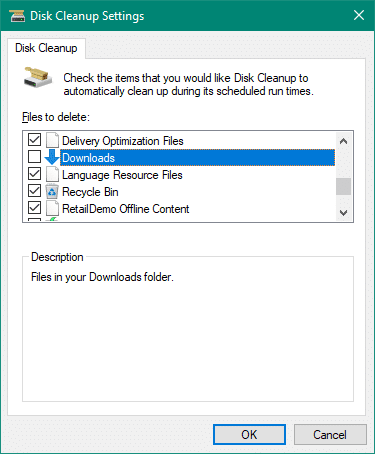
If you use Disk Cleanup, you will want to be aware of a change to its options since the October 2018 feature update (v1809). Disk Cleanup, now also has the option to delete the contents of your Downloads folder.

disk cleanup downloads folder

However, many users like to use the Downloads folder as permanent storage area to preserve their downloaded files. This post tells you how to prevent Disk Cleanup and the modern Storage Sense tools from clearing files in your Downloads folder.Read more

[Fix] PIN Errors 0x8009002d, 0x8007139f, 0x80090030, 0x80090032 and 0x80090016

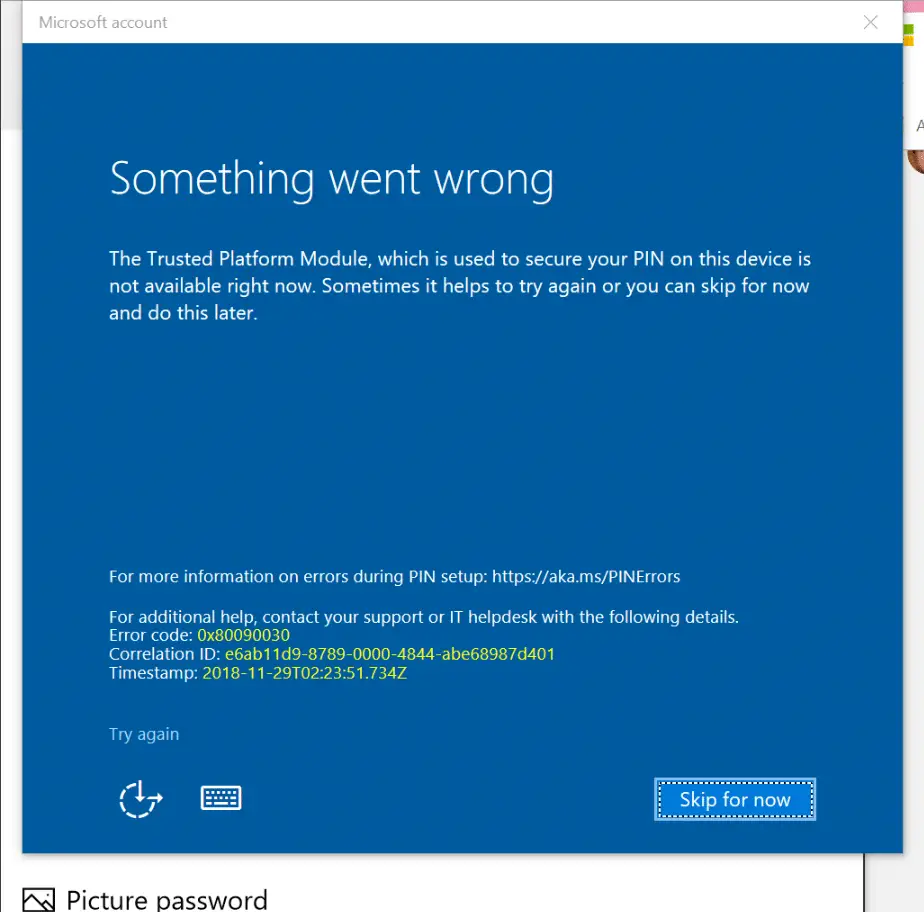
PIN login error 0x80090030 in windows 10

When creating or changing the PIN for a user account on a Windows 10 computer, one of the errors 0x8009002d, 0x8007139f, 0x80090030, 0x80090032 or 0x80090016 may appear. Here are the full symptoms:

  • If there is already a PIN configured, you may be able to sign-in using the PIN. When signing in using the PIN, errors “The PIN is incorrect. Try again” or “Something went wrong (code: 0x8009002d). Restart your device to see if that fixes the problem.” may occur.Read more

Error 0x80070424 in Windows Update and Microsoft Store

windows update error 0x80070424

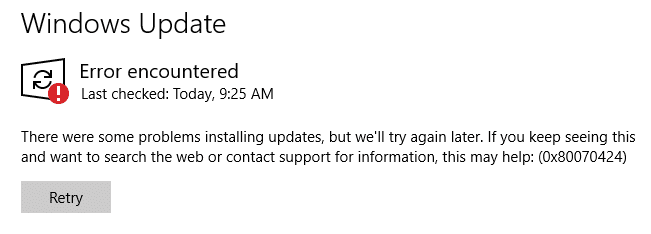
When you attempt to check for updates from the settings page in Windows 10, the error 0x80070424 may appear. Also, the Windows Update service may be missing from the list when you open the services console. Error encountered There were some problems installing updates, but we’ll try again later. If you keep seeing this and … Read more

Fix Error 0x80d06802 Installing a Windows Update

windows update error 0x80d06802 solution

When you try to install an update via the Windows Update channel in your Windows 10 computer, error 0x80d06802 may appear. Here is the full error message verbatim:

There were problems installing some updates but we’ll try again later. If you keep seeing this and want to search the web or contact support for information, this may help: Error 0x80d06802.

windows update error 0x80d06802 solution

This post tells you how to fix error 0x80d06802 during Windows Update installation.Read more

Cannot Save Files to Desktop and Error “File not found” in Windows 10

unauthorized changes blocked - controlled folder access

When you try to save a file on the desktop or the documents folder on your Windows 10 computer, it may show the “File not found” error message. Here is the full error message verbatim:

Save as C:\Users\Ramesh\Desktop\filename.txt
File not found.
Check the file name and try again.

.. with the “Unauthorized changes blocked” error in the Notification area and the Action Center.

unauthorized changes blocked - controlled folder access

For each error, an action center notification along with an event log entry is created.

unauthorized changes blocked - controlled folder access - action center
Read more

Routing and Remote Access Service Could not Start – “System cannot find the file” Error 2

routing and remote access error 2 servicedll missing

When you start the Routing and Remote Access service (RRAS) via the Services MMC on your Windows 10 computer, you may encounter the error code 2 (which means a missing file). Here is the full error message verbatim: Windows could not start the Routing and Remote Access service on Local Computer. Error 2: The system … Read more

Desktop “New” Context Menu Slow in Windows 10

uninstall kodi store app slow new right-click menu

After installing a feature update (for example, v1809) on your Windows 10 computer, right-clicking on the Desktop and selecting “New” may cause a 5-10 seconds delay before the menu appears. The same delay may be seen when you click New → Folder or when pressing the Ctrl+Shift+N keyboard shortcut.

This issue is seen especially on Windows 10 devices running v1809 (October 2018 Update) or higher with the Kodi app (UWP) installed via the Windows Store.Read more

[Fix] PIN Sign-in not Working and Error 0x80090016 Setting PIN in Windows 10

0x80090016 changing new pin sign-in error

When creating or changing the PIN for a user account on a Windows 10 computer, error 0x80090016 may appear. Here are the full symptoms: If there is already a PIN configured, you may be able to sign-in using the PIN. When signing in using the PIN, error “The PIN is incorrect. Try again” may occur. … Read more