Fix “The User Profile Service service failed the sign-in” Error in Windows 10

The User Profile Service service failed the sign-in

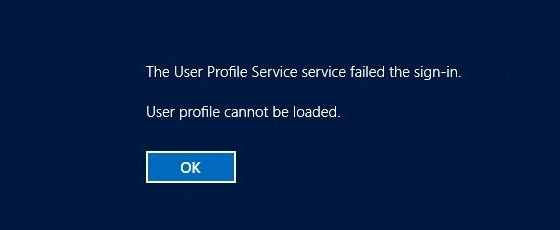
When you try to log into your Windows 10 computer using an account that was not previously logged in, you may get the error “The User Profile Service service failed the sign-in. User profile cannot be loaded” and the sign-in screen appears again.

The User Profile Service service failed the sign-in

This article tells you how to resolve the error “The User Profile Service service failed the sign-in. User profile cannot be loaded.” when logging on to a newly created user account.Read more

Enable the Built-in Administrator in Windows 10/11 via Windows RE

There are situations where you’ll need to activate and use the built-in Administrator account in Windows. The built-in Administrator account is disabled by default. If your existing admin user account profile gets corrupted (and you have no alternate user account with admin privileges), you’ll need to enable and use the built-in administrator account to fix things up or create a second administrator account.Read more

Remove “Create a new video” Option from Right-click Menu in Windows 10

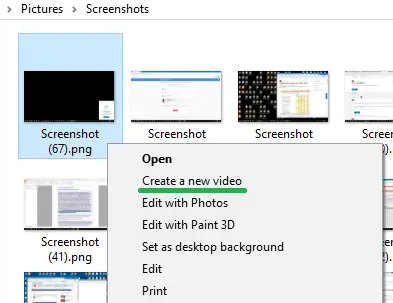
With the Windows 10 Photos app set as the default image viewer, when you right-click on an image or video file (or a group of files), you’ll see the Create a new video option in the context menu.

"create a new video" context menu

The Create a new video option lets you create a video clip from the list of selected image files, and optionally export the video file or save to your OneDrive account via the Photos app.

"create a new video" context menu using photos app

This article tells you how to remove the Create a new video option from the right-click menu if you don’t use it and would like to declutter the right-click menu.

Read more

[Fix] Windows Update Error 0x8024a223 in Windows 10

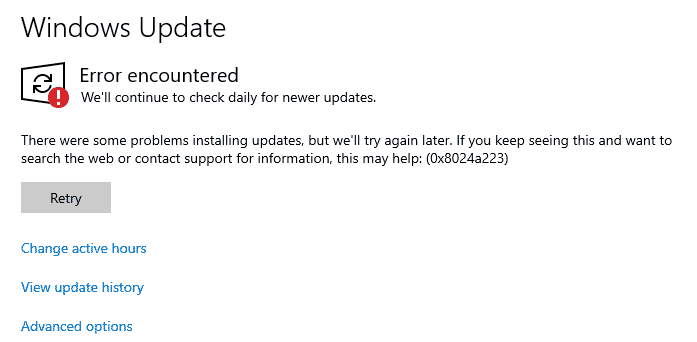
When you attempt to scan for updates or when installing an update, the Windows Update page may throw the error 0x8024a223. Here is the full error message verbatim:

There were some problems installing updates, but we’ll try again later. If you keep seeing this and want to search the web or contact support for information, this may help: (0x8024a223)

Windows Update Error 0x8024a223

This article tells you how to fix Windows Update error 0x8024a223.Read more

[Fix] Wi-Fi Networks (SSID) Not Visible in Windows 10/11

Your Windows 10 computer may not show available Wi-Fi Networks (No Wi-Fi Networks Found) sometimes after installing a feature update. Many of the users have reported that they are unable to search and discover new Wi-Fi access points after going through the Fall Creators Update. However, this issue still exists in computers running v2004 which is the latest Windows 10 build as of this post.

Welcome to the Windows-land where the “mandatory updates” and “security patches” would more often than not, make your life harder by either messing up or not showing something. One of the rather recent additions to the list is the Wi-Fi problem.Read more

[Fix] Media Creation Tool Error 0x80042405 – 0xA001A

Microsoft’s Media Creation Tool (MCT) is used to download Windows 10 ISO or create a bootable Windows 10 installation USB drive. MCT is one of the most useful tools by Microsoft, but at the same time, it’s one of the buggiest utilities out there which throws some obscure errors like 0x80042405.

media creation tool error 0x80042405

In this post, we’ll be talking about Media Creation Tool Error 0x80042405 - 0xA001A in Windows 10, and how to workaround or fix the problem.Read more

[Fix] Windows Defender Yellow Exclamation Icon and “Set up OneDrive” Warning

The Windows 10 action center may show a prompt with a black exclamation inside a yellow triangle icon in the Notification area. When you click on that, it opens Windows Defender Security Center. In the Windows Defender Security Center, underneath the “Virus & threat protection” icon the exclamation mark inside a yellow triangle shows up again, with the note reading “Set up OneDrive for file recovery options in case of a ransomware attack.”

The Windows Defender warning shows up even though OneDrive is already be configured, syncing and working perfectly fine. Also, clicking the “Dismiss” link beneath the warning message may do nothing.

windows defender set up onedrive - yellow exclamation warning

If OneDrive is already setup correctly and working fine, then the yellow exclamation warning can be safely ignored. But if you’re desperate to stop Windows Defender from issuing the false alert, this post tells you how to do so.Read more

[Fix] Windows Update 0x80070BC2 Error in Windows 10

When you attempt to install updates via the Windows Update channel, error 0x80070BC2 may occur and the update repeatedly fails to install. The Windows Update page may show “Awaiting restart”. And after restarting, the Windows Update installation history page shows the following error under that particular update(s):

Last failed install attempt on [date] – 0x80070BC2

0x80070bc2 error windows update

And the Windows Event log records this error, referencing the KB number:

Installation Failure: Windows failed to install the following update with error 0x80070BC2

For example:

Installation Failure: Windows failed to install the following update with error 0x80070BC2: 2018-01 Cumulative Update for Windows 10 Version 1709 for x64-based Systems (KB4056892).

Read more