Cannot Save Files to Desktop and Error “File not found” in Windows 10

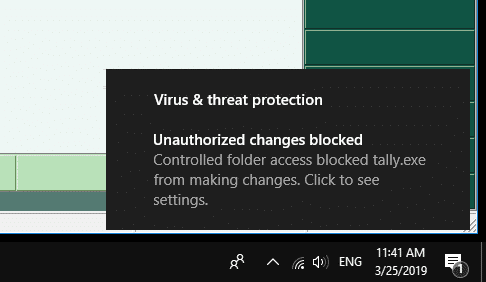
unauthorized changes blocked - controlled folder access

When you try to save a file on the desktop or the documents folder on your Windows 10 computer, it may show the “File not found” error message. Here is the full error message verbatim:

Save as C:\Users\Ramesh\Desktop\filename.txt
File not found.
Check the file name and try again.

.. with the “Unauthorized changes blocked” error in the Notification area and the Action Center.

unauthorized changes blocked - controlled folder access

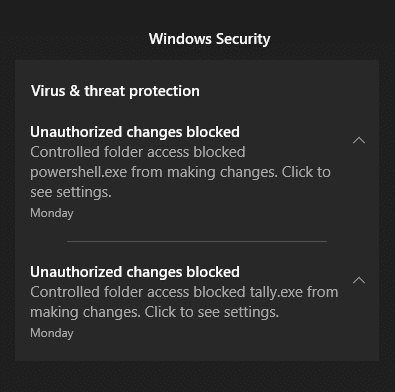
For each error, an action center notification along with an event log entry is created.

unauthorized changes blocked - controlled folder access - action center
Read more

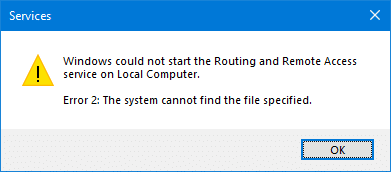
Routing and Remote Access Service Could not Start – “System cannot find the file” Error 2

routing and remote access error 2 servicedll missing

When you start the Routing and Remote Access service (RRAS) via the Services MMC on your Windows 10 computer, you may encounter the error code 2 (which means a missing file). Here is the full error message verbatim: Windows could not start the Routing and Remote Access service on Local Computer. Error 2: The system … Read more

Desktop “New” Context Menu Slow in Windows 10

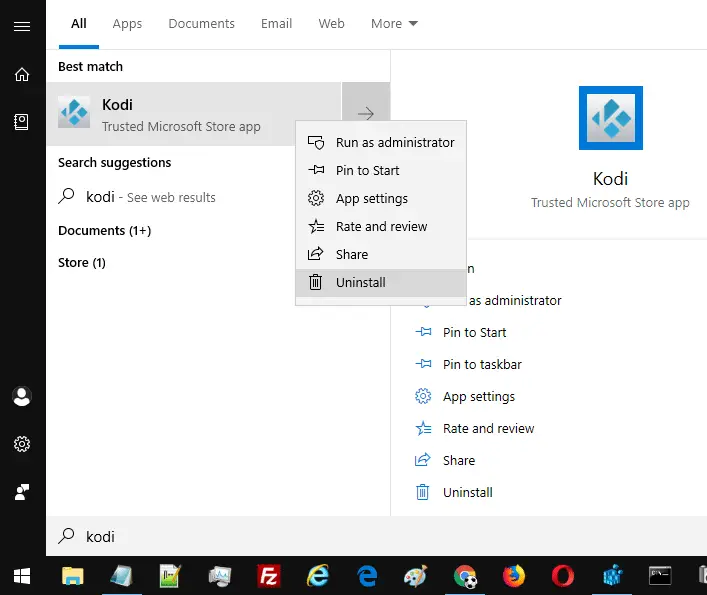
uninstall kodi store app slow new right-click menu

After installing a feature update (for example, v1809) on your Windows 10 computer, right-clicking on the Desktop and selecting “New” may cause a 5-10 seconds delay before the menu appears. The same delay may be seen when you click New → Folder or when pressing the Ctrl+Shift+N keyboard shortcut.

This issue is seen especially on Windows 10 devices running v1809 (October 2018 Update) or higher with the Kodi app (UWP) installed via the Windows Store.Read more

[Fix] PIN Sign-in not Working and Error 0x80090016 Setting PIN in Windows 10

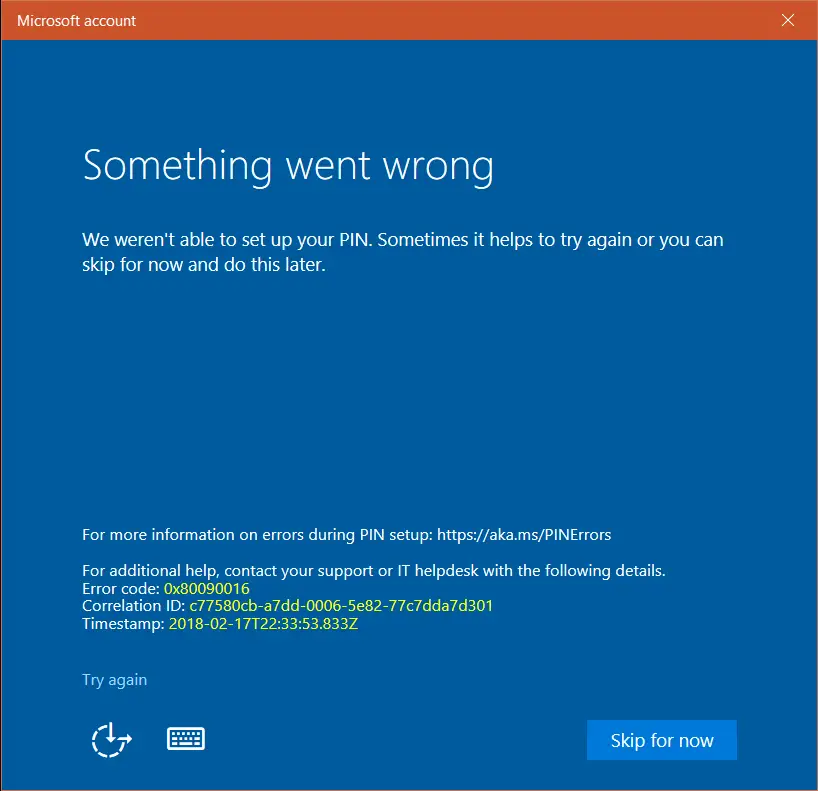
0x80090016 changing new pin sign-in error

When creating or changing the PIN for a user account on a Windows 10 computer, error 0x80090016 may appear. Here are the full symptoms: If there is already a PIN configured, you may be able to sign-in using the PIN. When signing in using the PIN, error “The PIN is incorrect. Try again” may occur. … Read more

Fix “The User Profile Service service failed the sign-in” Error in Windows 10

The User Profile Service service failed the sign-in

When you try to log into your Windows 10 computer using an account that was not previously logged in, you may get the error “The User Profile Service service failed the sign-in. User profile cannot be loaded” and the sign-in screen appears again.

The User Profile Service service failed the sign-in

This article tells you how to resolve the error “The User Profile Service service failed the sign-in. User profile cannot be loaded.” when logging on to a newly created user account.Read more

Enable the Built-in Administrator in Windows 10/11 via Windows RE

There are situations where you’ll need to activate and use the built-in Administrator account in Windows. The built-in Administrator account is disabled by default. If your existing admin user account profile gets corrupted (and you have no alternate user account with admin privileges), you’ll need to enable and use the built-in administrator account to fix things up or create a second administrator account.Read more

Remove “Create a new video” Option from Right-click Menu in Windows 10

With the Windows 10 Photos app set as the default image viewer, when you right-click on an image or video file (or a group of files), you’ll see the Create a new video option in the context menu.

"create a new video" context menu

The Create a new video option lets you create a video clip from the list of selected image files, and optionally export the video file or save to your OneDrive account via the Photos app.

"create a new video" context menu using photos app

This article tells you how to remove the Create a new video option from the right-click menu if you don’t use it and would like to declutter the right-click menu.

Read more

[Fix] Windows Update Error 0x8024a223 in Windows 10

When you attempt to scan for updates or when installing an update, the Windows Update page may throw the error 0x8024a223. Here is the full error message verbatim:

There were some problems installing updates, but we’ll try again later. If you keep seeing this and want to search the web or contact support for information, this may help: (0x8024a223)

Windows Update Error 0x8024a223

This article tells you how to fix Windows Update error 0x8024a223.Read more

[Fix] Wi-Fi Networks (SSID) Not Visible in Windows 10/11

Your Windows 10 computer may not show available Wi-Fi Networks (No Wi-Fi Networks Found) sometimes after installing a feature update. Many of the users have reported that they are unable to search and discover new Wi-Fi access points after going through the Fall Creators Update. However, this issue still exists in computers running v2004 which is the latest Windows 10 build as of this post.

Welcome to the Windows-land where the “mandatory updates” and “security patches” would more often than not, make your life harder by either messing up or not showing something. One of the rather recent additions to the list is the Wi-Fi problem.Read more