After installing the Windows 10 feature update v2004, your computer may fail to remember the stored passwords in Outlook, Edge, Chrome browser, and various other programs. This is a system-wide issue rather than an application-specific problem. Here are some of the symptoms you may experience in Windows 10 v2004:
- Windows 10 prompts for your Microsoft account password every now and then.
- Accessing a network resource or NAS drive causes the password prompt to appear every time even though the credentials were saved earlier.
- Microsoft Edge, Firefox, and Chrome browsers keep asking to enter the password to access a resource for which you’ve previously saved the password.
- Forms and password autocomplete don’t work in Google Chrome and other apps.
- Passwords stored by your web browser (e.g. Chrome) on the local computer are wiped off.
- The synchronization is paused in the Chrome web browser.
- Chrome web browser’s
chrome://signin-internals/page denotes the error “Load credentials failed with decrypt errors”. - You’re forced to sign to OneDrive every time you log in.
- Outlook keeps asking you to log into Office 365 every few hours.
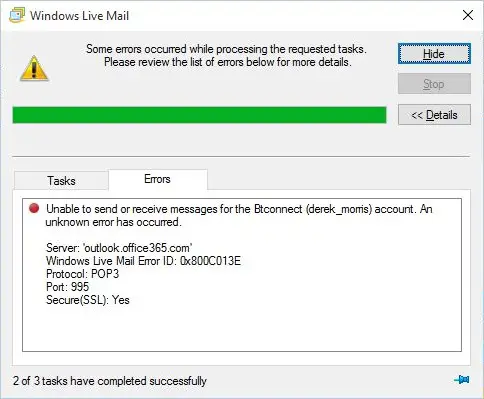
- Passwords for email accounts in your mail client are not saved, and you need to type them every time.
- Adobe Acrobat keeps asking for your Adobe credentials whenever you open a PDF file.
- The Windows 10 Settings periodically wants to fix your account configuration by re-authenticating with Windows Hello.
- Mapped Network Drives not working in Windows 10 v2004.
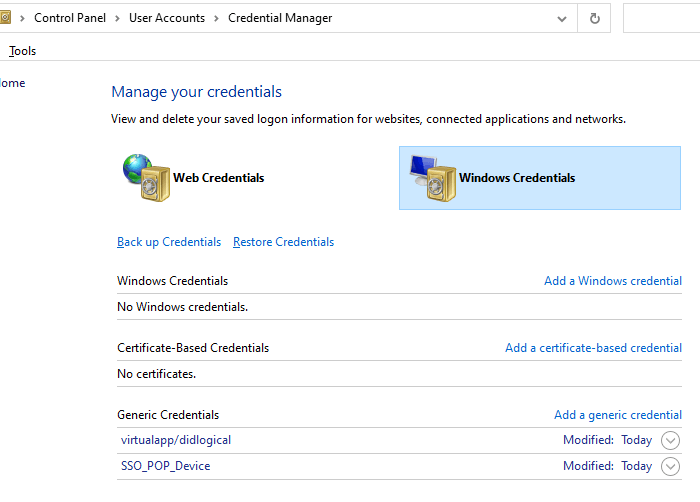
- Windows Credentials (in Credentials Manager) are wiped out at every restart.
- In the Event Viewer, these two errors are recorded in the Applications and Services Logs → Microsoft → Windows → Crypto-DPAPI → Operational log.
Log Name: Microsoft-Windows-Crypto-DPAPI/Operational
Source: Microsoft-Windows-Crypto-DPAPI
Date:
Event ID: 8196
Task Category: Master Key Operation
Level: Error
Keywords: Master Key Operation
User: SYSTEM
Computer: Vostro-3470
Description:
Master key decryption in memory failed


Log Name: Microsoft-Windows-Crypto-DPAPI/Operational
Source: Microsoft-Windows-Crypto-DPAPI
Date:
Event ID: 8198
Task Category: Data Protection Operation
Level: Error
Keywords: Data Protection Operation
User: SYSTEM
Computer: Vostro-3470
Description:
DPAPI Unprotect failed .

Status: 0x8009000B
ReasonForFailure: Could not get the master key
The above symptoms denote that this is a system-wide bug in Windows 10 version 2004 that prevents the stored credentials from loading correctly.Read more