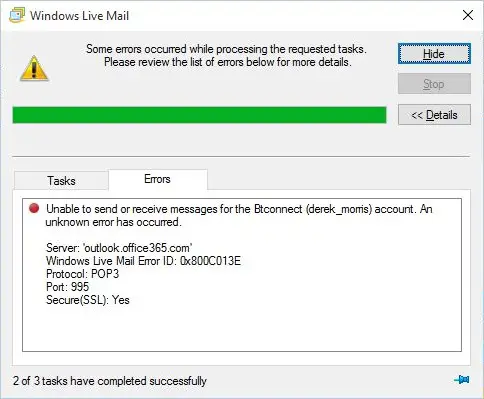
After installing the Windows 10 Feature Update 2004 (Build 19041.xx), you may be unable to send or receive emails using Windows Live Mail Version 2012. The error message may look like the following:
Unable to send or receive messages for the [name] account. An unknown error has occurred.

Server: 'mail.server.com'
Windows Live Mail Error ID: 0x800C013E
Protocol: POP3
Port: 110
Secure(SSL): No

Server: imap.googlemail.com
Username:
Protocol: IMAP
Port: 993
Secure(SSL): 1
Code: 800c013e

Server: imap-mail.outlook.com
Username: [name]@hotmail.co.uk
Protocol: IMAP
Port: 993
Secure(SSL): 1
Code: 800c013e
Also, when you preview an email in Windows Live Mail, you may see the following error message(s):
Message could not be displayed

Windows Live Mail encountered an unexpected problem while displaying this message. Check your computer for low memory or low disk space and try again.
Could not write this message to disk