When you select more than 15 files and right-click on them, most of the context menu items will be missing.Read more
 Ramesh
Bash does not start – Error “Unsupported console settings” in Windows 10
When you try to launch Bash.exe (Bash on Ubuntu on Windows) in Windows 10, the console window may open and close immediately. This happens if legacy mode is turned on for Command Prompt.Read more
Empty Recycle Bin Automatically Using Task Scheduler or Storage Sense
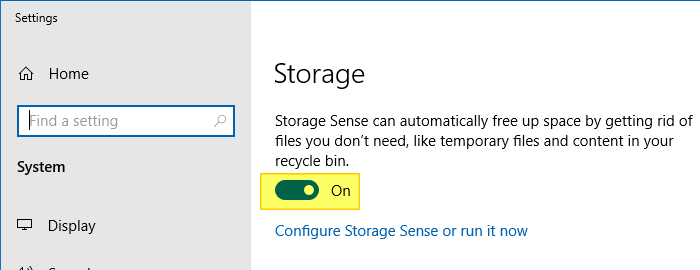
You can use it to clear the Recycle Bin at a specified time or regular intervals with Task Scheduler using a PowerShell command. Alternately, you can also use Storage Settings (a.k.a. Storage Sense) to clear the files from Recycle Bin that are older than a certain number of days.
This article discusses the two methods to clear the Recycle Bin automatically at predefined intervals.Read more
How to Stop F1 Key from Opening Help (Bing) in Windows 10 and 11
When you press the F1 key in Windows 10 or 11, it opens Microsoft Edge and loads the How to get help Bing search page showing a video on “how to get help in Windows 10”. Using a registry edit, you can stop F1 from opening your browser especially if it obstructs when gaming or performing other tasks.Read more
Find the Current Lock Screen Spotlight Wallpaper File Name in Windows 10/11
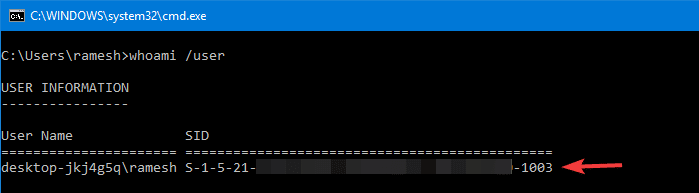
Windows 10/11 Spotlight wallpaper images that appear on the lock screen are stored deep inside the Local Application Data folder, under the Assets folder, as we’ve seen in the article, How to Backup Windows Spotlight Images.
We’ll see how to find the file name of the currently displayed Lock Screen (Windows Spotlight) image so that you don’t have to preview 50+ files in your Assets folder to locate a single wallpaper file.Read more
Download Windows Updates (.msu) from Catalog Using PowerShell or Browser
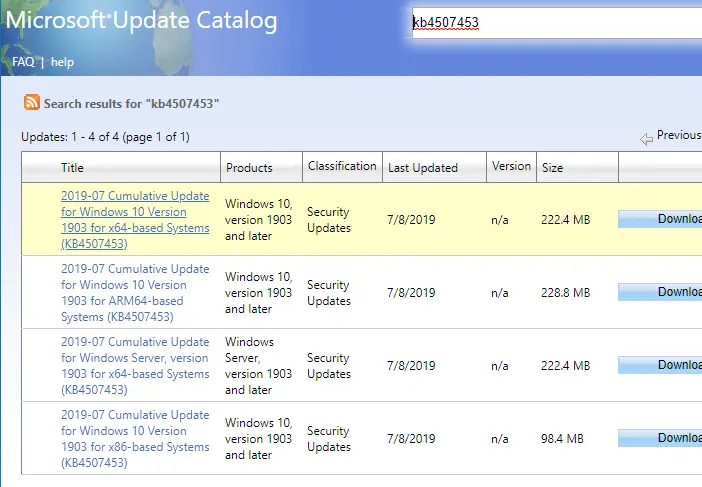
It’s no longer necessary to use Internet Explorer for downloading Windows Updates (.msu update packages for offline install or distribution) from the Microsoft Update catalog. The Microsoft Update catalog now supports any browser, as Microsoft has revamped the site and eliminated the ActiveX Control.
This article tells you how to download updates from the Microsoft Update catalog using your web browser or PowerShell.Read more
How to Throttle OneDrive Upload and Download (Sync) Speeds?
If OneDrive client is taking major portion of your bandwidth and affecting your browsing or Windows Update download speed, you can limit upload and download rates in OneDrive settings.Read more
[Microsoft Edge] Set Google as the Default Search Engine
Microsoft Edge by default uses Bing search when you search from the address bar. If you want to change the default search engine/provider in Edge, you can do so via Edge’s settings.Read more
Trend Micro Ransomware Screen Unlocker Tool
Trend Micro has released an unlocker tool that will help you gain access to a computer that’s totally locked by a screen locker ransomware.
If you’re unable to start Windows due to screen locker ransomware infestation, then use another computer to download Ransomware Screen Unlocker Tool from Trend Micro™ and create a USB boot media.Read more