When you select more than 15 files and right-click on them, most of the context menu items will be missing.
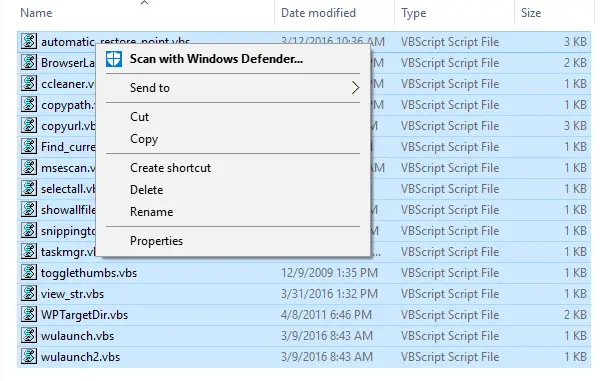
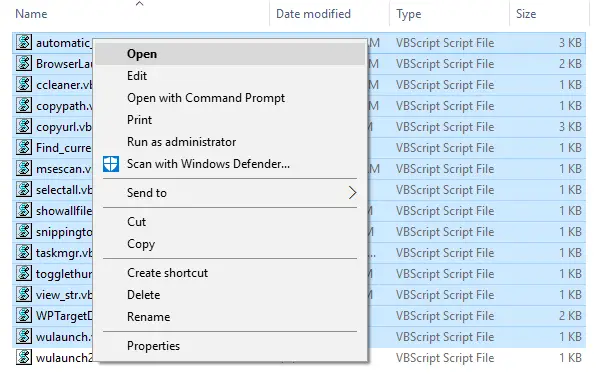
To display the context menu items when more than 15 files are selected, here is a quick registry edit.
Start Regedit.exe and go to:
HKEY_CURRENT_USER\Software\Microsoft\Windows\CurrentVersion\Explorer
Create a new DWORD named “MultipleInvokePromptMinimum”. To extend the limit to 20, set the value data for MultipleInvokePromptMinimum to 20 (decimal)
Exit the Registry Editor.
That’s it!
One small request: If you liked this post, please share this?
One "tiny" share from you would seriously help a lot with the growth of this blog. Some great suggestions:- Pin it!
- Share it to your favorite blog + Facebook, Reddit
- Tweet it!
