The Copy To and Move To buttons are actually meant to use in the toolbar/ribbon, but with a small registry edit you can use them from the context menu.Read more
 Ramesh
Microsoft Public IP Address Range (Updated Aug 2020)
Microsoft just updated the list of their IP Address Blocks, and here is the complete list as of August 2020.Read more
How to Move Libraries above “This PC” in Windows 10?
In Windows 10, Libraries is moved down below in the File Explorer navigation pane. To bring it back to the top (as in Windows 8), here is a registry edit.Read more
How to Backup and Restore Device Drivers in Windows 10 and 11
This article tells you how to backup and restore the device driver packages in Windows 10 or 11. The task can be accomplished using the DISM, PowerShell, PnPUtil, or the Driver Store Explorer app. Let’s see how to backup and restore device drivers in Windows 10 and Windows 11.Read more
What is Startup Impact in Task Manager and How is it Calculated?
You would have noticed a column named “Startup Impact” in Task Manager’s Startup tab in Windows 8 and higher. But what does “Startup Impact” mean and how is it assessed?Read more
How to Automatically Elevate a Batch file to Run it as Administrator?
To elevate batch files manually, you would right-click on it and choose Run as Administrator. Here is a way to automatically elevate a batch file that requires elevated privileges to run correctly. This is equivalent to choosing “Run as Administrator” by right-clicking a batch file. In either case, the UAC prompt would still show up.Read more
How to Import or Export Google Chrome Passwords to a File
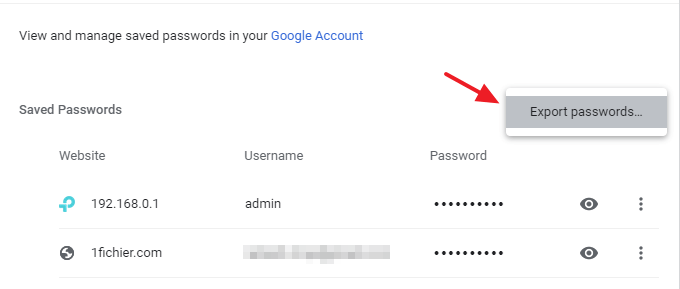
Here’s a quick tip on how to import and export saved credentials in Google Chrome from/to a CSV file. Export Chrome Passwords to a CSV file Open Google Chrome and open Settings. Under “Autofill”, click “Passwords”. Click the “More actions” kebab menu icon (denoted by three vertical dots) near the “Saved Passwords” section. Click Export … Read more
Different Ways to Find Your IP Address in Windows
This post tells you some of the ways to find your IP Address, both the local IP assigned by your router or ICS/DHCP server running in your network, as well as your external or public IP address.Read more
Disable Password Reveal Button in Windows 10 Login Screen
The password reveal button in Windows 10 login screen is a useful option to verify if you’re typed the password correctly. However, if you want to disable it for more security, here is a registry edit. Start Regedit.exe and go to: HKEY_LOCAL_MACHINE\Software\Policies\Microsoft\Windows\CredUI Create a DWORD (32-bit) value named DisablePasswordReveal. Double-click DisablePasswordReveal and set its value … Read more
Bash Error “Unable to resolve host” (Bash on Ubuntu on Windows)
When you run the Sudo command the Bash console (Bash on Ubuntu on Windows), the following error may occur.Read more