When uninstalling a Store app in Windows 10, you may get the error 0x80073CFA. This happens whether you use the Apps & Features GUI or PowerShell command to remove the app. Many users have indicated that the error happens when uninstalling some game apps like Forza Motorsport, Forza Horizon, Asphalt: Airborne, etc.
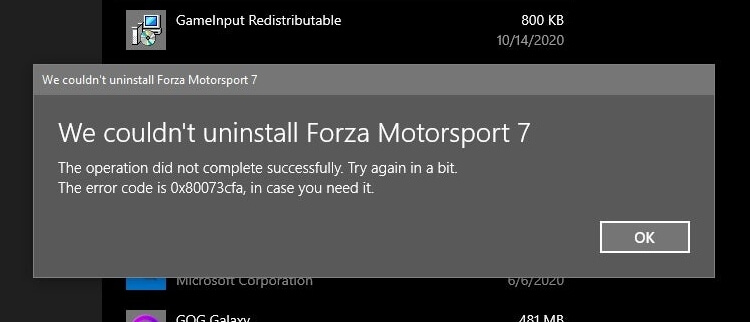
We couldn't uninstall app_name

The operation did not complete successfully. Try again in a bit.

The error code is 0x80073CFA, in case you need it.
However, the error 0x80073CFA is not specific to Microsoft gaming apps. It can happen for any app, for that matter.
Attempting to uninstalling the app using PowerShell’s Remove-AppxPackage would result in the same error code:
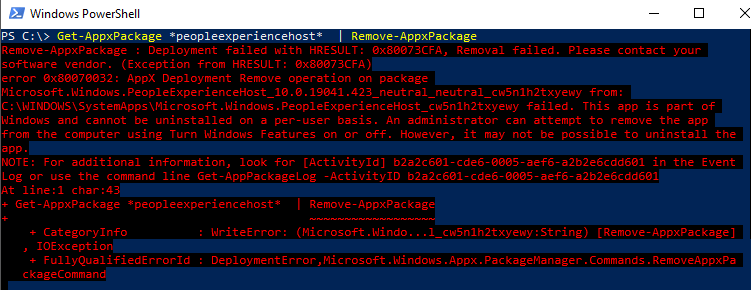
Remove-AppxPackage : Deployment failed with HRESULT: 0x80073CFA, Removal failed. Please contact your software vendor.
(Exception from HRESULT: 0x80073CFA)

error 0x80070032: AppX Deployment Remove operation on package package_name from:
C:\WINDOWS\SystemApps\package_path failed. This app is part of Windows and
cannot be uninstalled on a per-user basis. An administrator can attempt to remove the app from the computer using Turn
Windows Features on or off. However, it may not be possible to uninstall the app.
(The above error happened when attempting to uninstall the in-box package named Microsoft.Windows.PeopleExperienceHost for the sake of illustration.)
Cause
The 0x80073CFA error (“Removal failed. Please contact your software vendor.”) occurs if you try to uninstall a non-removable inbox app. Inbox apps are official Microsoft apps bundled with Windows 10 and installed during Windows 10 Setup — e.g., Photos, Calendar, Alarma, Camera, Calculator, People app, etc. Some of the inbox apps are “non-removable” and some are removable — e.g., the Photos app.
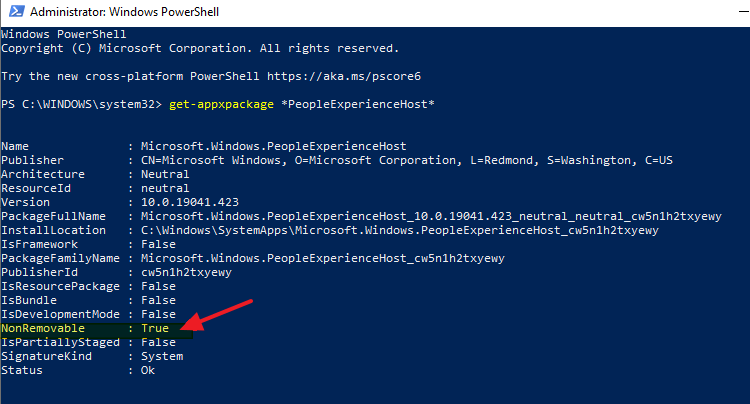
The StateRepository-Machine.srd database has a field named IsInbox against app which may be set to 1 or 0. If it’s set to 1, it’s a designated inbox app. For non-removable apps, PowerShell’s Get-AppxPackage <PackageName> command will show that the package is NonRemovable.
If you need to trim down Windows by removing unused or unwanted apps, there is a way to forcibly remove them even though they’re marked as non-removable inbox apps. To do so, you need to first set the IsInbox value to 0 by editing the StateRepository-Machine.srd database.Read more
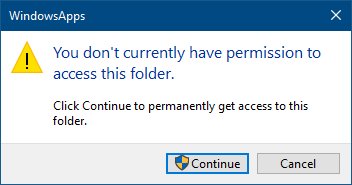
 Even worse is that some users would reset the permissions for WindowsApps, its subfolders, and files (recursively) using the