This page lists the complete keyboard shortcuts for Windows 10.Read more
 Ramesh
Fix: Run Command History Not Saved in Windows 10 or 11
The Run dialog in Windows stores the commands, folder paths, and website addresses you typed. The entries are saved to the registry and persist until you manually clear them.
Cause
If the Run dialog (Winkey + R) doesn’t retain the recently used command history (a.k.a. MRU entries), it can be due to the following reasons:
- The “Show most used apps” option is disabled in the Start menu settings.
- The
ClearRecentDocsOnExitregistry value is set to1. - The user recently cleared the Quick Access history. Doing so erases the Run command history, as well.
This article tells you how to fix the problem in Windows 10 and 11.Read more
How to Open Task Manager to a Specific Tab Directly
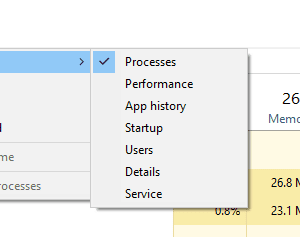
Task Manager opens to Processes tab by default in Windows 8 and 10. If you want it to open to the Startup tab directly, this article tells you how to do it.Read more
Quickly Rename Multiple Files Consecutively using Tab key
Want to quickly rename a set of files in a folder consecutively without using F2 (Rename) or ENTER keys every time? Here is a couple of neat tricks for you.Read more
Find Which Program is Using Your Webcam Currently
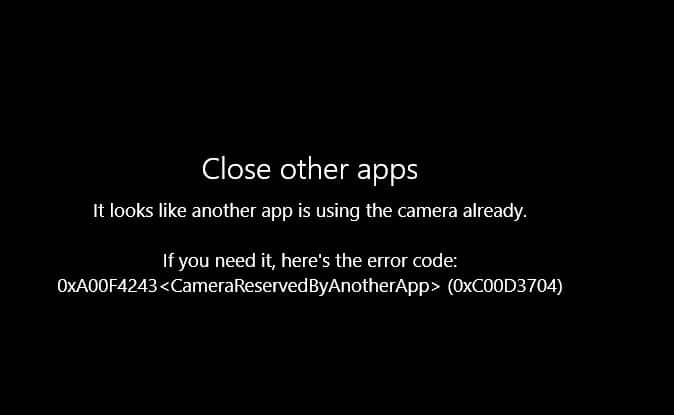
Does your webcam indicator LED get turned on automatically without you doing anything? Are you’re worried if you’re being spied upon by some malware? Or, are you seeing the error “Your webcam is currently being used by another application” when using Skype or other messaging application?
The built-in Camera app may throw the error 0xa00f4243 saying
Close other apps
It looks like another app is using the camera already.
If you need it, here’s the error code:
0xA00F4243<CameraReservedByAnotherApp> (0xC00D3704)
Here is a neat way to find which program is using your webcam or microphone.
RELATED: What is Device Census and Why is It Using My Webcam?Read more
Pin Control Panel to Taskbar to Access Classic Applets Quickly
Windows 10 Settings page is ought to replace the classic Control Panel entirely in the near future. But it hasn’t happened yet, and some pages in the Settings app still link to the classic Control Panel applets. That will be the case till Microsoft entirely ports Control Panel applets to the modern Settings app.Read more
How to Set Ethernet (LAN) Connection as Metered in Windows 10
Windows 10 allows you to set a Wifi connection as a “Metered” connection, but no such GUI option existed for Ethernet (LAN) networks. In Windows 8 and Windows 10 v1607 and earlier, you needed to apply a registry edit to set Ethernet or LAN connection as metered. Thankfully, with Windows 10 Creators Update, it’s a built-in option that can be configured using the Settings UI — no registry edit required.Read more
Change Wi-Fi Network Connection Priority in Windows 11/10
Most of us use more than one Wi-Fi network connection so that if one fails, the 2nd one is used as a fallback. With multiple Wi-Fi network sources, there comes the issue of connection priority.Read more
New Share UI in Windows 10 – How to Enable it?
Windows 10 Creators Update will have a new Share UI which Microsoft revealed in October.
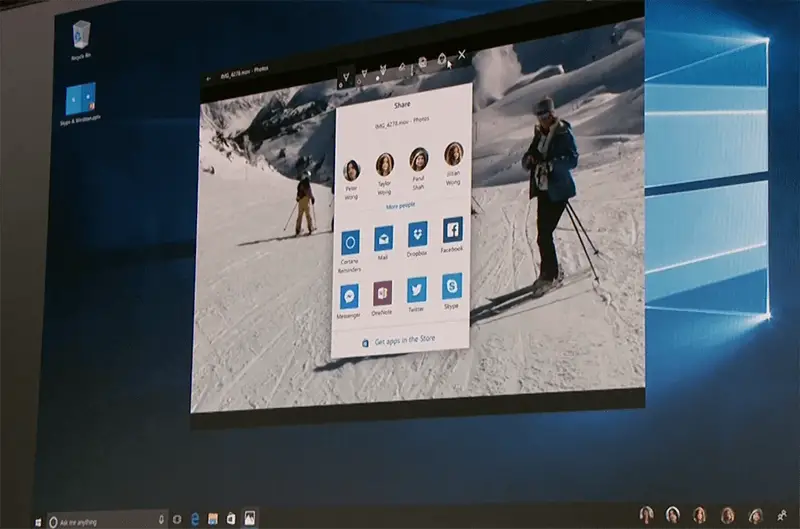
If you’re using Insider Preview Build 14972, you can enable the new Share UI which replaces the Share panel.Read more
Start Disk Cleanup With All Checkbox Options Enabled by Default
When you open the Disk Cleanup tool, most if not all of the cleanup options are unchecked by default. Disk Cleanup doesn’t remember the options you enabled the last time when you used it.Read more