Pin a Website Shortcut to the Windows 10 Start Menu

If you’ve been using desktop shortcuts to open your favorite websites, you can instead pin those websites to the Windows 10 Start menu to make your desktop clutter-free.

Moreover, pinning websites to the Start screen helps you get to those sites quickly especially when your Windows 10 device is in Tablet mode, where the Start screen occupies the full screen, covering your desktop. You can pin website shortcuts to the Windows 10 Start screen using Internet Explorer, Microsoft Edge, Google Chrome, or Firefox.Read more
Switch Program Windows Quickly Without Clicking on Taskbar Thumbnails

When Taskbar icons are set to “Combine,” which is the default setting, to switch windows within a Taskbar group, you need to click or hover your mouse pointer over the group icon and then click on the appropriate taskbar thumbnail image. This can be inconvenient especially if you have too many instances of a program running.Read more

Disable Virtual Desktop Switching on Mouse Hover in the Task View Interface

Virtual Desktops feature in Windows 10 provides a nice way to keep your program windows organized. You can move a set of work-related programs to a separate virtual desktop, having your entertainment and social networking stuff in another virtual desktop. When required, you can also make a program window or all window instances of a program available on all virtual desktops.Read more

How to Enable Adware or PUA Protection in Microsoft Security Essentials

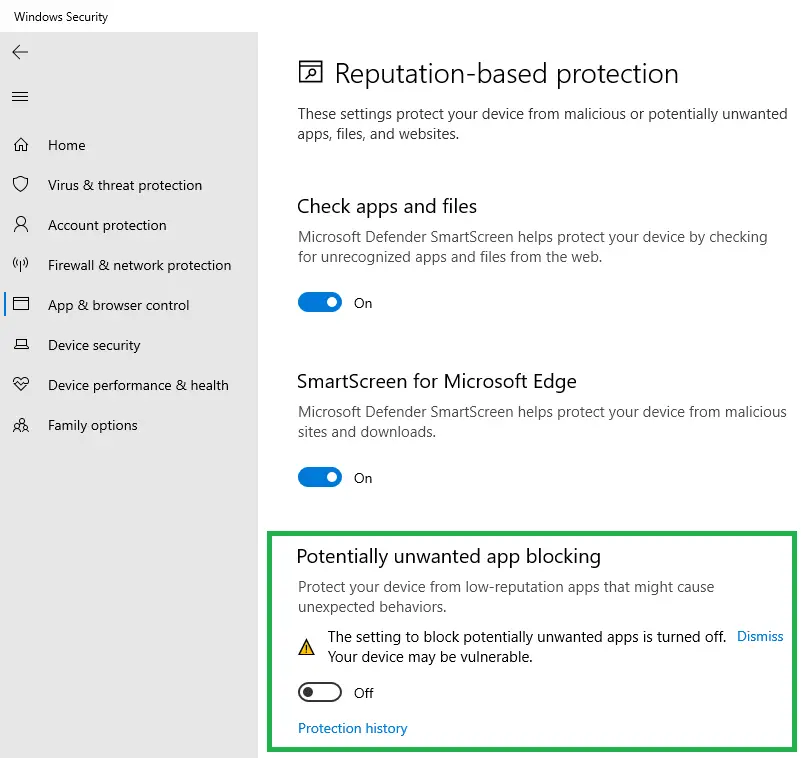
You can enable PUA or adware protection in Windows Defender using different methods explained in the article How to Enable PUA, PUP or Adware Protection in Windows Defender. But, if you’re still using Windows 7 and relying on Microsoft Security Essentials (MSE) for real-time antivirus protection, this post has the info on how to enable adware, PUP or PUA protection in MSE.Read more

Scanning your PC using Malicious Software Removal Tool (MSRT) and Microsoft Safety Scanner

Microsoft Malicious Software Removal Tool (MSRT) is a post-infection removal tool which is updated every month and rolled out through the Windows Update channel. Malicious software scanning runs as you install MSRT from Windows Update. You can also initiate scans manually whenever needed by running mrt.exe in the Windows\System32 directory.Read more