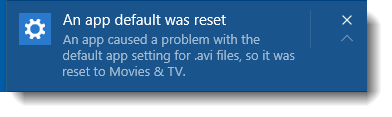
Windows 10 has a new user interface (i.e. the Settings page) for changing the desktop background and setting colors. The classic Desktop Background and Colors and Appearance options are replaced, but they still exist in Windows 10. Recently we saw how to access the old or classic style Desktop Background and Colors page using canonical names or command-line in the article Personalize Shows Only 24 Choices for Background Color.Read more
registry
How to Restore Missing Recycle Bin Desktop icon

If you had inadvertently removed the Recycle bin icon from the desktop, this post tells you how to restore the icon back on the desktop. This post has a REG file that contains the default settings for the Windows 10/11 Recycle Bin namespace icon. Running this file will restore the Recycle Bin if it goes missing from the Desktop. Read more
How to Disable Web Search in Windows 10 Start menu
When you type a keyword or phrase in the Search box in Windows 10 Start menu, it displays results from the local computer, the Windows Store as well as the Bing search results. This post tells you how to disable the Start menu from doing a Bing web search.Read more
“Show recently used files in Quick Access” Disables Automatically in Windows 10/11

If the “Show recently used files in Quick Access” option in Windows 10/11 is automatically unchecked in Folder Options, this is caused by a Personalize setting.Read more
How to Make the Taskbar Fully Transparent in Windows 10
Today I accidentally stumbled upon a hidden gem in Windows 10, a registry setting that activates high transparency for the Taskbar. It’s the UseOLEDTaskbarTransparency registry value that does the magic.
Update: This registry edit works in Windows 10 version 1903 and earlier. It doesn’t seem to work if you have v1909, 2004, or higher installed. In Windows 10 1909, 2004 and higher, you may try TranslucentTB or a similar third-party utility.
How to Completely Remove Old Printers in Windows 10 or 11
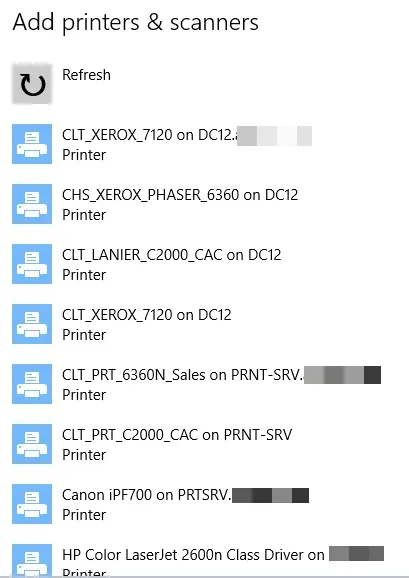
When you try to add a new printer by clicking the Add a printer or scanner in the Printer & Scanners page, old printers you added earlier but no longer use may be listed.
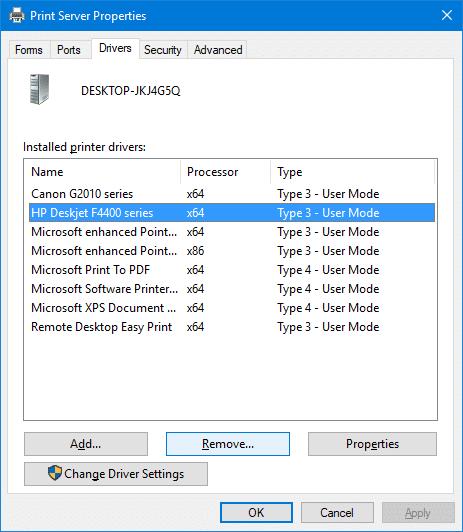
This post tells you how to completely remove old, uninstalled, or obsolete printers from the Add a Printer and Printers & Scanners pages. In addition, the leftover printer drivers, driver packages, and registry entries need to be removed.Read more
[Fix] “Cmd” is the Default Action for Folders (Right-click Menu)
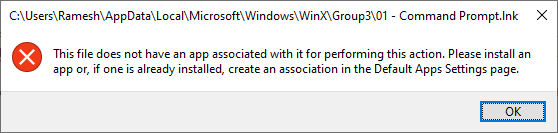
Summary: Default right-click action changes to Cmd for folders in Windows 10. Double-clicking folders shows the association error message. I’ve seen a few cases where the default action for folders somehow changed from Open to Cmd, showing up in bold when you right-click a file system folder. And clicking it shows the following file association … Read more