Error 0x800707E7 0x3000D during Windows Setup

nvidia updatus user account uninstall

When you upgrade from Windows 7 or Windows 8 to Windows 10 or 11 or do a repair installation, the error 0x800707E7 – 0x3000D may occur and the setup is canceled automatically. The same error may occur when installing a Feature Update (e.g., upgrading from 21H2 to 22H2). Here is the full error message:

We couldn't install Windows 10.

We've set your PC back to the way it was just before you started installing Windows 10.

0x800707E7 - 0X3000D

The installation failed in the FIRST_BOOT phase with an error during MIGRATE_DATA operation.
Read more

Cannot import .REG file; Not all data was successfully written to registry

cannot import .reg file - error accessing registry

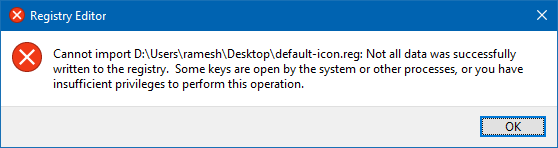
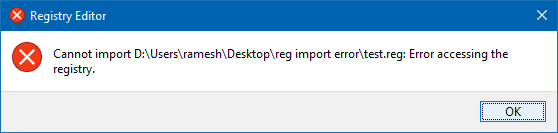
Sometimes, when applying the registry settings using a .reg file, you may get one of the following errors:

Cannot import file.reg: Not all data was successfully written to the registry. Some keys are open by the system or other processes, or you have insufficient privileges to perform this operation.

cannot import .reg file - error accessing registry

Cannot import file.reg: Error accessing the registry.

cannot import .reg file - error accessing registry

Registry files (or registration entries) are files that are used to deploy registry settings quickly to other computers. The registration entries have a file extension .reg that can be run by double-clicking or using the reg.exe command line. You can also manually import .reg files from the Registry Editor window.

Read more

Windows Defender Service Missing; Security at a glance page is Empty

windows defender service missing - security at a glance is empty

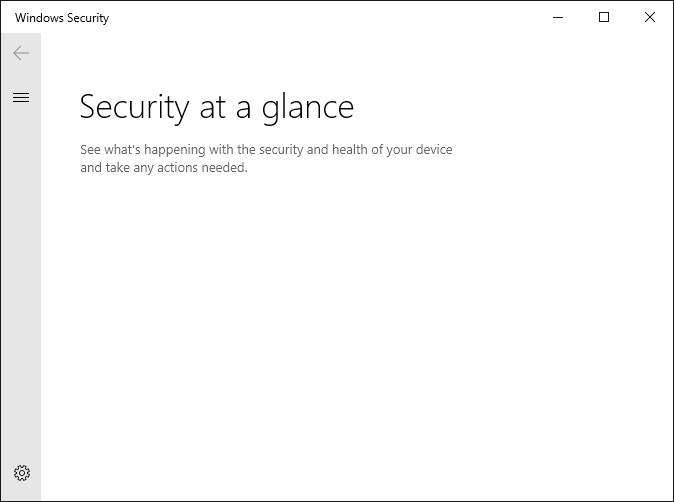
In the aftermath of malware infection, when you open the Services MMC on a Windows 10 or 11 computer, you may find that the Windows Defender (“Microsoft Defender Antivirus Service”) service is missing from the Services MMC. The Windows Security settings “Security at a glance” page may show up empty as in the following screenshot. … Read more

“Users must enter a user name and password” option missing

userpasswords2 password checkbox missing

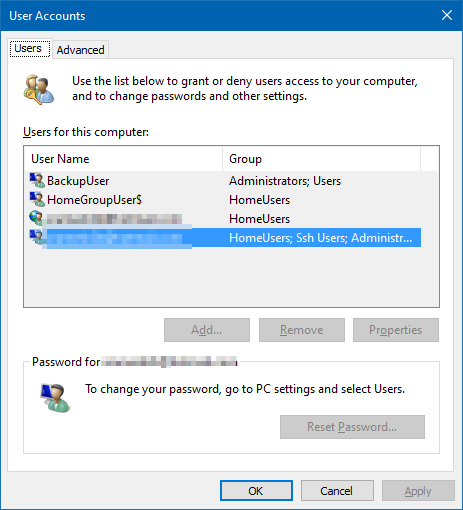
When you open the User Accounts dialog by running control userpasswords2 or netplwiz.exe to configure automatic login to your user account, the Users must enter a user name and password to use this computer option may be missing in that dialog.

userpasswords2 password checkbox missing

As a result, you’re unable to configure auto-login to your user account. This post tells you how to bring back the option in Windows 10 or 11.Read more

[Fix] Windows cannot find Winword.exe or Excel.exe — Can’t open Any Program

avast avg debugger cannot open office apps

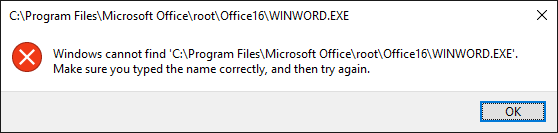
When you open Office programs such as Word, Excel, PowerPoint, Outlook, etc, nothing may happen (except for the screen flash) if you double-click the program shortcut. If you open the Office program’s folder and double-click the executable (e.g., winword.exe, excel.exe, powerpnt.exe, outlook.exe) directly, the following error(s) occur: Windows cannot find ‘C:\Program Files\Microsoft Office\root\Office16\WINWORD.EXE’. Make sure … Read more

How to Change the Office 365/2016 Default Save Folder

office documents default save location

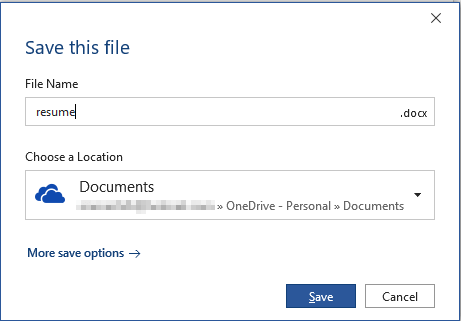
Office programs save your files to OneDrive by default since the February 2019 Office 365 update. Microsoft suggests that the users store files in OneDrive to protect against device loss or damage and to provide anywhere access to files.

office documents default save location

Quoting Microsoft:

Today we are announcing a new capability that makes it easier for you to create and save your Word, Excel, or PowerPoint document directly to the cloud. When you go to save an Office 365 document using Ctrl+S (Windows), Cmd+S (macOS), or the Save button, the new dialog box will default to OneDrive or SharePoint Online. And if you forget to save a new document before exiting, you will also see this updated save experience.

In case you want to change the default save location in Word, Excel, PowerPoint, etc., there are multiple ways to do it. Instructions below apply to Office 2016 standard installation as well as Office 365.Read more

Bypass SmartScreen even if its Enabled through Group Policy

When you download a file you downloaded from the internet, Windows adds the zone identifier or Mark of the Web as NTFS stream to the file. So, when you run the file, Windows SmartScreen checks if there is a zone identifier alternate data stream attached to the file. If the ZoneId=3 data ADS is present, Windows identifies that the file was downloaded from the internet, and the SmartScreen does a reputation check when you run the file.Read more

Windows Logs Off when Shutdown or Hibernate is used

windows logs off when shutdown or hibernate is used

Over these years, at least since the Windows 7 era, we’ve seen several cases where the system logs you off when clicking on the Shutdown or Hibernate option in the Start menu. The problem may be seen in Windows 8, Windows 10, or 11 systems as well.

What causes Windows to log off the account instead when the shutdown or hibernate option is used?Read more

Restore “Import pictures and videos” AutoPlay Option in Windows 10/11

import pictures and videos autoplay windows 10

Windows 10 has the Import photos and videos option in the AutoPlay dialog which helps you import photos and videos from your phone, SD card, camera, etc. The option uses the built-in Photos app to import photos and media from the device into your Pictures folder.

import pictures and videos autoplay windows 10

However, many users would like to have the classic “Import pictures and videos” import wizard (powered by the Windows Photo Viewer) instead.Read more

Fix: Command Prompt Tab to Autocomplete not working

autocomplete path characters in command prompt

The Command Prompt has a handy little feature that lets to change directory paths using autocomplete. To change to a directory or type a directory name, you can type the starting letters of the directory and press the TAB key to autocomplete the file or folder path.

(To learn how to use TAB autocomplete in Command Prompt, check out the examples provided at the end of this article.)

File and folder paths autocomplete feature is enabled by default in Windows 10. But if it stops working for some reason, this article tells you how to fix it.Read more