Windows 8 and Windows 10 allow you to set a user account PIN for use in place of passwords. PIN makes it easier to sign in to Windows, apps and services. Setting up a PIN provides many advantages over Password-based login.Read more
Windows 10
This category contains posts about Microsoft’s latest Operating System – Windows 10.Windows 10’s always been interesting, as every new major update will usually include additional features.
Launch Settings Pages using ms-settings URL shortcuts
Windows 10/11 includes the ms-settings: URL protocol which can be used to launch a specific page in Settings using a shortcut of Run dialog. Here is the complete list of ms-settings: commands in Windows 10 and 11.Read more
How to Reset, Repair or Reinstall Edge Web Browser
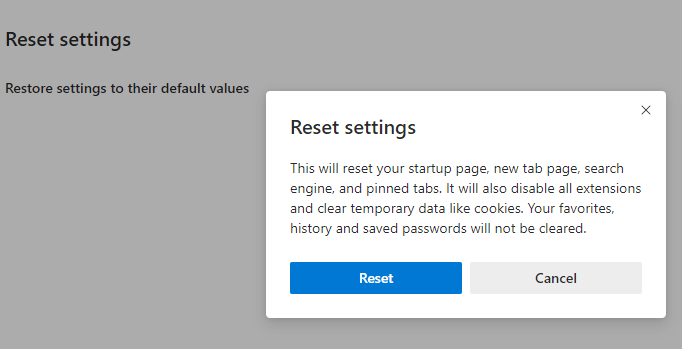
Sometimes, web browsers may need a complete reset — to revert to the default settings especially in the aftermath and removal of a browser-based attack, search hijack, PUA, PUP or Adware infection. We recently saw how to reset Google Chrome and Mozilla Firefox manually. This post tells you how to reset Microsoft Edge completely and start afresh.Read more
Remove Open PowerShell window here from Right-Click Menu in Windows 10
With the Windows 10 Creators Update, the context menu option “Open command window here” is hidden by default, and is replaced by the “Open PowerShell window here” entry.
Not just that. PowerShell replaces Command Prompt in the Win+X (Power User) menu as well. In an earlier post, we saw how to get Command prompt option back in the right-click menu.Read more
Clean Up PC – A New Reset feature in Windows 10 Creators Update
Windows 10 gives you two reset options namely “Keep my files” (“Refresh”) and “Remove everything” (also known as “Reset”).
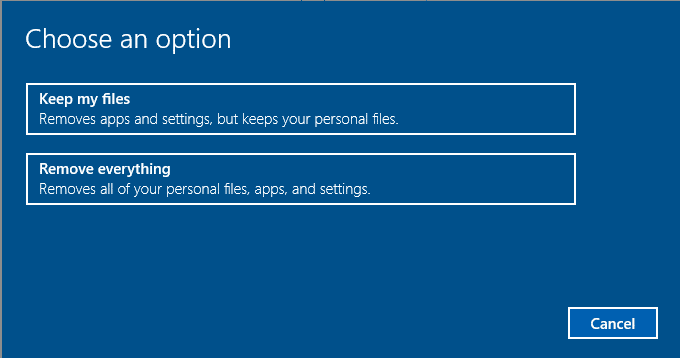
Now, the Windows 10 Creators Update Preview Build 14986 seems to have introduced a third system reset option named “Clean up and update this PC”. And the corresponding GUI option for this feature may be added in the upcoming builds or in the Windows 10 Creators Update (final) which is due for release in March 2017.Read more
Add “Open command window here” to Context Menu in Windows 10
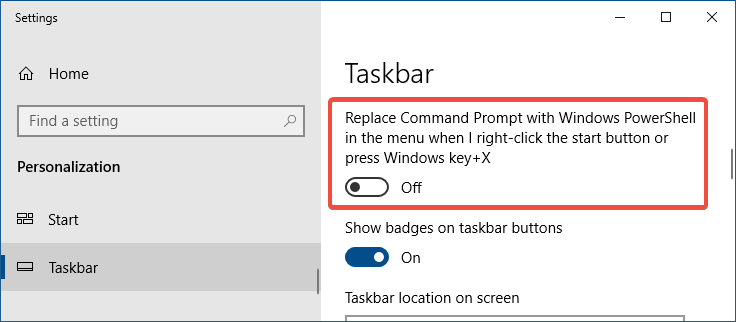
In the recent versions of Windows 10 (Creators Update and higher), the “Open Command Prompt here” context menu entry has been removed and is replaced by “Open PowerShell window here”.
Microsoft, in an effort to bring the best command line experiences to the forefront for all power users, has made PowerShell the de facto command shell.
This article tells you how to add “Open command window here” to right-click menu in Windows 10. Optionally, you can also remove the Open PowerShell window here from the context menu.
You may also be knowing that since the preview build 14971, “Command Prompt” and “Command Prompt (Admin)” entries in the Win+X menu (the menu which appears when you right-click Start) were replaced with PowerShell links.Read more
Control which apps can access your webcam in Windows 10
Webcams have become essential stuff these days. Having a camera as part of your system lets you make Skype video calls, take pictures, etc. But with a number of modern apps installed in the system, the user needs to be in control as to which apps are allowed to access the camera.Read more
Master List of Keyboard Shortcuts for Windows 10
This page lists the complete keyboard shortcuts for Windows 10.Read more
Fix: Run Command History Not Saved in Windows 10 or 11
The Run dialog in Windows stores the commands, folder paths, and website addresses you typed. The entries are saved to the registry and persist until you manually clear them.
Cause
If the Run dialog (Winkey + R) doesn’t retain the recently used command history (a.k.a. MRU entries), it can be due to the following reasons:
- The “Show most used apps” option is disabled in the Start menu settings.
- The
ClearRecentDocsOnExitregistry value is set to1. - The user recently cleared the Quick Access history. Doing so erases the Run command history, as well.
This article tells you how to fix the problem in Windows 10 and 11.Read more
How to Open Task Manager to a Specific Tab Directly
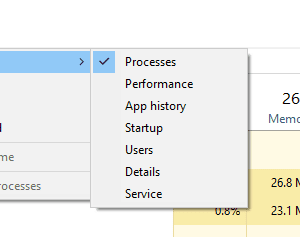
Task Manager opens to Processes tab by default in Windows 8 and 10. If you want it to open to the Startup tab directly, this article tells you how to do it.Read more