How to Extract Specific Files from Windows 10 or 11 ISO

extract specific windows image from multi-edition iso

There are situations where you need a specific Windows system file from the install.wim image present in a Windows 10/11 setup disk or ISO. In the case of missing system files, the DISM & SFC procedure will automatically restore them. Alternatively, you can restore missing Windows system files (of any version) from the WinBindex.Read more

How to Download Twitter DM Video in Windows

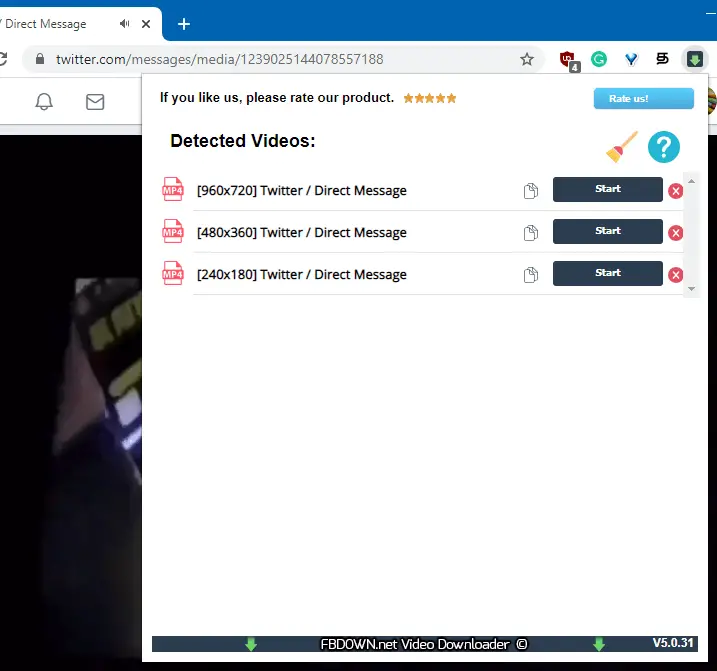
download twitter dm video using fbdown extension for chrome

Twitter videos are .m3u8 playlist files that link to multiple .ts (Transport Stream) video stream files. The Twitter user interface doesn’t provide an option to download the video embedded in a tweet or Direct Message (DM).

There are 3rd party Twitter video downloader websites such as savetweetvid.com, twdown.net etc., that can download Tweet videos, but they can’t download your Twitter Direct Message (DM) videos.

This article explains how to download a video from Twitter DM using your web browser (instead of the Twitter app), browser extension, or a third-party tool such as VLC Player or Youtube-DL.

Read more

How to Convert WMA to MP3 Format in Windows

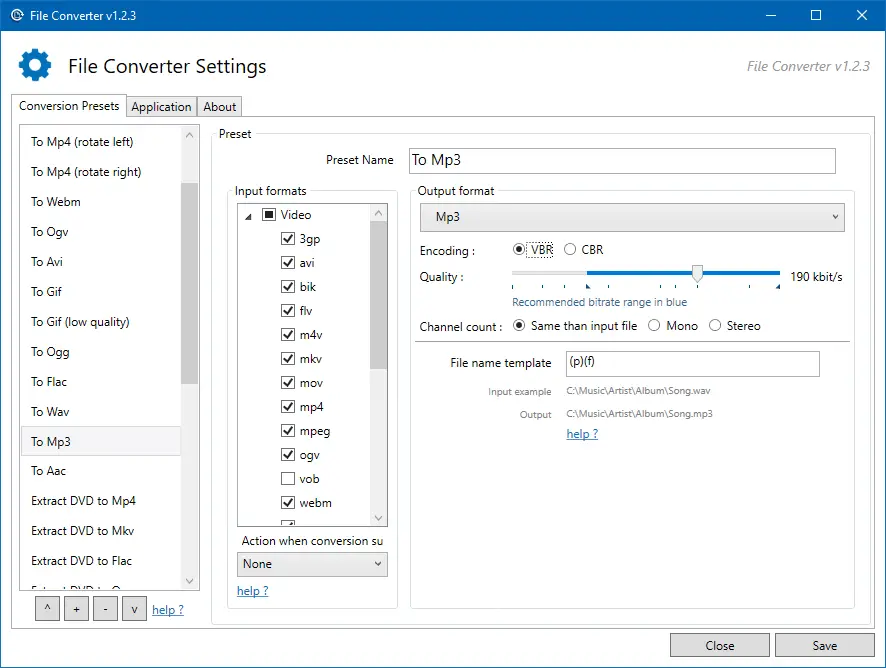
convert mp4 to mp3 offline - extract audio from video - file converter

Windows Media Audio (WMA) is a proprietary technology developed by Microsoft that forms part of the Windows Media framework. WMA produces better sound at low bitrates compared to MP3. It leads to smaller file sizes. Since the WMA format is proprietary, we have more devices that use the MP3 format compared to WMA.

If your device (e.g., DVD player) doesn’t support WMA file format, then you’ll have to convert the WMA files into MP3, as most, if not all devices support MP3. Converting WMA files to MP3 is also a good idea if you want to play them across different platforms (e.g., macOS, iOS, Android, ChromeOS, or Linux). For instance, Chromebooks don’t have native support for WMA files. You’ll need to install VLC Player for Chrome OS or convert the WMA files to one of the formats (.mp3, .m4a, .ogg, .wav) to be able to play the music on your Chromebook.

Windows Media Player is the native media player (in Windows Operating Systems) which supports WMA file format. But Windows Media Player has no audio format conversion capability. However, WMP can rip CD/DVD audio into WMA, WAV, or MP3 file format, though.

Read more

How to Free Up Gigabytes of Disk Space in Windows

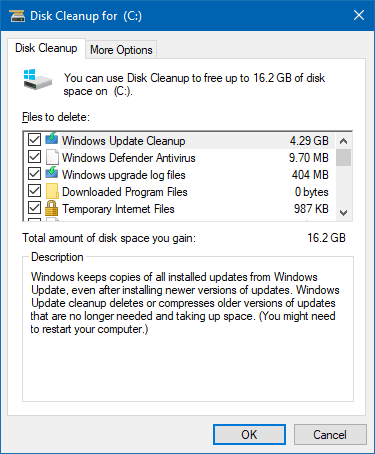
free up disk space in windows 10

Windows 10 updates, especially the feature updates, consume enormous disk space as Windows stores the older copies in case you want to roll back to the previous version. Hard disk drives have become cheaper and affordable nowadays. A 1 TB SATA HDD costs less than $50. But, if you’re using an old, low-capacity hard drive from an old computer and want to free up disk space, this article tells you how to do that.

After installing a feature update, Windows 10 automatically cleans up the previous Windows installation files (Windows.old) after ten days. However, there are some other ways with which you can free up disk space in Windows. Let’s see some of the options.Read more

How to Find the Motherboard Make and Model Number in Windows

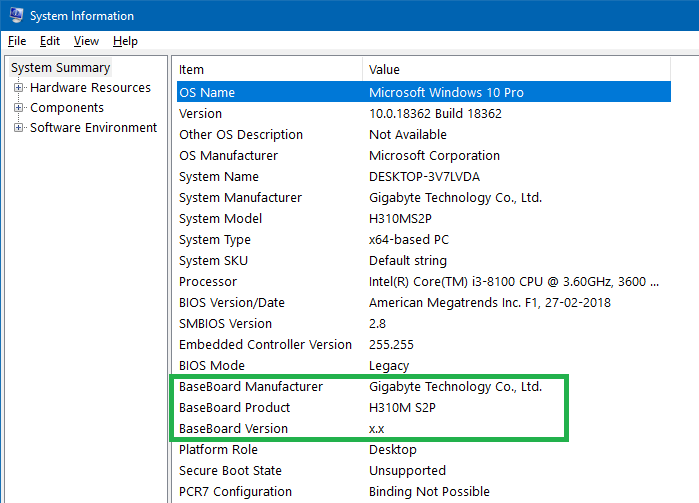
find motherboard make and model

Knowing the technical specifications of your motherboard is very important, especially if you’re planning to upgrade the processor or RAM. Once you find the make and model of your motherboard, you can get the user manual from the respective manufacturer’s site.

If you’ve got a computer from a friend and want to know the system specifications — including the motherboard make and model, information about the memory module, etc., you can do so without using any third-party tool.Read more

Fix: Device Harddisk DR0 has a “bad block” Error in Event Viewer

hard disk bad block found event viewer

Of late, one of my Windows 10 computers has been running sluggishly, hangs frequently or shuts down abruptly. The malware scans turned out to be normal and there are no processes consuming huge CPU time or memory. The disk usage remained at 100% though, regardless of the app I open.

The System event log showed multiple disk error entries. Here is one such event:

Log Name: System
Source: disk
Date: 15-08-2019 17:37:49
Event ID: 7
Task Category: None
Level: Error
Keywords: Classic
User: N/A
Computer: DESKTOP-3V7LVDA
Description:
The device, \Device\Harddisk0\DR0, has a bad block.
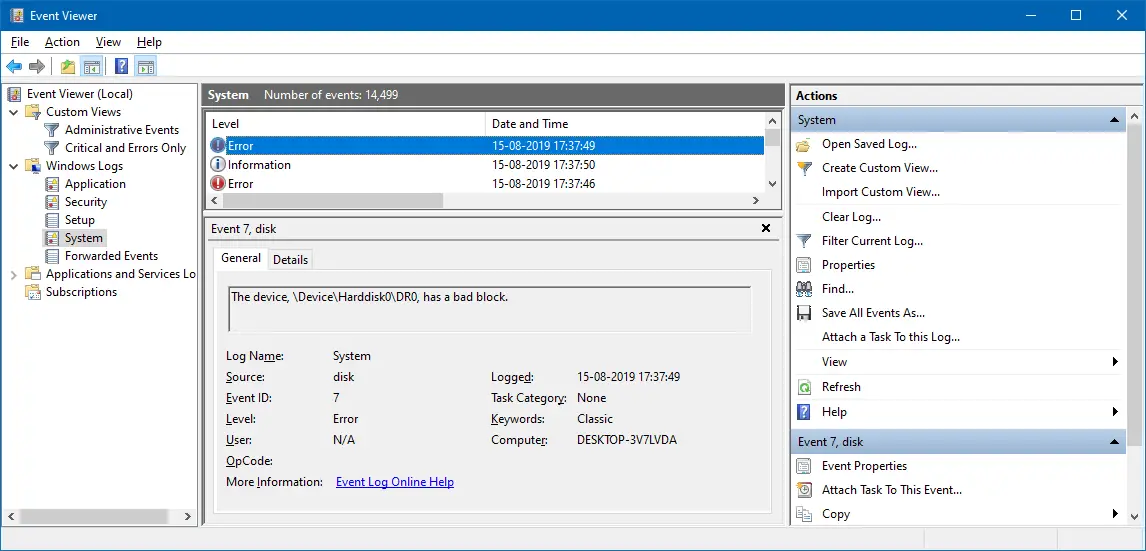
hard disk bad block found event viewer

After restarting Windows, the following event log entry gets added.

Log Name: System
Source: Microsoft-Windows-Kernel-Power
Date: 15-08-2019 19:28:09
Event ID: 41
Task Category: (63)
Level: Critical
Keywords: (70368744177664),(2)
User: SYSTEM
Computer: DESKTOP-3V7LVDA
Description:
The system has rebooted without cleanly shutting down first. This error could be caused if the system stopped responding, crashed, or lost power unexpectedly.

The same error occurred for my secondary hard drive (Disk 1), and the error message read The device, \Device\Harddisk1\DR1, has a bad block.

If you have multiple hard drives and want to know which hard drive has a bad block, note down the Disk # indicated in the event log. Open Disk Management to see the list of drives and the corresponding drive #.
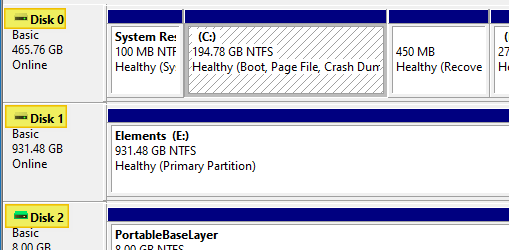
disk management hard drive number

A bad block is an area of the hard drive that is no longer reliable for storing and retrieving data. Bad block may indicate corruption or physical damage.

There are two types of bad blocks: A physical bad block comes from damage to the storage medium. A soft, or logical, bad block occurs when the operating system (OS) is unable to read data from a sector. Examples of a soft bad block include when the cyclic redundancy check (CRC), or error correction code (ECC), for a particular storage block does not match the data read by the disk. (TechTarget.com)

And, I couldn’t clone the drive using Macrium Reflect or EaseUS ToDo Backup. Macrium Reflect threw the error “clone failed” code 9, and EaseUS software stalled at 51% while cloning the disk.

In this article, I’ll tell you how I resolved the hard drive “bad block” error.Read more
How to Split a Video or Audio (MP3) into Multiple Parts

cut audio or video multiple parts - loselesscut

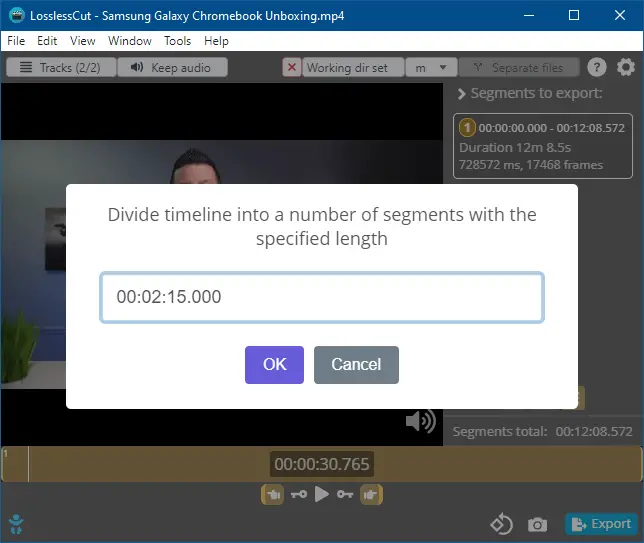
The built-in Photos app can be used to cut a portion of a video file. Sometimes, you may need to split a video or audio into multiple parts with a specific duration. It helps you share them on Twitter or any other social networking site which has a length limitation. For instance, Twitter allows you to upload videos of length not exceeding 140 seconds (2m 20s.)

To split a video into multiple equal parts, you may have to repeat the procedure multiple times if you’re using the Photos app. Instead, you may use a third-party tool to split a video (MP4, MKV, AVI, or MPG) or audio (MP3, WAV, etc.) into multiple equal parts automatically.

In this article, let’s see how to cut a selection of a video or audio and save the selection to a separate file. This article also describes how to split a video or audio into multiple equal parts.

Read more

Find the Total Execution Time of a Command or Program in Windows

measure total execution time of a command or program

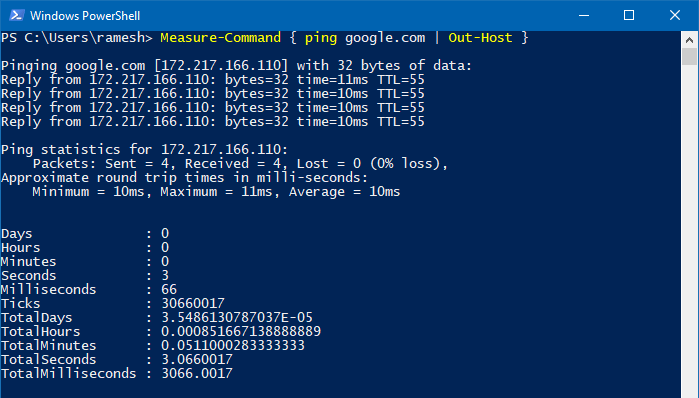
You may sometimes want to to find the total execution time of a command or program you run. To optimize a script or program, it’s essential to know how long does it take for it to complete execution. This helps you compare the total run time of Program A vs. Program B and optimize your code, especially if you’re a professional software developer, analyst, or software tester.

Measuring the total execution time of a script or process is one of the most critical aspects of performance optimization. This article discusses various methods to find the total execution time of a program, script, or command in Windows.

Read more

How to Check if a Program (.EXE or .DLL) is 32-bit or 64-bit

find out if exe is 32-bit or 64-bit

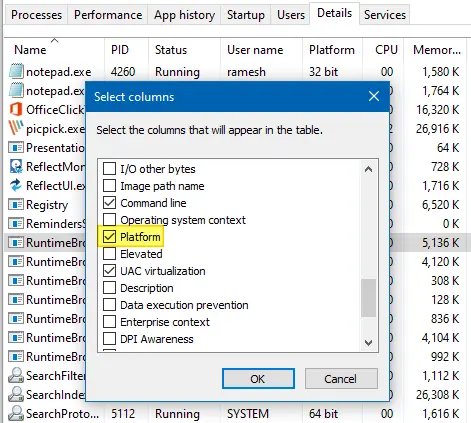
Software developers compile separate executable files (.EXE or .DLL) for 32-bit (x86) and 64-bit (x64) systems. The 64-bit version of the program is usually denoted by suffixing 64 or x64 with the filename — e.g., sigcheck.exe vs. sigcheck64.exe. In some cases, the bitness notation may be missing, and you may be wondering if the executable is 32-bit or 64-bit.

This article discusses various methods to determine if a program or executable file is 32-bit or 64-bit in Windows.

Note that some vendors may combine the 32-bit and 64-bit executables into one 32-bit self-extractor file that would detect the platform, extract, and run the correct EXE for the current platform.Read more

How to Change File Date or Timestamp in Windows

change last modified file date or timestamp using powershell

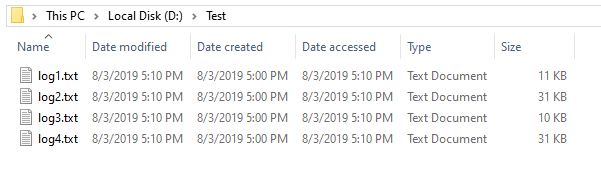
Windows maintains three different date/timestamps for every file and folder. They are “Date Created,” “Date Modified,” and “Date Accessed.” You may have to change the modified, created, or last accessed timestamp of a file or folder in some situations.

For instance, I had to change the timestamp of some files to test the Robocopy sync method when writing an article on folder compare and synchronization. Other users may need to change the date or time of a file for backup or archiving purposes.

Let’s see some methods to change the created date, modified date, or last accessed date of files in this article.
Read more