When you open the Microsoft Store app, one of the errors 0x80072EFD (“The server stumbled”), 0x80072EE7, 0x80131500 or 0x80072EFF may show up, and you can’t use the Store app. Resetting the Store app by running the wsreset.exe command or reinstalling Store using PowerShell also may not help.Read more
Windows 10
This category contains posts about Microsoft’s latest Operating System – Windows 10.Windows 10’s always been interesting, as every new major update will usually include additional features.
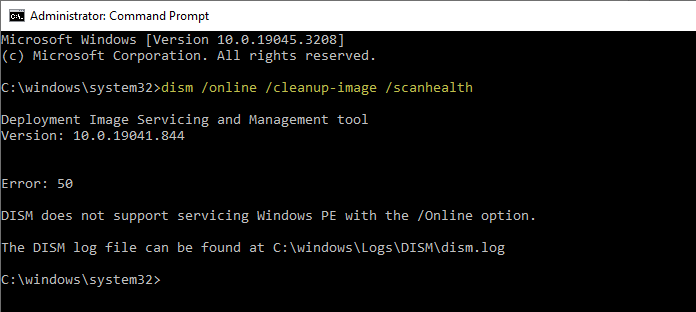
Windows 10 Desktop Background Slideshow Not Seeing Subfolders
The new Settings interface in Windows 10 doesn’t allow selecting multiple files at once as the desktop slideshow. You can only select one folder at a time. Also, the images in the subfolders are not utilized for the slideshow.Read more
How to Prevent Installing Extensions in Microsoft Edge
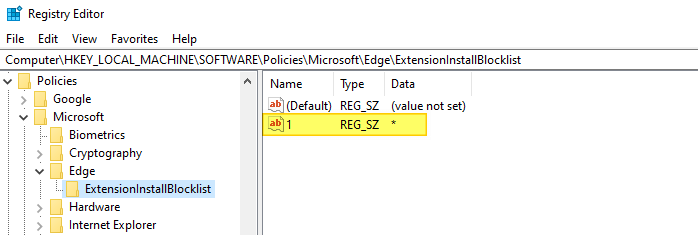
Microsoft Edge extensions support can be enabled or disabled using the Local Group Policy Editor or the registry. If you’re the computer administrator and want to prevent users from running extensions on Microsoft Edge (Chromium), this guide has the instructions. Prevent Installing Extensions in Microsoft Edge Method 1: Block Edge Extensions Using the Registry Editor. … Read more
How to Clear Background (Wallpaper) History in Windows 10
When you change the desktop wallpaper, Windows remembers the file name and path of the last four wallpapers. The Personalize page (“Choose your picture”) displays the thumbnail image of five wallpapers; first thumbnail image is usually the current background, followed by thumbnails of previous four background images. This post tells you how to clear the wallpaper history using Registry Editor.Read more
Add “Settings” Cascading Context Menu on the Desktop in Windows 10
Microsoft has moved most of the Control Panel features into the Settings UI in Windows 10, and at some point the classic Control Panel may be removed altogether. The Settings panel has different categories: System, Devices, Phone, Network & Internet, Personalization, Apps, Accounts, Time & language, Gaming, Ease of Access, Cortana, Privacy, Update & security, and Mixed reality.Read more