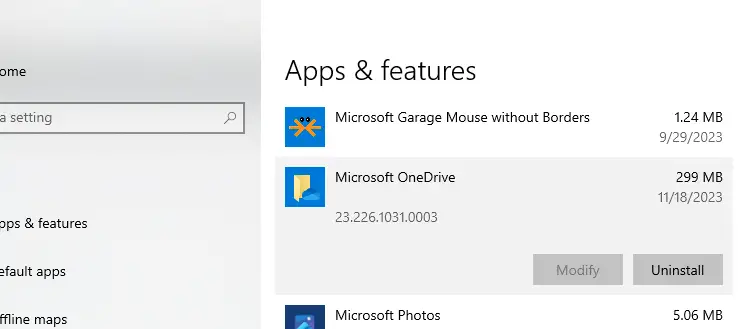
OneDrive cloud storage feature is integrated into Windows 10 and 11. When the OneDrive app is running it automatically syncs files and folders in the background. If you encounter syncing issues with OneDrive, you may want to reset it completely using the hidden OneDrive.exe /reset command-line switch.Read more
Windows
You’re browsing the “Windows” parent category, which lists articles on every Windows Operating System.
Start Programs Elevated (as Administrator) from Run Dialog in Windows 10 [Ctrl + Shift]
If you want to edit your HOSTS file or any file that requires admin privileges to edit, you need to open Notepad or your preferred text editor as administrator. To start a program elevated, you usually right-click on the shortcut and click Run as Administrator from the context menu. Alternately, you can search for that program from Start menu, select the item, press Ctrl + Shift and press ENTER.Read more
“Show Most Used Apps” Setting Greyed out in Personalize
The “Show most used apps” toggle switch may be grayed out on the Personalization → Start page in Windows 10 or 11. This is due to a Privacy setting that turns off the ability to track recent programs.Read more
Perform System Restore Rollback Offline via Windows RE
System Restore is an excellent tool that can rescue the system from catastrophe. But, when you cannot revert the system configuration from normal mode, you can perform System Restore rollback offline via Windows Recovery Environment (WinRE), or from Safe Mode.Read more
Microsoft Defender: “Managed by your administrator” or “Your IT administrator has limited access”
In the aftermath of a malware attack, the Windows Defender Security settings page may show the message Some settings are managed by your organization or This setting is managed by your administrator. The real-time protection and cloud-based protection options may remain disabled or grayed out.
Here is what the Windows Defender Settings page might look like. The controls for real-time protection, cloud-based protection, and Automatic sample submission options may be disabled and locked down or grayed out.Read more
Properties accelerator key set to “o” instead of “r” [Right-click menu]
To open the properties sheet of a file, folder or drive, you can right-click on the item and press the letter “r” as it’s the keyboard shortcut or accelerator for Properties option in the context menu. But, you may be wondering why letter “o” becomes the Properties shortcut key in some systems.Read more
Default Sign-in Option Changes to Password from PIN Automatically in Windows 10
When you sign-in to your user account or unlock the workstation, the last used sign-in method (PIN, Password or Windows Hello) is saved to the registry, and the same will be used the next time. However, you may notice that the default sign-in option reverts to password at every restart, even though you used PIN sign-in the last time to unlock the computer.Read more
Microsoft fixes Eventvwr.exe UAC Bypass Exploit in Windows 10 Creators Update
In Windows 10 Creators Update preview build 15007, Microsoft seems to have fixed the UAC bypass method involving eventvwr.exe. First, how does this bypass work?Read more
Windows 10 Lock Screen Black Background and no Wallpaper [Fix]
Starting with the Windows 10 anniversary update, you can show the lock screen wallpaper in the login or sign-in screen as well. However, with the wallpaper option enabled for the sign-in screen, there appears a problem where the lock screen shows up with a black background instead of a Windows Spotlight image or a wallpaper.Read more
Disk Cleanup Bug : 3.99 TB Used by Windows Updates [Fixed]
After installing a Cumulative Update, when you run Disk Cleanup (cleanmgr.exe) as administrator to cleanup system files, it may incorrectly show 3.99 TB as being occupied by older versions of Windows Updates.Read more