How to Find the BIOS Version and Check if it is Up to Date

find bios information and update bios

BIOS is a firmware used to perform hardware initialization during the booting process. The BIOS firmware comes pre-installed on a computer’s motherboard (a.k.a. system board), and it is the first software to run when powered on. You can enable or disable onboard devices, set the boot device priority, CPU speed, etc., in the BIOS Setup page.

CPU vulnerabilities (e.g., Meltdown, Spectre) are fixed by installing the appropriate security Microcode update. Microcode updates are nothing but the firmware for CPUs which are usually delivered as BIOS or UEFI firmware update. So, updating the BIOS is essential to mitigate or fix security vulnerabilities in CPUs.

If Intel releases a Microcode update for a CPU or a set of CPU models, they work with OS vendors, and OEMs to develop platform firmware and software updates that can help protect systems.

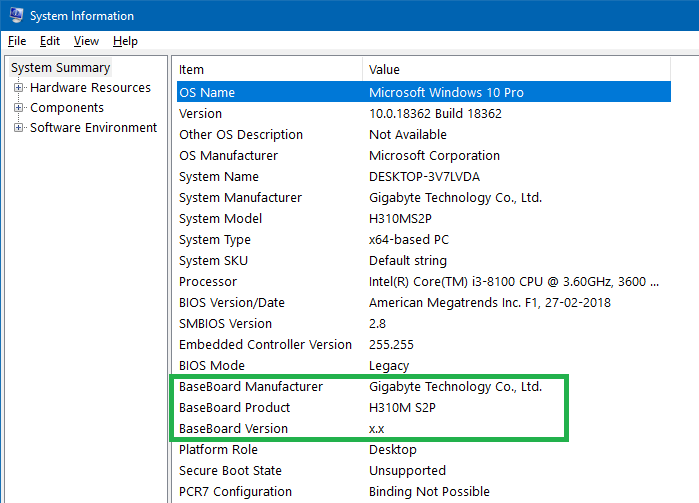
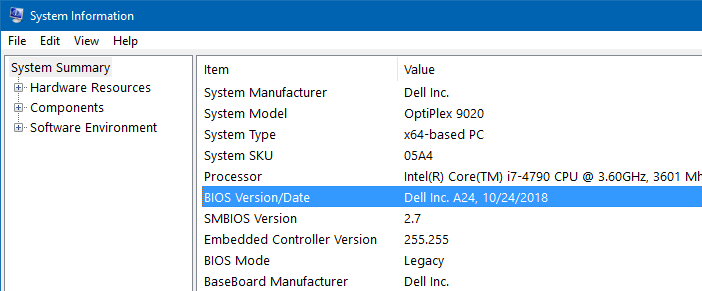
This post tells you how to check your BIOS version and make sure if your BIOS is up to date.

Read more

Find the Total Execution Time of a Command or Program in Windows

measure total execution time of a command or program

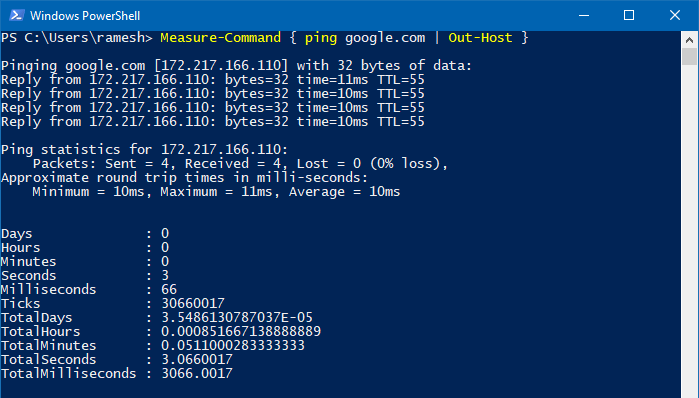
You may sometimes want to to find the total execution time of a command or program you run. To optimize a script or program, it’s essential to know how long does it take for it to complete execution. This helps you compare the total run time of Program A vs. Program B and optimize your code, especially if you’re a professional software developer, analyst, or software tester.

Measuring the total execution time of a script or process is one of the most critical aspects of performance optimization. This article discusses various methods to find the total execution time of a program, script, or command in Windows.

Read more

How to Check if a Program (.EXE or .DLL) is 32-bit or 64-bit

find out if exe is 32-bit or 64-bit

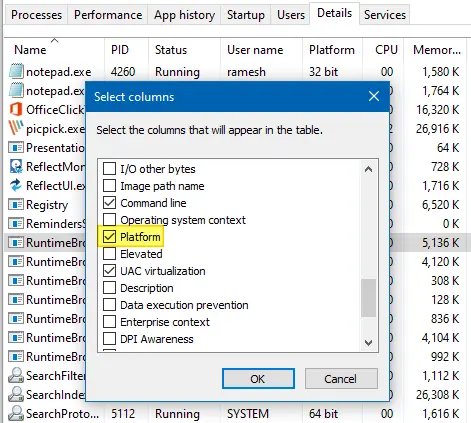
Software developers compile separate executable files (.EXE or .DLL) for 32-bit (x86) and 64-bit (x64) systems. The 64-bit version of the program is usually denoted by suffixing 64 or x64 with the filename — e.g., sigcheck.exe vs. sigcheck64.exe. In some cases, the bitness notation may be missing, and you may be wondering if the executable is 32-bit or 64-bit.

This article discusses various methods to determine if a program or executable file is 32-bit or 64-bit in Windows.

Note that some vendors may combine the 32-bit and 64-bit executables into one 32-bit self-extractor file that would detect the platform, extract, and run the correct EXE for the current platform.Read more

How to Change File Date or Timestamp in Windows

change last modified file date or timestamp using powershell

Windows maintains three different date/timestamps for every file and folder. They are “Date Created,” “Date Modified,” and “Date Accessed.” You may have to change the modified, created, or last accessed timestamp of a file or folder in some situations.

For instance, I had to change the timestamp of some files to test the Robocopy sync method when writing an article on folder compare and synchronization. Other users may need to change the date or time of a file for backup or archiving purposes.

Let’s see some methods to change the created date, modified date, or last accessed date of files in this article.
Read more

How to Change Shortcut (.lnk) Target in Bulk Using Script

shortcuts search and replace bulk

Many users have shortcuts pointing to various network shares from other systems or your domain’s storage server. If your company migrates the server and changes the computer name, share name, or folder path, you need to manually update the shortcut targets to point to the right destination. In most cases, the folder structure may remain the same, but the server name usually changes.Read more

Trigger a Program Upon Connecting to a Specific Network in Windows

trigger launch program when connecting to a specific network connection

Depending upon the network you’re connected to, you may want to run certain tasks. For instance, when you’re connected to a specific network — e.g., home network — you may want to assign a different printer as the default, using command-line or script. This is especially needed in Windows 10 where the “location-aware printing” feature has been removed.

Or, you may need to run a backup task, or set the default save location in your Office apps to local documents instead of OneDrive when connected to a home network. Some users would want to turn on their VPN software upon connecting to a particular network.

Read more