If your user account password includes numbers, every time you need to enable the NumLock key in order to type in the password using the numeric keypad. You can, with a simple registry edit, make Windows always enable NumLock on the login screen (as well as the lock screen) at every startup. The registry edit works in any version of Windows, including Windows 10.Read more
registry
Fix: Run Command History Not Saved in Windows 10 or 11
The Run dialog in Windows stores the commands, folder paths, and website addresses you typed. The entries are saved to the registry and persist until you manually clear them.
Cause
If the Run dialog (Winkey + R) doesn’t retain the recently used command history (a.k.a. MRU entries), it can be due to the following reasons:
- The “Show most used apps” option is disabled in the Start menu settings.
- The
ClearRecentDocsOnExitregistry value is set to1. - The user recently cleared the Quick Access history. Doing so erases the Run command history, as well.
This article tells you how to fix the problem in Windows 10 and 11.Read more
How to Open Task Manager to a Specific Tab Directly
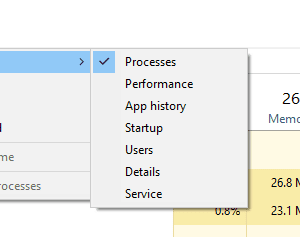
Task Manager opens to Processes tab by default in Windows 8 and 10. If you want it to open to the Startup tab directly, this article tells you how to do it.Read more
How to Set Ethernet (LAN) Connection as Metered in Windows 10
Windows 10 allows you to set a Wifi connection as a “Metered” connection, but no such GUI option existed for Ethernet (LAN) networks. In Windows 8 and Windows 10 v1607 and earlier, you needed to apply a registry edit to set Ethernet or LAN connection as metered. Thankfully, with Windows 10 Creators Update, it’s a built-in option that can be configured using the Settings UI — no registry edit required.Read more
New Share UI in Windows 10 – How to Enable it?
Windows 10 Creators Update will have a new Share UI which Microsoft revealed in October.
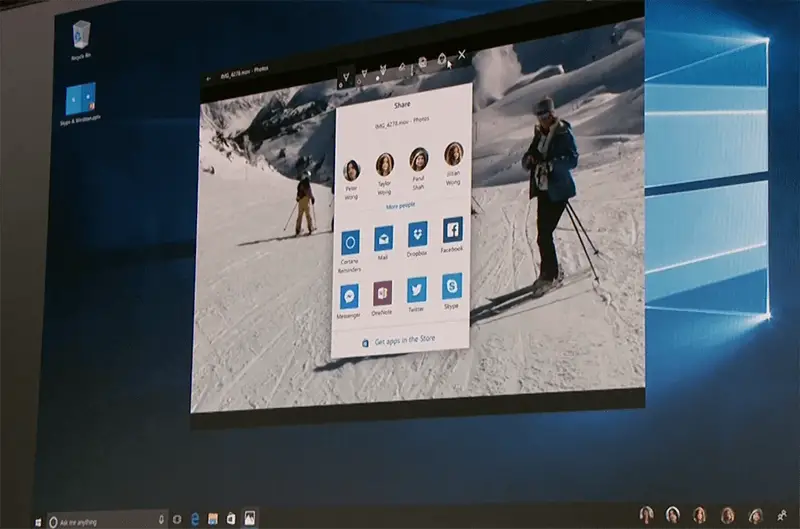
If you’re using Insider Preview Build 14972, you can enable the new Share UI which replaces the Share panel.Read more
Switch Program Windows Quickly Without Clicking on Taskbar Thumbnails
When Taskbar icons are set to “Combine,” which is the default setting, to switch windows within a Taskbar group, you need to click or hover your mouse pointer over the group icon and then click on the appropriate taskbar thumbnail image. This can be inconvenient especially if you have too many instances of a program running.Read more
Disable Virtual Desktop Switching on Mouse Hover in the Task View Interface
Virtual Desktops feature in Windows 10 provides a nice way to keep your program windows organized. You can move a set of work-related programs to a separate virtual desktop, having your entertainment and social networking stuff in another virtual desktop. When required, you can also make a program window or all window instances of a program available on all virtual desktops.Read more
How to Enable Scanning for PUA/PUP/Adware in Windows Defender
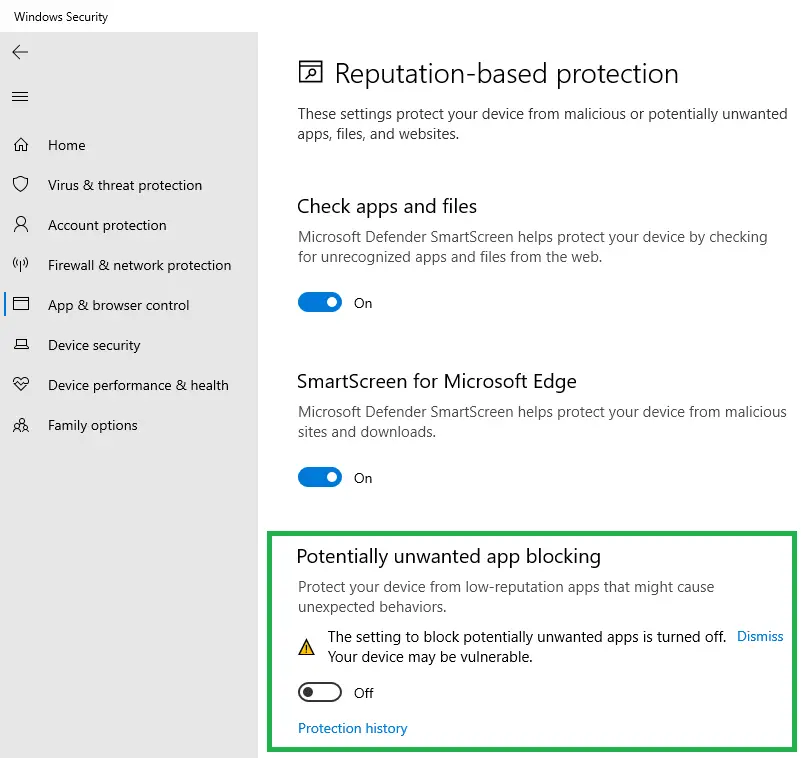
Windows Defender can detect and remove malware and viruses, but it doesn’t catch Potentially Unwanted Programs or crapware by default. However, there is an opt-in feature that you can enable to make Microsoft Defender antivirus scan and eliminate adware, PUAs, or PUPs in real-time.Read more
Why doesn’t Disk Cleanup Clear the Temp Folder Contents Completely
Disk Cleanup (Cleanmgr.exe) is a built-in tool in Windows that offers some useful cleanup options not available in other 3rd party cleanup tools. It can remove superseded device drivers, Temporary Files, Internet Explorer cache, obsolete Windows Updates, Previous Windows Installation (Windows.old) folder, and much more.Read more