Enable the Built-in Administrator in Windows 10/11 via Windows RE

There are situations where you’ll need to activate and use the built-in Administrator account in Windows. The built-in Administrator account is disabled by default. If your existing admin user account profile gets corrupted (and you have no alternate user account with admin privileges), you’ll need to enable and use the built-in administrator account to fix things up or create a second administrator account.Read more

Remove “Create a new video” Option from Right-click Menu in Windows 10

With the Windows 10 Photos app set as the default image viewer, when you right-click on an image or video file (or a group of files), you’ll see the Create a new video option in the context menu.
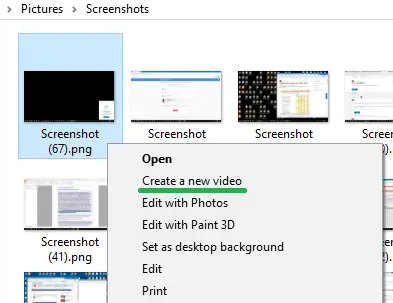
"create a new video" context menu

The Create a new video option lets you create a video clip from the list of selected image files, and optionally export the video file or save to your OneDrive account via the Photos app.

"create a new video" context menu using photos app

This article tells you how to remove the Create a new video option from the right-click menu if you don’t use it and would like to declutter the right-click menu.

Read more
[Fix] Wi-Fi Networks (SSID) Not Visible in Windows 10/11

Your Windows 10 computer may not show available Wi-Fi Networks (No Wi-Fi Networks Found) sometimes after installing a feature update. Many of the users have reported that they are unable to search and discover new Wi-Fi access points after going through the Fall Creators Update. However, this issue still exists in computers running v2004 which is the latest Windows 10 build as of this post.

Welcome to the Windows-land where the “mandatory updates” and “security patches” would more often than not, make your life harder by either messing up or not showing something. One of the rather recent additions to the list is the Wi-Fi problem.Read more

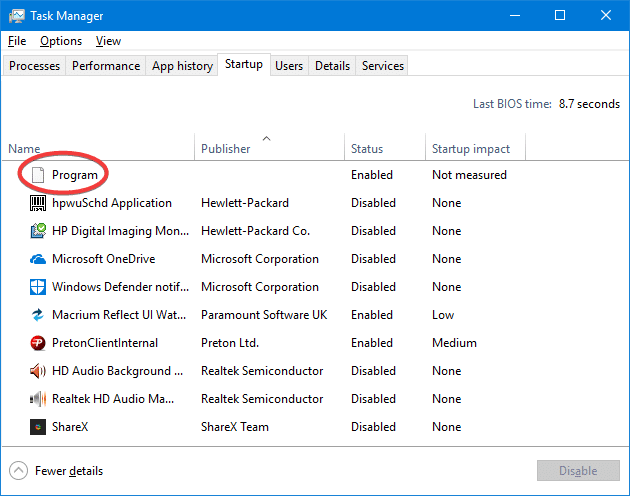
What is “Program” in Task Manager Startup Tab

When you open Task Manager and click on the Startup tab to manage auto-start entries, you may notice one or more entries showing up as “Program” showing up with a blank or generic icon and without any Publisher information.

unknown program entry in task manager startup tab command line

The unknown “Program” entries are most likely caused if both of the following conditions are true:

  1. The startup entry refers to an invalid or non-existent file under “Program Files” folder.
  2. The registry value data corresponding to that startup entry is not enclosed within double-quotes.

This article tells what does the “Program” entries in the Startup tab mean and how to get rid of those entries.Read more

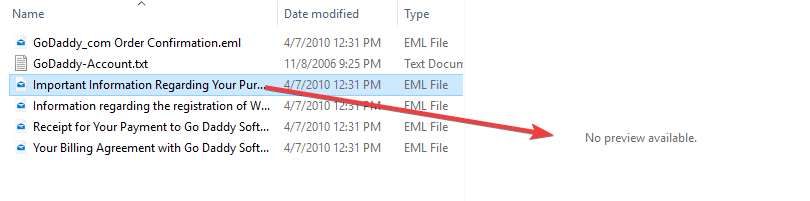
How to Enable Preview of .eml (Email Message) Files in Explorer

Many users of Windows Mail or Windows Live Mail (part of Windows Live Essentials) used to backup individual emails and save them as .EML files. Since Windows Live Mail has been discontinued, users are forced to use third-party mailers or even buy Microsoft’s own produce, Microsoft Outlook. However, the preview pane in File Explorer shows “No preview available” when a .EML file is selected.

.eml file no preview available

This article tells you how to preview .EML files in File Explorer Preview pane, in Windows 7 through Windows 10.Read more

[Fix] “Windows Backup Failed to Get an Exclusive Lock on the EFI System Partition” Error

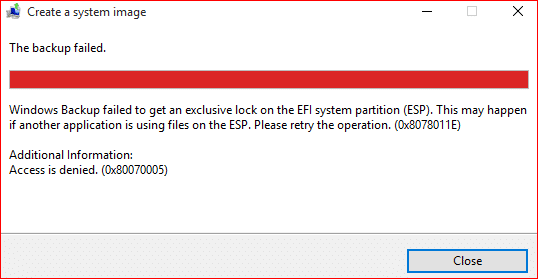
When you try to create a system image using Windows Backup on your computer, the following error occurs and backup procedure stalls.

0x8078011E avast efi system partition lock windows backup

Windows Backup failed to get an exclusive lock on the EFI system partition (ESP). This may happen if another application is using files on the ESP. Please retry the operation. (0x8078011E)

Additional information:
Access is denied. (0x80070005)

and

Check your backup. The last backup did not complete successfully.

Read more

[Fix] Error “Windows cannot find taskmgr.exe” Opening Task Manager

When attempting to open the Task Manager in your Windows computer, you may receive the following error:

taskmgr.exe cannot be found - debugger

Windows cannot find ‘C:\Windows\system32\Taskmgr.exe’. Make sure you typed the name correctly, and then try again.

This error occurs no matter which method you use in order to launch Task Manager. Running taskmgr.exe with the full path via Run dialog will also not work.
Read more

How to Stop Windows Update from Installing Driver Updates

Windows Update has the habit of pushing driver updates silently into your system. Sometimes, the drivers offered by Microsoft for your devices may cause problems. It’s always the best idea to only update the drivers directly from the device manufacturer’s site.

Sometimes, we may have to roll back the drivers auto-installed by Windows Update. For example, Realtek drivers pushed out by Windows Update caused problems for some users. So let’s see how to prevent Windows Update from automatically installing device drivers.Read more