If you’re receiving the following error message related to “xdgaudio.vbs” in your system, then your computer is most likely infected.Read more
Error Messages
System Restore Error 0x80042308 “Object could not be found”
by Ramesh
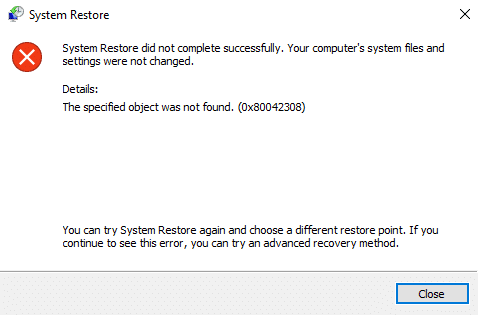
When you attempt to create a new Restore Point, the error 0x80042308 may pop up and the restore point isn’t created:
The restore point could not be created for the following reason:
The specified object could not be found. (0x80042308)
Please try again.
Also, the same error code appears when you create a backup using the built-in Windows Backup and Restore tool. It reports the following error:
The backup did not complete successfully. A shadow copy could not be created for the following reason: The specified object was not found. (0x80042308)
And the failed backup task records an event log entry with ID: 4100.
Log Name:      Application
Source:        Windows Backup
Date:
Event ID:      4100
Task Category: None
Level:         Error
Keywords:      Classic
User:          N/A
Computer:
Description:
File backup failed because a shadow copy could not be created. The system might be low on resources. The error is: (0x80042308).
Windows Update Error 80240037 in New Windows 7 and 8.1 Computers
by Ramesh
If you’ve just bought a new computer loaded with Windows 7 or Windows 8.1 with one of the Processors (CPU) mentioned below, note that Microsoft Updates will not be available for your system.Read more
[Fix] Error “Cannot find Script file” in C:\ProgramData Folder
by Ramesh
When you log in to your computer, the following error or a similar one may appear every time.Read more
How to Fix Rundll32 or RunDll Errors Appearing at Startup
by Ramesh
When you log in to your computer, an error message window with RunDll in the title may appear, mentioning a DLL file name such as the following:Read more
Send To Mail Recipient Error: “There is no email program associated”
by Ramesh
Whether an email client is installed in the system or not, errors “There is no email program associated to perform the requested action” and/or “An error occurred while attempting to invoke the default e-mail program” may occur when you try to email a file using one of these methods:Read more
[Fix] Windows Script Host Access is Disabled on this Machine
by Ramesh
When you run a Windows script using wscript.exe or cscript.exe, error Windows Script Host access is disabled on this machine may pop-up. However, in systems affected by malware, the error appears at regular intervals, without any script invocation by the user.
So the key questions are:Read more
Explorer.exe Crash Troubleshooting Tips
by Ramesh
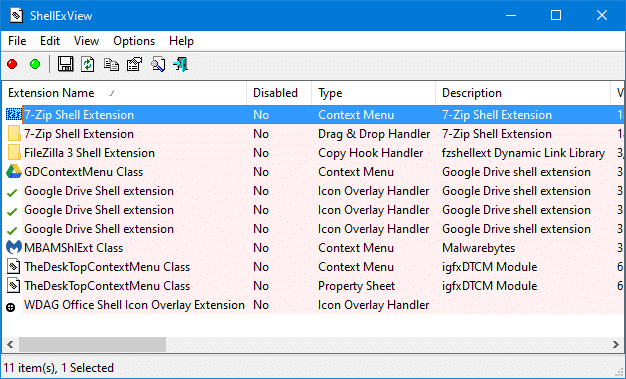
Does Explorer crash and restart when you open a folder window or right-click a file or folder? This post tells you how to troubleshoot Explorer crashes which sometimes seriously affect our workflow.Read more
Error “The Selected Task ‘Name’ No longer exists” Starting Task Scheduler
by Ramesh
When a scheduled task gets corrupt, errors such as The selected task <taskname> no longer exists or The selected task “{0}” no longer exists may show up every time the Task Scheduler is launched. Here is the full error message verbatim.Read more
[Fix] Error “WLXPhotoBase.dll is missing” When Starting Movie Maker
by Ramesh
When you open Windows Movie Maker, a part of the Windows Essentials suite, the following error may appear. The program can’t start because WLXPhotoBase.dll is missing from your computer. Try reinstalling the program to fix this problem. This file is usually located in this folder: [Windows 32-bit Editions] C:\Program Files\Windows Live\Photo Gallery [Windows 64-bit Editions] … Read more