If you’ve customized many settings in Mozilla Firefox and want to revert back to the defaults without losing your bookmarks and cookies, you can use the Refresh option.Read more
[Fix] Themes Service Errors 1068 and 1075: “The dependency service does not exist”
When you start the Themes service on your Windows computer, error 1075 may occur. Here is the full error message verbatim.Read more
Control which apps can access your webcam in Windows 10
Webcams have become essential stuff these days. Having a camera as part of your system lets you make Skype video calls, take pictures, etc. But with a number of modern apps installed in the system, the user needs to be in control as to which apps are allowed to access the camera.Read more
Download Bing Wallpapers Without Watermark
The Bing wallpaper gallery houses some gorgeous wallpapers of landscapes, nature, animals, cities, space, flowers, people, insects, underwater, etc. that can spice up your desktop and elevate your mood. The wallpapers from Bing gallery, however, come with a “Bing” watermark image which may reduce the aesthetics.Read more
Enable NumLock on the Login Screen and Lock Screen by default
If your user account password includes numbers, every time you need to enable the NumLock key in order to type in the password using the numeric keypad. You can, with a simple registry edit, make Windows always enable NumLock on the login screen (as well as the lock screen) at every startup. The registry edit works in any version of Windows, including Windows 10.Read more
Master List of Keyboard Shortcuts for Windows 10
This page lists the complete keyboard shortcuts for Windows 10.Read more
Fix: Run Command History Not Saved in Windows 10 or 11
The Run dialog in Windows stores the commands, folder paths, and website addresses you typed. The entries are saved to the registry and persist until you manually clear them.
Cause
If the Run dialog (Winkey + R) doesn’t retain the recently used command history (a.k.a. MRU entries), it can be due to the following reasons:
- The “Show most used apps” option is disabled in the Start menu settings.
- The
ClearRecentDocsOnExitregistry value is set to1. - The user recently cleared the Quick Access history. Doing so erases the Run command history, as well.
This article tells you how to fix the problem in Windows 10 and 11.Read more
How to Open Task Manager to a Specific Tab Directly
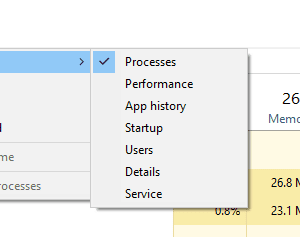
Task Manager opens to Processes tab by default in Windows 8 and 10. If you want it to open to the Startup tab directly, this article tells you how to do it.Read more
Quickly Rename Multiple Files Consecutively using Tab key
Want to quickly rename a set of files in a folder consecutively without using F2 (Rename) or ENTER keys every time? Here is a couple of neat tricks for you.Read more
Find Which Program is Using Your Webcam Currently
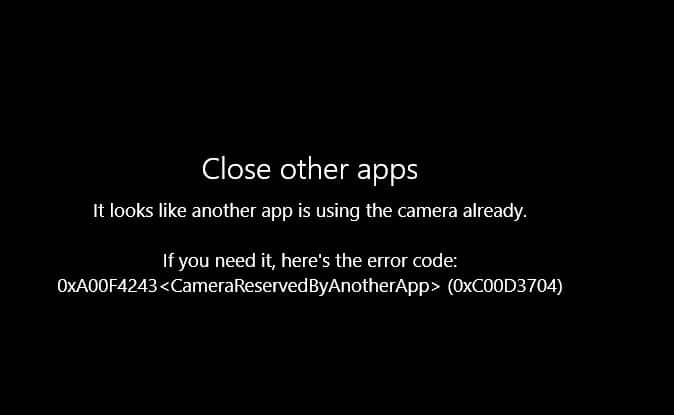
Does your webcam indicator LED get turned on automatically without you doing anything? Are you’re worried if you’re being spied upon by some malware? Or, are you seeing the error “Your webcam is currently being used by another application” when using Skype or other messaging application?
The built-in Camera app may throw the error 0xa00f4243 saying
Close other apps
It looks like another app is using the camera already.
If you need it, here’s the error code:
0xA00F4243<CameraReservedByAnotherApp> (0xC00D3704)
Here is a neat way to find which program is using your webcam or microphone.
RELATED: What is Device Census and Why is It Using My Webcam?Read more