Windows 10 Start Menu User Folders Do Not Open When Clicked

When you click Start and click on a shortcut to your personal folders such as Documents, Downloads, Pictures or Music, nothing may happen. This problem occurs if the shortcuts in the Start Menu Places folder are missing or have been tampered with. The shortcuts in Start Menu Places are common to all user accounts, and not meant to be modified by users.

(Update: Information in this article doesn’t apply to Windows 10 v1809 and higher. Start Menu Places folder is no longer used in v1809 and up.)

Read more

How to Install Media Feature Pack and Windows Media Player

After buying a brand-new Windows 10 or 11 computer, double-clicking a video file opens it in Films & TV (or Movies & TV), and the Windows Media Player shortcut is nowhere to be found. This makes one wonder if Windows Media Player has been removed in Windows 10 and 11. The good news is that the classic Windows Media Player program is included in Windows 10 and Windows 11.Read more

How to Remove File Type Associations Using Registry Editor

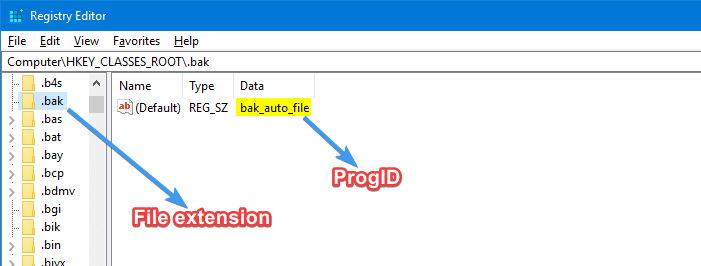
find progid for a file type registry

Associating a file type with a program can be done using several ways, such as using the Open with… dialog and selecting the “Always use this app to open” checkbox, or via Default Programs or Default Apps. While you can set or change associations using GUI, there is no option provided to delete an existing file type association.

This post tells you how to remove file type associations using the Registry Editor.Read more

How to Copy Files from Multiple Subfolders to a Single Folder?

move or copy files in multiple sub-folders

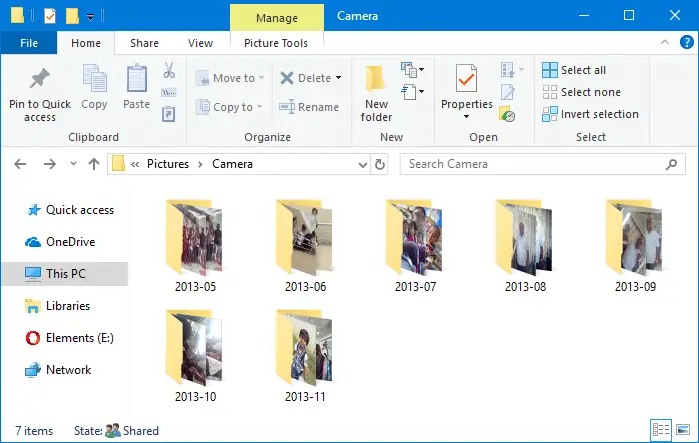
When importing photos from your camera or SD card via AutoPlay dialog using the Photos app, many sub-folders (month and year-wise) are created in the destination folder, which may not be what you wanted. Here is a step-by-step guide that explains how to move all files recursively from multiple subfolders to a single folder of your choice.

For example, here is how it gets imported when using the Photos app.

The mobile phones and cameras also may store your photos in many subfolders under the DCIM folder.

For instance, in Apple iPhone, your photos and videos are stored in the 100APPLE folder under DCIM. The 100APPLE folder contains IMG_0001.JPG to IMG_0999.JPG. If you have more images or videos, then they’re stored in 101APPLE , 102APPLE directory, and so forth. If you’re using iCloud to store photos and videos, you’ll also see the folders namely, 100CLOUD, 101CLOUD, and so on.

Copying the files from each subfolder to a single folder on your hard disk manually can be a tiresome task, especially if you have a large number of folders. However, you don’t need to dig into every folder to do that, as there are several ways to quickly copy or move files from all the subfolders to a single folder — i.e., flatten a directory structure.Read more
How to Set User Environment Variable Using Setx

You probably know how to add or remove environment variables using GUI in Windows. It can be done by launching sysdm.cpl → Advanced → Environment Variables. Alternatively, one can run the following command in the Run dialog to launch the Environment Variables dialog directly: rundll32 sysdm.cpl,EditEnvironmentVariables (To set per-system environment variables, the above command needs … Read more