When you press the F1 key in Windows 10 or 11, it opens Microsoft Edge and loads the How to get help Bing search page showing a video on “how to get help in Windows 10”. Using a registry edit, you can stop F1 from opening your browser especially if it obstructs when gaming or performing other tasks.Read more
Windows 11
How to Disable the Lock Screen in Windows 10 and 11
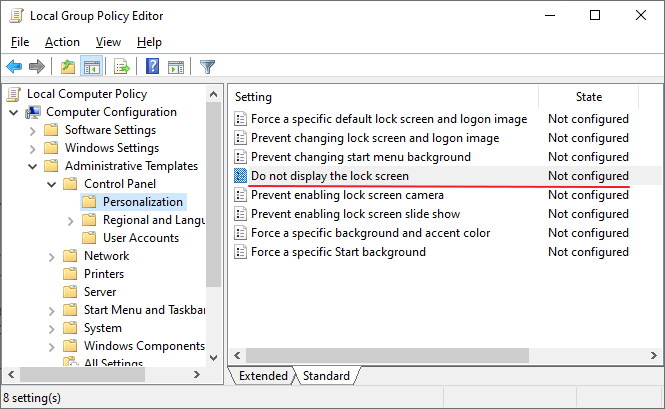
Do you find the Windows lock screen inconvenient and unnecessary? This post explains how to disable the lock screen in Windows 10 and 11.
The lock screen although conceals the login screen with a nice looking wallpaper, it takes an extra mouse click, touch, or keypress to go to the login screen where you input your credentials. This is not just during the first login, but every time you need to unlock a workstation – locked either due to screensaver or power options timeout, when resuming from sleep or hibernate mode, or the user has locked the workstation earlier.
How to Start Microsoft Defender Offline Scan in Windows 10/11

Malware is more complex today than it was many years ago. It operates at the filter driver, service, or rootkit level, and eliminating it is tough. Sometimes, you need to boot to the Windows RE environment and then delete the core malware files and services added to your Windows installation. Microsoft Defender Offline takes care … Read more
Backup, Restore, or Reset Windows 10/11 Start Layout & Shortcuts
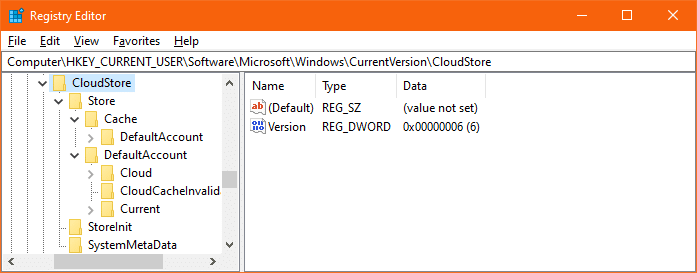
Almost every Windows user would customize their Start menu layout as per their requirement, to ease their workflow. It’s also helpful if you backup the Start menu tiles layout in Windows after customizing it, just in case your profile becomes corrupt at some point of time due to one reason or the other.Read more
Desktop looks like a regular folder or Changes to Tiles view mode
If your Desktop has suddenly changed to “Tiles” view mode on your Windows computer, you may have accidentally hit a shortcut key that switches the folder view mode. It’s also possible that the FFlags registry value data is incorrect. This article tells you how to restore the Desktop’s default view back. This may also … Read more
How to Reset or Repair a Windows 10/11 App When it Fails to Work
Windows 10/1 includes a feature where you can quickly reset or repair a store app without having to uninstall and reinstall it. Universal Apps store their settings in per-app registry hives, and resetting the app is probably the only way you can clear the settings.Read more
Fix: No Video Thumbnails and No Preview Available for Video Files
When you open a folder containing video files, no thumbnails may be displayed for your videos. Also, when you click a video file in File Explorer, the Preview pane may neither show the image preview nor the mini-player control for the chosen file. In some cases, No preview available message is shown in the Preview pane for selected or all media file types.Read more
How to Make Alt+Tab Background Fully Transparent
On Windows 10, when you use Alt + Tab to switch windows, the grid background is black by default, and the background windows and desktop icons are displayed as shown in this image. This post unveils some hidden registry settings to configure how the Alt+Tab switcher displays.
How to Add a Custom Folder under “This PC” in Explorer
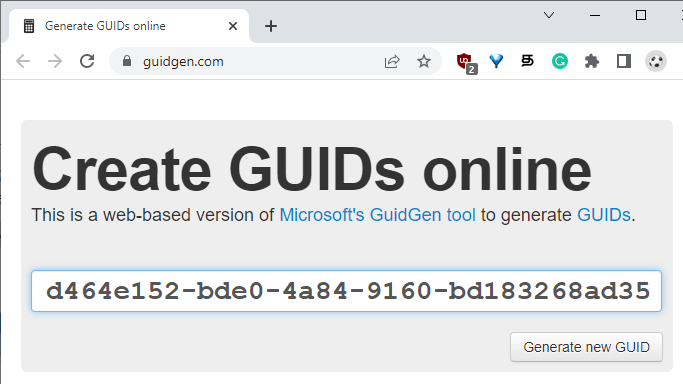
You can add custom folders to the Explorer navigation pane in pretty much all versions of Windows. This post has the instructions on adding a custom folder under This PC in the navigation pane in Windows 10/11 File Explorer.
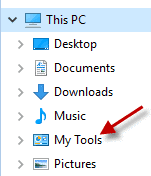
How to Change Win + E Shortcut Target in Windows 10/11
The WinKey + E keystroke, as well as the File Explorer shortcut on the taskbar, open Quick access view by default. You can change the default folder to This PC using Folder Options General tab, or make it open to the Downloads folder using a registry method.
But, how to make Windows 10’s File Explorer default to a custom folder or the Libraries section?
The user interface provides no option to set a custom destination for WinKey + E keystroke or the File Explorer pinned taskbar item. As you may have noticed, the File Explorer Pinned taskbar shortcut target can’t be modified via Properties, as it’s a special shortcut with the Target field grayed out or read-only.
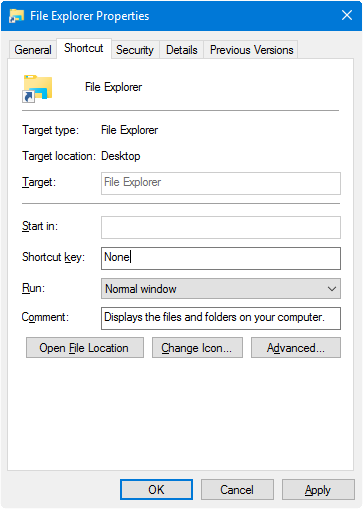
However, you change the WinKey + E or the File Explorer shortcut target using a registry edit without breaking any other setting.Read more