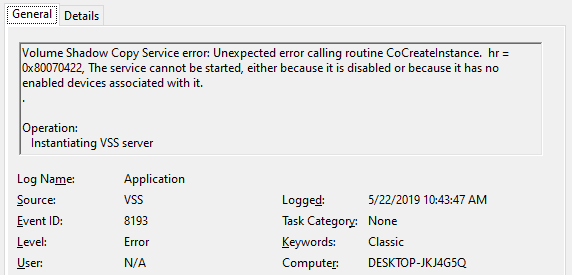
After upgrading to Windows 10 v1903, two VSS error entries appear in the Application event log during every shutdown. The Event IDs are 8193 and 13 with the event source as VSS. Along with the two error logs, an informational event (ID: 8224) is also recorded during the user session instead of shutdown. Here are the sample events:
Log Name:      Application
Source:        VSS
Date:          5/22/2019 10:43:47 AM
Event ID:      13
Task Category: None
Level:         Error
Keywords:      Classic
User:          N/A
Computer:      DESKTOP-JKJ4G5Q
Description:
Volume Shadow Copy Service information: The COM Server with CLSID {4e14fba2-2e22-11d1-9964-00c04fbbb345} and name CEventSystem cannot be started. [0x8007045b, A system shutdown is in progress.


Log Name:      Application
Source:        VSS
Date:          5/22/2019 10:43:47 AM
Event ID:      8193
Task Category: None
Level:         Error
Keywords:      Classic
User:          N/A
Computer:      DESKTOP-JKJ4G5Q
Description:
Volume Shadow Copy Service error: Unexpected error calling routine CoCreateInstance.  hr = 0x8007045b, A system shutdown is in progress.

Log Name:      Application
Source:        VSS
Date:          5/22/2019 11:14:56 AM
Event ID:      8224
Task Category: None
Level:         Information
Keywords:      Classic
User:          N/A
Computer:      DESKTOP-JKJ4G5Q
Description:
The VSS service is shutting down due to idle timeout.