Fix for Error 0x80073CFA when Uninstalling an App in Windows 10

0x80073CFA uninstalling apps error

When uninstalling a Store app in Windows 10, you may get the error 0x80073CFA. This happens whether you use the Apps & Features GUI or PowerShell command to remove the app. Many users have indicated that the error happens when uninstalling some game apps like Forza Motorsport, Forza Horizon, Asphalt: Airborne, etc.
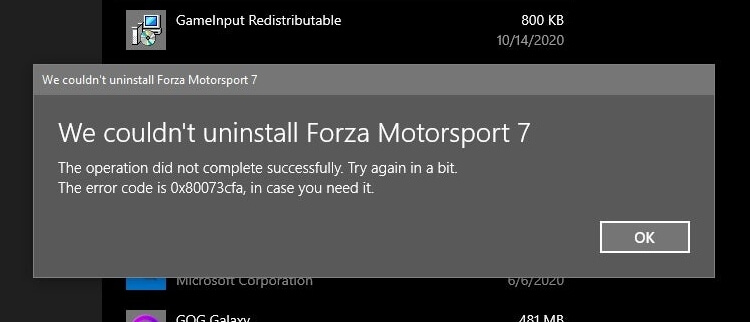
0x80073CFA uninstalling apps error

We couldn't uninstall app_name

The operation did not complete successfully. Try again in a bit.

The error code is 0x80073CFA, in case you need it.

However, the error 0x80073CFA is not specific to Microsoft gaming apps. It can happen for any app, for that matter.

Attempting to uninstalling the app using PowerShell’s Remove-AppxPackage would result in the same error code:
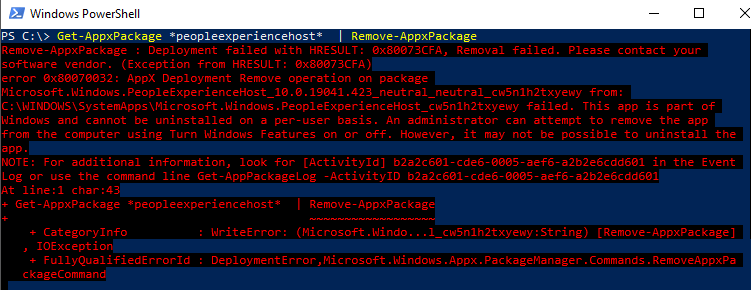
0x80073CFA uninstalling apps error powershell

Remove-AppxPackage : Deployment failed with HRESULT: 0x80073CFA, Removal failed. Please contact your software vendor.
(Exception from HRESULT: 0x80073CFA)

error 0x80070032: AppX Deployment Remove operation on package package_name from:
C:\WINDOWS\SystemApps\package_path failed. This app is part of Windows and
cannot be uninstalled on a per-user basis. An administrator can attempt to remove the app from the computer using Turn
Windows Features on or off. However, it may not be possible to uninstall the app.

(The above error happened when attempting to uninstall the in-box package named Microsoft.Windows.PeopleExperienceHost for the sake of illustration.)

Cause

The 0x80073CFA error (“Removal failed. Please contact your software vendor.”) occurs if you try to uninstall a non-removable inbox app. Inbox apps are official Microsoft apps bundled with Windows 10 and installed during Windows 10 Setup — e.g., Photos, Calendar, Alarma, Camera, Calculator, People app, etc. Some of the inbox apps are “non-removable” and some are removable — e.g., the Photos app.

The StateRepository-Machine.srd database has a field named IsInbox against app which may be set to 1 or  0. If it’s set to 1, it’s a designated inbox app. For non-removable apps, PowerShell’s Get-AppxPackage <PackageName> command will show that the package is NonRemovable.
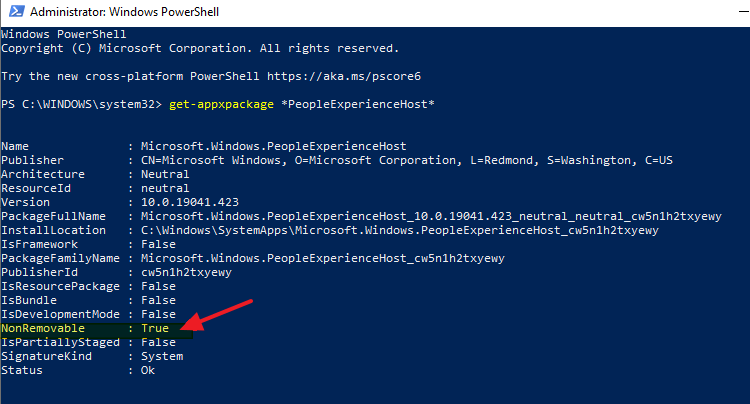
get-appxpackage nonremovable

If you need to trim down Windows by removing unused or unwanted apps, there is a way to forcibly remove them even though they’re marked as non-removable inbox apps. To do so, you need to first set the IsInbox value to 0 by editing the StateRepository-Machine.srd database.Read more

Automatic (Trigger Start) and Manual (Trigger Start) Differences

services manual or automatic trigger start

The Services MMC shows the service names, their current status, and startup type. Most of you know about the Automatic, Automatic (Delayed Start), and Manual startup types.

  • Automatic – Starts the services at system startup.
  • Automatic (Delayed start) – Starts the service after the system has finished booting and after initial demanding operations have completed, so that the system boots up faster.
  • Manual – Starts the service as required (defined by dependencies to other services) or when called from an application using the relevant API.
  • Disabled – Completely disables the service and prevents it and its dependencies from running.

But what are those “Trigger start” services?

And what’s the difference between Automatic (Trigger Start) and Manual (Trigger Start) Differences?

Read more

How to Prevent Auto redirection from IE to Edge for unsupported sites

ie to edge redirect disable

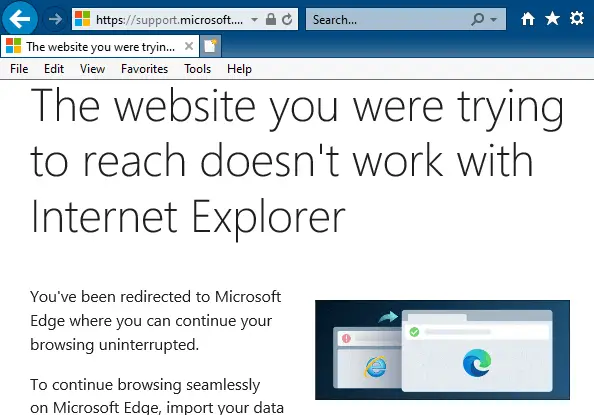
Since Windows 10 version 20H2, Internet Explorer redirects users to Microsoft Edge (Chromium) when they visit websites that don’t support Internet Explorer. Microsoft Edge Chromium version 84 and higher have this feature. Many modern websites have designs that are incompatible with Internet Explorer. When the Internet Explorer user visits an unsupported website (e.g., Facebook, Internet Archive, … Read more

[Fix] Error 0x80070426 in Microsoft Store, Edge or Other Apps

windows store error 0x80070426

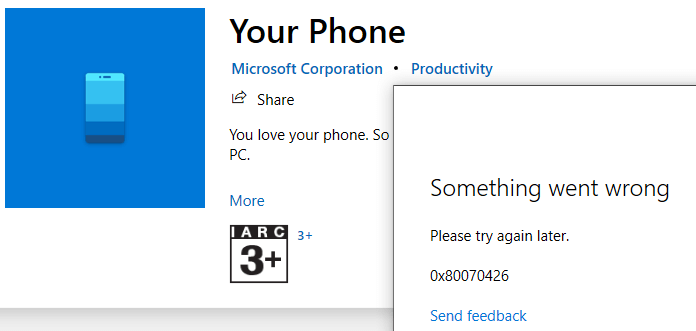
When you attempt to install or update an app via the Microsoft Store app, you may receive the error 0x80070426. The following is the full error message verbatim:

Something went wrong

Please try again later.

0x80070426

Windows Store

windows store error 0x80070426

In some cases, you may see a gray (sign-in) dialog with nothing visible.

store app grey dialog sign-in

Office 365 apps

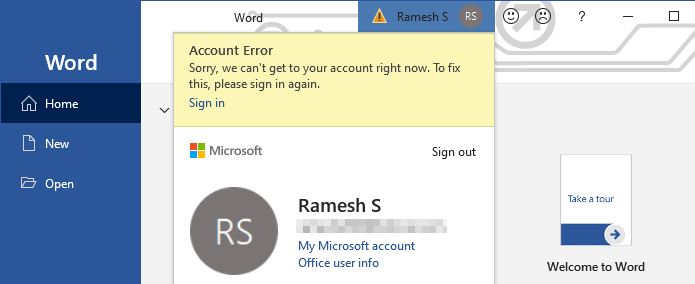
In the Office 365 apps, you may see a warning symbol at the top, which when clicked, shows the following error:

Account Error

Sorry, we can't get to your acount right now. To fix this, please sign in again.

office 365 signin something went wrong 0x80070426

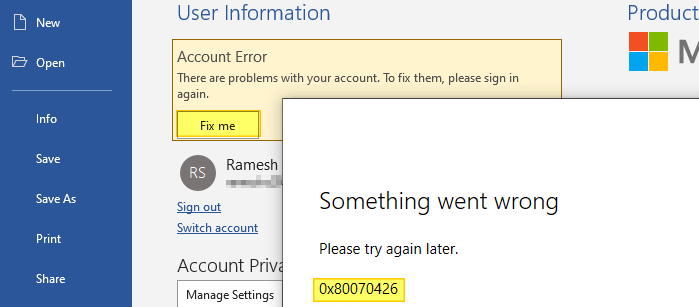
If you click on the Fix me button and try to sign-in to your MSA, the error 0x80070426 pops up.

office 365 sign-in warning

Mail app

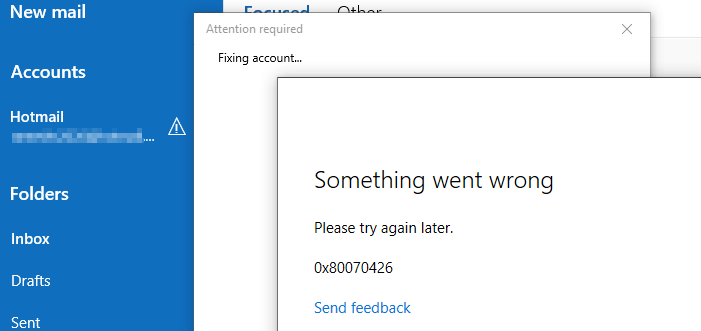
The mail app may not connect to your Microsoft Hotmail or Live mail account. It would show the same error 0x80070426.

mail app error 0x80070426

Switching to MSA

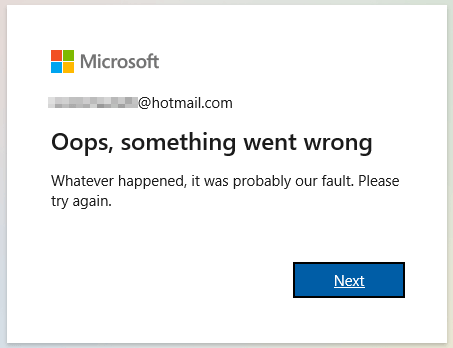
Also, you won’t be able to switch to a Microsoft account (MSA) from a local account. Doing so causes the error "Oops, something went wrong"

switch to microsoft account error something wrong

Read more

[Fix] WebP Images Appear Very Dark in Windows Photo Viewer

webp dark windows photo viewer

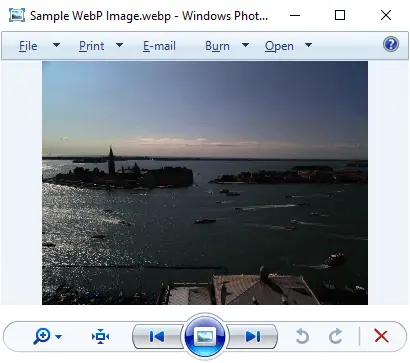
WebP is a modern image format that provides lossless and lossy compression for smaller, richer images on the web. When you preview a WebP (.webp) image using Windows Photo Viewer, the image may appear very dark.

webp dark windows photo viewer
Fig 1: Windows Photo Viewer dark rendering of WebP images

However, the File Explorer preview pane and the thumbnail view show the .webp image correctly. Also, the same WebP image would render correctly in Firefox, Chrome, and Microsoft Edge (Chromium) web browsers.

Read more

How to Change Windows Fax and Scan Default Save Location

scanned documents folder relocate

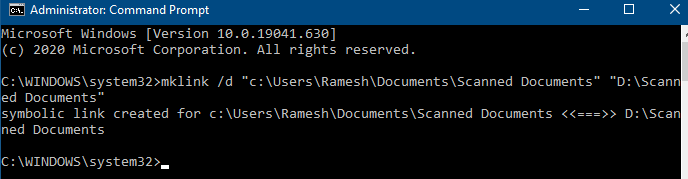
Windows Fax and Scan stores the scanned images and fax documents in the Scanned Documents folder located under your Documents folder. If the Documents folder is relocated, the Windows Fax and Scan follows the Documents folder.

If you want to move the Scanned Documents folder to a different directory or drive without relocating the Documents folder, here are a couple of options for you.Read more

Error 0x800707E7 0x3000D during Windows Setup

nvidia updatus user account uninstall

When you upgrade from Windows 7 or Windows 8 to Windows 10 or 11 or do a repair installation, the error 0x800707E7 – 0x3000D may occur and the setup is canceled automatically. The same error may occur when installing a Feature Update (e.g., upgrading from 21H2 to 22H2). Here is the full error message:

We couldn't install Windows 10.

We've set your PC back to the way it was just before you started installing Windows 10.

0x800707E7 - 0X3000D

The installation failed in the FIRST_BOOT phase with an error during MIGRATE_DATA operation.

Read more

How to Reset WindowsApps folder Permissions to Default

windowsapps restore default permissions

Summary: This article tells you how to reset the WindowsApps folder permissions (and ownership) to Windows default.

The WindowsApps folder under the Program Files folder stores the modern app packages. Each package folder under WindowsApps contains a manifest (named AppxManifest.xml) that contains a special XML namespace for packaged apps. When you reinstall built-in apps using PowerShell add-appxpackage command-line, it uses the corresponding app’s package folder under WindowsApps.

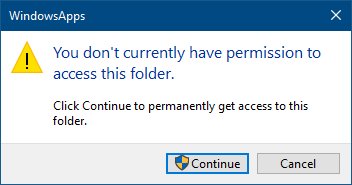
The WindowsApps folder is not browsable in File Explorer by default. This is due to tight permissions assigned to the folder.

windowsapps restore default permissions

To access this folder, many users tend to take ownership of the folder and sub-folders. Some users also change the permissions for this folder and sub-folders arbitrarily, and later observe that some of the installed Store apps fail to work.

warning caution iconEven worse is that some users would reset the permissions for WindowsApps, its subfolders, and files (recursively) using the Icacls.exe reset command-line. This is not recommended, as the WindowsApps folder doesn’t inherit any permission entries from the parent (Program Files) folder by default. Instead, this folder has very restricted permissions, including one or more conditional ACEs.

Read more