Whether an email client is installed in the system or not, errors “There is no email program associated to perform the requested action” and/or “An error occurred while attempting to invoke the default e-mail program” may occur when you try to email a file using one of these methods:Read more
registry
How to Reset Notepad and WordPad to Default
If you’ve changed the default font settings and other options in WordPad or Notepad and want to revert back to Windows default values, this post tells you how to do that.Read more
How to Change Win + E Shortcut Target in Windows 10/11
The WinKey + E keystroke, as well as the File Explorer shortcut on the taskbar, open Quick access view by default. You can change the default folder to This PC using Folder Options General tab, or make it open to the Downloads folder using a registry method.
But, how to make Windows 10’s File Explorer default to a custom folder or the Libraries section?
The user interface provides no option to set a custom destination for WinKey + E keystroke or the File Explorer pinned taskbar item. As you may have noticed, the File Explorer Pinned taskbar shortcut target can’t be modified via Properties, as it’s a special shortcut with the Target field grayed out or read-only.
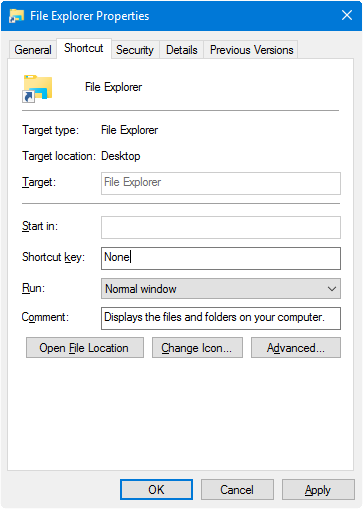
However, you change the WinKey + E or the File Explorer shortcut target using a registry edit without breaking any other setting.Read more
How to Rename User Profile Folder in Windows 10/11

This article explains in detail how to change the name of your user profile folder in Windows. In some cases, it’s necessary to manually rename the user profile folder because Windows truncates the user profile folder name to a certain number of characters when creating the user account. For instance, when you create a user … Read more
Open With “Choose another app” Crashes Explorer
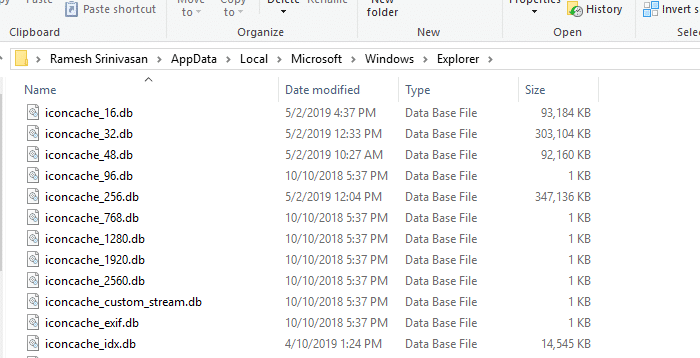
When the user right-clicks on a file, clicks “Open with”, and selects the option Choose another app in the Open with dialog or menu, nothing may happen. Or the Explorer shell crashes and restarts when accessing the Open With menu.
How to Regain Lost Admin Rights in Windows 10 or 11

Summary: This article tells you how to restore your user account’s lost administrator rights and privileges in Windows 10 and 11.
If your user account has lost admin rights, you may also have inadvertently set yourself a “Standard User” via Account Settings or incorrectly configured the Local Security Policy or user account group membership. In some cases, malware could be the root cause.Read more
How to Edit the Registry Offline Using Windows Recovery Environment
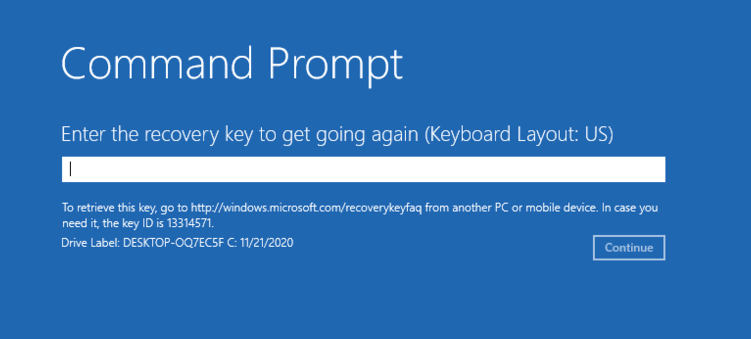
Sometimes, you may need to edit the Windows registry offline to rectify a situation where Windows doesn’t boot after modifying some settings recently. Windows Recovery Environment (WinRE) is a handy platform that provides various system recovery options to diagnose and repair an unbootable Windows installation.
Read more
How to Remove File Type Associations Using Registry Editor
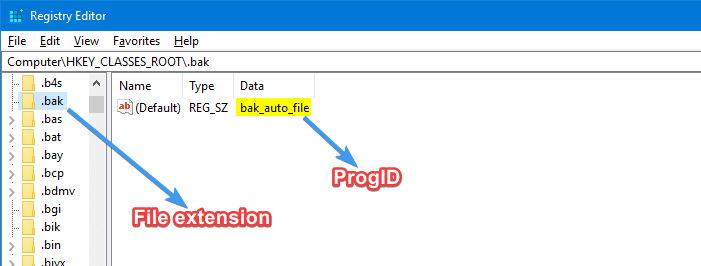
Associating a file type with a program can be done using several ways, such as using the Open with… dialog and selecting the “Always use this app to open” checkbox, or via Default Programs or Default Apps. While you can set or change associations using GUI, there is no option provided to delete an existing file type association.
This post tells you how to remove file type associations using the Registry Editor.Read more
OneDrive Appears in Explorer Even If “Prevent the Usage of OneDrive” Policy is Enabled
Even after enabling the Prevent the Usage of OneDrive for file storage Group Policy to disable OneDrive, the OneDrive shell folder may still show up in File Explorer navigation pane and File Open and Save As dialogs in every program, including Office.Read more