Fix: “Windows created a temporary paging file” message at startup

disable pagefile.sys on os volume

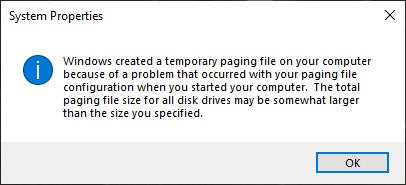
Sometimes, you may need to turn off the paging file on the OS partition for testing or when shrinking the C drive. After turning off the paging file (“pagefile.sys”) on the OS partition and enabling it on another drive or partition, Windows keeps creating a temporary paging file on the OS partition.

The following notification appears at startup.Read more
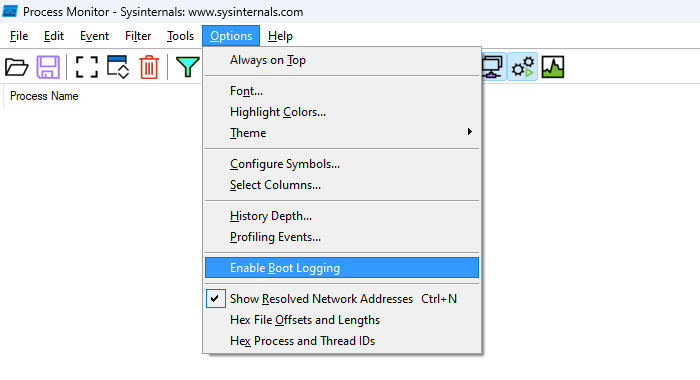
How to Run a Boot Trace Using Process Monitor

Process monitor boot logging

Process Monitor is an excellent diagnostic tool from Microsoft Sysinternals. It can run a trace during the current Windows session or trace the boot process. Let’s see how to enable boot tracing using Process Monitor. Enable Boot Logging using Process Monitor Download Process Monitor and run it. Read and accept the license agreement. If the … Read more

REAGENTC.EXE: Operation failed: 3

reagent error 3 - list disk - diskpart

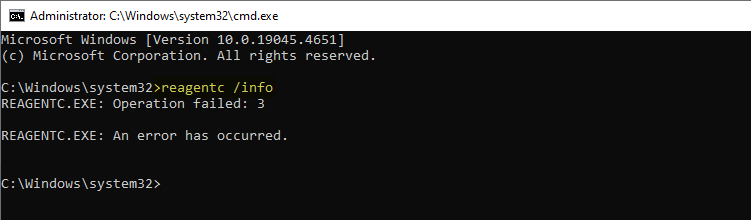
When you attempt to enable Windows RE by running the reagentc /enable command, the following error may be shown: REAGENTC.EXE: Operation failed: 3 REAGENTC.EXE: An error has occurred. When you attempt to create a USB recovery drive, the following error occurs: We can’t create a recovery drive on this PC Some required files are missing. … Read more

Convert a Dynamic disk to Basic (using Freeware) without Losing Data

warning caution icon

If you’ve inadvertently converted your disk to a dynamic disk using Disk Management, you can revert it to a basic disk using the built-in diskpart command. Dynamic disks have been deprecated in Windows and are no longer recommended. Here’s a Microsoft article that explains how to convert a dynamic disk to a basic.

Change a dynamic disk back to a basic disk | Microsoft Learn

However, the biggest drawback to using the built-in tools is that volumes on the dynamic disk must be deleted before converting it to basic.Read more

How to Fix Windows Firewall Errors 0x8007045b and 0x8007042c

firewall error 0x8007045b or 0x8007042c

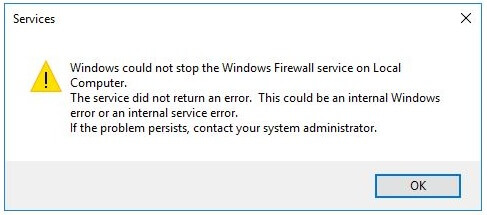
When you attempt to start, stop, or reset the Windows Defender Firewall, the error code 0x8007045b or 0x8007042c may appear: Windows could not stop the Windows Firewall service on Local Computer. The service did not return an error. This could be an internal Windows error or an internal service error. If the problem persists, contact … Read more