If you’ve inadvertently converted your disk to a dynamic disk using Disk Management, you can revert it to a basic disk using the built-in diskpart command. Dynamic disks have been deprecated in Windows and are no longer recommended. Here’s a Microsoft article that explains how to convert a dynamic disk to a basic.
Change a dynamic disk back to a basic disk | Microsoft Learn
However, the biggest drawback to using the built-in tools is that volumes on the dynamic disk must be deleted before converting it to basic.
Also, most third-party disk partition tools don’t include the dynamic disk to basic disk conversion feature in their free or trial versions.
Note: Windows 11 (21H2 and later) setup does not run on dynamic disks.
0x80070001 (“ERROR_INVALID_FUNCTION”) and the error message Something went wrong appear when installing Windows 11 on a volume located on a dynamic disk. See the article Error 0x80070001 or Disk space Error During Windows 11 Setup for more details.Convert a Dynamic disk to Basic using NIUBI Partition Editor
An excellent freeware partitioning software named NIUBI partition editor can convert your dynamic disk to a basic disk without data loss. NIUBI is probably the only freeware partition manager app that can convert a disk from dynamic to basic. All other third-party programs require you to buy the Pro/Premium version of their software if you need this feature.
 Important: Although the procedure was completed successfully during my testing, backing your data before beginning the conversion is always recommended.
Download and install NIUBI Partition Editor (free) from https://www.hdd-tool.com/index.html.
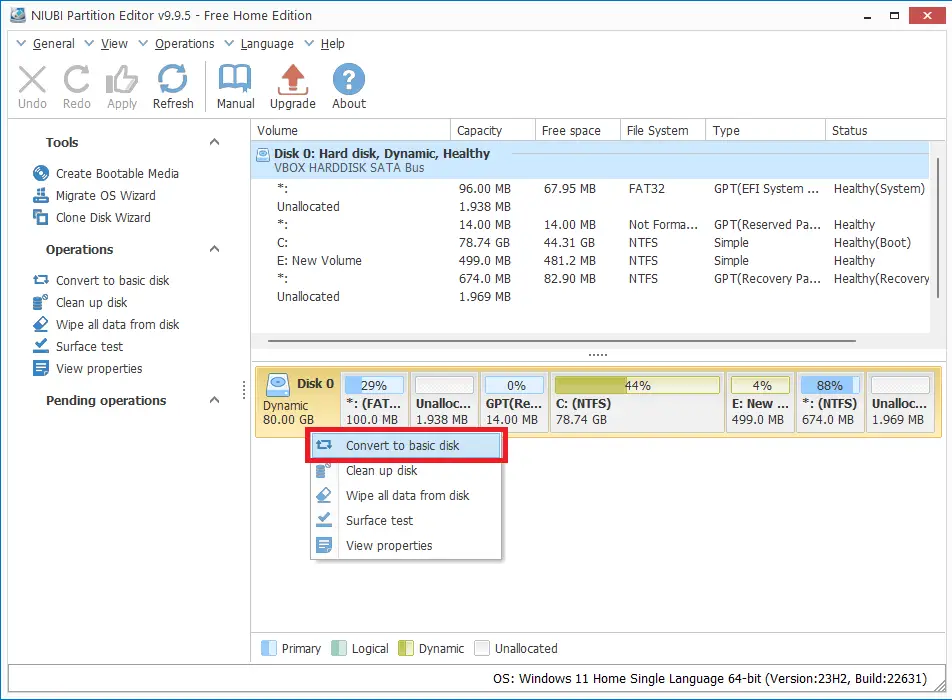
Launch NIUBI. Right-click on the dynamic disk and choose “Convert to basic disk“.
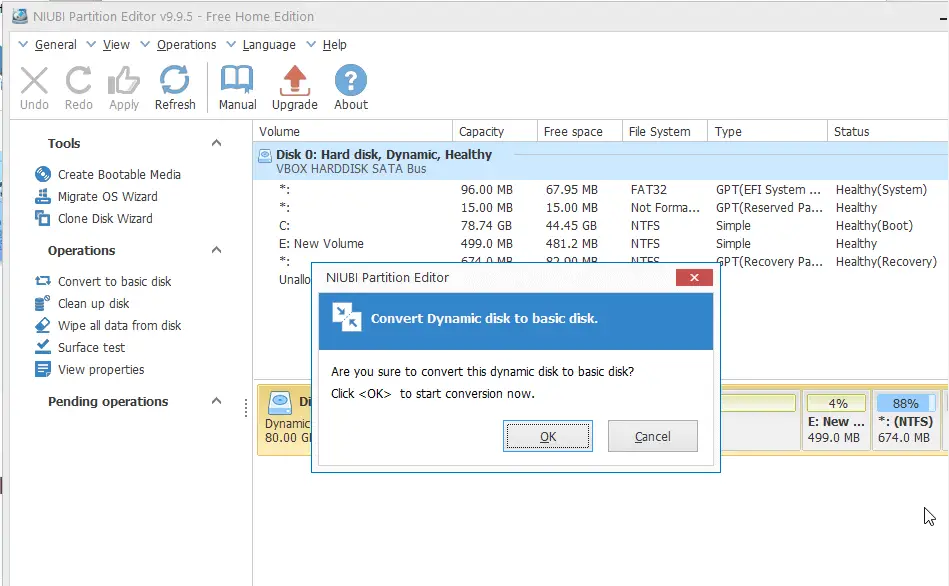
Click OK to confirm.
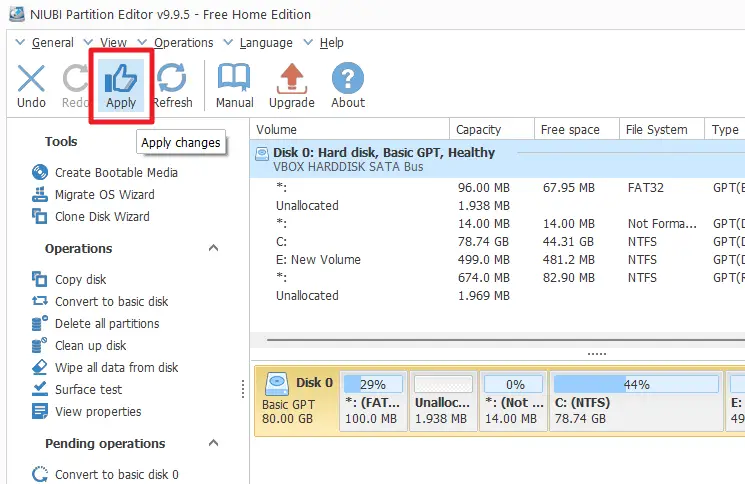
Once done, click Apply.
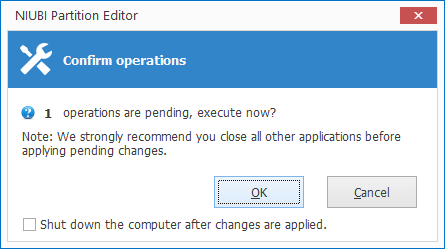
Click OK to confirm the pending operation(s).
Restart Windows.
The disk will be converted to a basic disk during the boot process.
That’s it. Here’s the updated screenshot of Disk Management.
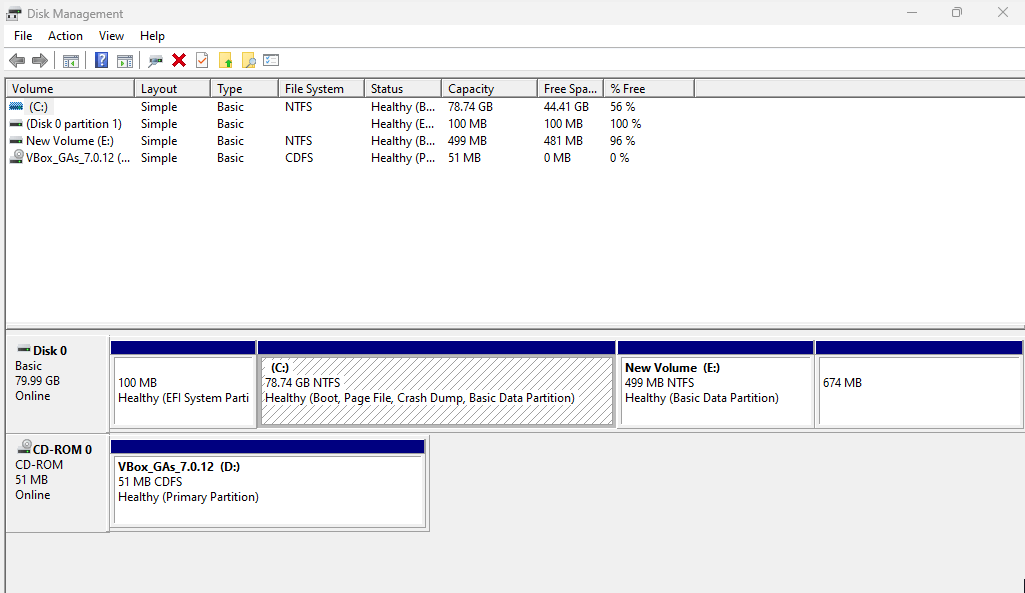
Thanks to the creators of the NIUBI utility for providing the dynamic to basic disk conversion feature in their free version.
One small request: If you liked this post, please share this?
One "tiny" share from you would seriously help a lot with the growth of this blog. Some great suggestions:- Pin it!
- Share it to your favorite blog + Facebook, Reddit
- Tweet it!
