When you log in to your computer, the following error or a similar one may appear every time.Read more
How to Cleanup Older File History Backups in Windows 10/11
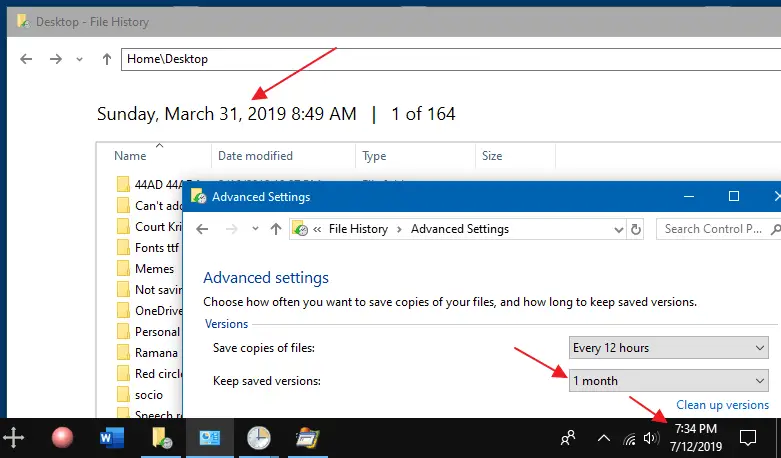
File History does point in time backups of your files so that you can revert to the exact copy or version of your files when you need them. In addition, file History allows you to configure how long the backups are retained. However, it doesn’t seem to automatically clear the older versions of the files.
Launch Programs in a Specific or New Virtual Desktop in Windows 10
VDesk is a cool tool for Windows 10 that can launch programs on new virtual desktops or in a particular virtual desktop you specify.Read more
How to Bulk Unblock Files Downloaded from Internet
Files downloaded from the internet are marked with the Zone identifier (“Mark of the Web” stored as Alternate Data Streams) to trigger the application reputation check by Windows SmartScreen in Windows 8 and higher.
This article explains how to bulk unblock multiple files downloaded from the internet.Read more
Fix: No Video Thumbnails and No Preview Available for Video Files
When you open a folder containing video files, no thumbnails may be displayed for your videos. Also, when you click a video file in File Explorer, the Preview pane may neither show the image preview nor the mini-player control for the chosen file. In some cases, No preview available message is shown in the Preview pane for selected or all media file types.Read more
How to Reset Window Color and Appearance Settings?
The classic Window Color and Appearance dialog allowed you to change the color and size (Window metrics) of various UI elements like Window background color, caption font, icon size, spacing, width, etc. Since this feature has been removed in Windows 8 and higher, you need to edit the registry in order to change or reset these parameters.Read more
How to Create a Restore Point and Roll-back to a Previous Restore Point
System Restore has always been an invaluable rescue feature built-in with all versions of Windows. It helps you revert back to a previous working state if something goes haywire after installing a software, device driver or an OS update delivered through Windows Update. This post tells you how to enable System Restore, create a restore point, and rollback to a previous restore point.Read more
How to Make Snipping Tool Default to New Snip when Launched
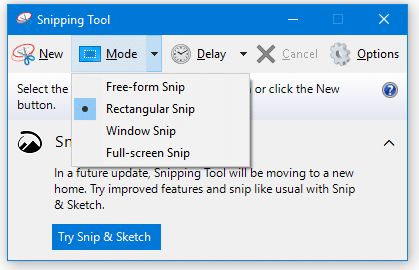
Snipping Tool is a handy screenshot tool included in Windows Vista and higher, with the annotation feature. Running Snipping Tool in Windows Vista and 7 would start the utility in capture mode (New rectangular snip) automatically, but this has changed in Windows 8 and Windows 10. In Windows 8 and 10, the user needs to … Read more
How to Restore Default System Font Settings (to Segoe UI) in Windows
Did you change the system font inadvertently on your Windows computer, and now the user interface looks ugly?
Cause
The above issues occur if one or more system fonts (e.g., Segoe UI, Segoe Fluent Icons, etc.) have been replaced by a third-party font installed on your computer.
This article provides the registry fixes to reset the default system font settings for computers running Windows 7, 8, 10, or 11.
[Windows 10] Show Desktop Icon – Pin to Taskbar
The taskbar includes desktop peek button in the extreme right, and when you move your mouse over it or click on it, it shows your desktop by bringing it to the front. However, in Windows 10, the peek button is extremely narrow and can be difficult to use. Instead, you can create a Show Desktop shortcut and Pin it to the taskbar.Read more