When you open a folder containing video files, no thumbnails may be displayed for your videos. Also, when you click a video file in File Explorer, the Preview pane may neither show the image preview nor the mini-player control for the chosen file. In some cases, No preview available message is shown in the Preview pane for selected or all media file types.Read more
Windows 10
This category contains posts about Microsoft’s latest Operating System – Windows 10.Windows 10’s always been interesting, as every new major update will usually include additional features.
How to Reset Window Color and Appearance Settings?
The classic Window Color and Appearance dialog allowed you to change the color and size (Window metrics) of various UI elements like Window background color, caption font, icon size, spacing, width, etc. Since this feature has been removed in Windows 8 and higher, you need to edit the registry in order to change or reset these parameters.Read more
How to Make Snipping Tool Default to New Snip when Launched
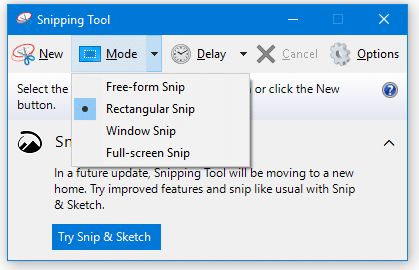
Snipping Tool is a handy screenshot tool included in Windows Vista and higher, with the annotation feature. Running Snipping Tool in Windows Vista and 7 would start the utility in capture mode (New rectangular snip) automatically, but this has changed in Windows 8 and Windows 10. In Windows 8 and 10, the user needs to … Read more
[Windows 10] Show Desktop Icon – Pin to Taskbar
The taskbar includes desktop peek button in the extreme right, and when you move your mouse over it or click on it, it shows your desktop by bringing it to the front. However, in Windows 10, the peek button is extremely narrow and can be difficult to use. Instead, you can create a Show Desktop shortcut and Pin it to the taskbar.Read more
Get Back Windows 8’s Metro-Style Print Panel in Windows 10
When you click print in any modern app such as Microsoft Edge, the print dialog box may appear too big depending upon the resolution and scaling settings in your system. The print button may go off the bottom of your screen and you’re unable to access it. Also, you may not be able to move the Print dialog box up.Read more
How to Make Alt+Tab Background Fully Transparent
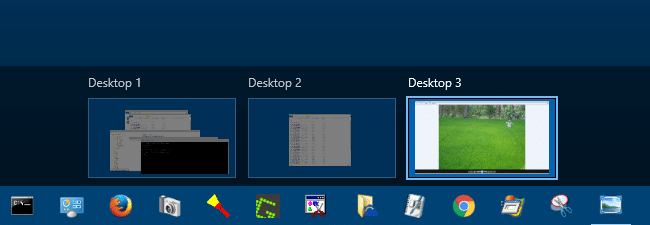
On Windows 10, when you use Alt + Tab to switch windows, the grid background is black by default, and the background windows and desktop icons are displayed as shown in this image. This post unveils some hidden registry settings to configure how the Alt+Tab switcher displays.
[Fix] Folder Thumbnails Appear With White Border in Windows 10
When you set a folder picture via the Customize tab in folder properties or by editing the Desktop.ini file manually, the folder thumbnail may show up with white border in Windows 10, as in the image below.Read more
How to Add a Custom Folder under “This PC” in Explorer
You can add custom folders to the Explorer navigation pane in pretty much all versions of Windows. This post has the instructions on adding a custom folder under This PC in the navigation pane in Windows 10/11 File Explorer.
Windows 10 Pictures Library Arrange by Month Missing?
Pictures library allows you organize your images in a variety of ways such as arrange by month, folder, day, rating and tag, and sort or group pictures as you’d like. You may be wondering if the option to arrange photos by month is removed in Windows 10, as the Arrange command is not shown anywhere in the ribbon or toolbar area. This post tells you how to arrange pictures by month, or the way you need.Read more
Windows 10 Gets a New “Refresh Windows” Tool
Microsoft released a Refresh Windows Tool few days back that makes clean installation easier. This tool installs a clean copy of the most recent version of Windows, and removes apps (both pre-installed and the ones installed by user) on the PC. As of now this tool works only in insider build 14342 and higher.Read more