With the visual effects turned on by default, Windows 10 Start menu may open a bit slow, caused by animation effect of the Start frame (window) as well as the animation of elements inside the Start menu.Read more
Windows 10
This category contains posts about Microsoft’s latest Operating System – Windows 10.Windows 10’s always been interesting, as every new major update will usually include additional features.
Associate .SH Shell Scripts with Bash in Windows 10
If you’ve installed Bash on Ubuntu on Windows in Windows 10 version 1607 and higher, and want to associate .SH shell scripts with Bash, here is a quick script solution.Read more
How to Use Quick Assist in Windows 10 to Give and Get Assistance Remotely?
Quick Assist is a remote assistance program which is included in the Windows 10 Anniversary Update, but not much advertised. Here is a walk-through on how to use “Quick Assist”.Read more
Remove “3D Print with 3D Builder” Right-Click Menu Option in Windows 10
The Windows 10 Redstone build adds 3D Print with 3D Builder option to the right-click menu for image file types. This option remains in the context menu even if you uninstall 3D Builder, and clicking “3D Print with 3D Builder” in the right-click menu would reinstall 3D Builder app automatically. If you don’t use 3D builder, here is how to remove the context menu entry.Read more
How to Disable the Lock Screen in Windows 10 and 11
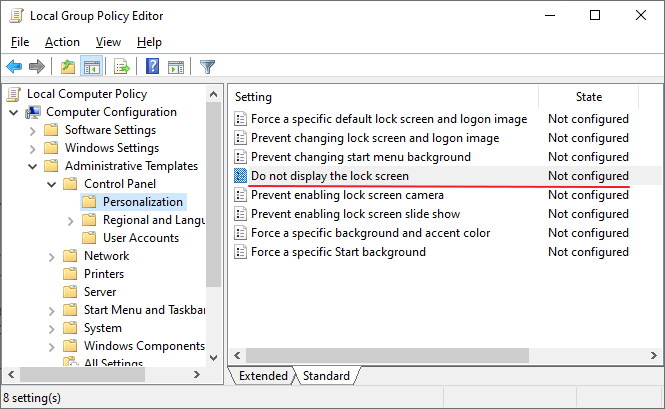
Do you find the Windows lock screen inconvenient and unnecessary? This post explains how to disable the lock screen in Windows 10 and 11.
The lock screen although conceals the login screen with a nice looking wallpaper, it takes an extra mouse click, touch, or keypress to go to the login screen where you input your credentials. This is not just during the first login, but every time you need to unlock a workstation – locked either due to screensaver or power options timeout, when resuming from sleep or hibernate mode, or the user has locked the workstation earlier.
How to Start Microsoft Defender Offline Scan in Windows 10/11

Malware is more complex today than it was many years ago. It operates at the filter driver, service, or rootkit level, and eliminating it is tough. Sometimes, you need to boot to the Windows RE environment and then delete the core malware files and services added to your Windows installation. Microsoft Defender Offline takes care … Read more
Backup, Restore, or Reset Windows 10/11 Start Layout & Shortcuts
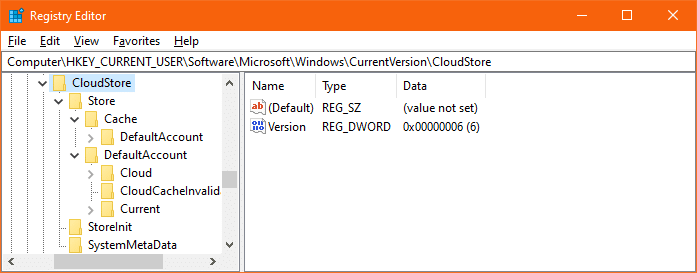
Almost every Windows user would customize their Start menu layout as per their requirement, to ease their workflow. It’s also helpful if you backup the Start menu tiles layout in Windows after customizing it, just in case your profile becomes corrupt at some point of time due to one reason or the other.Read more
Show Color on Title bar, but not on Taskbar and Start Menu in Windows 10
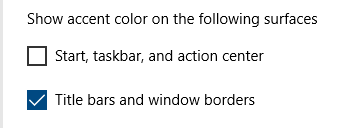
With the Anniversary Update, you can show color on the title bar and still have the default (black) color for the Start menu and Taskbar. In earlier Windows 10 builds, you needed a registry edit to independently colorize the title bar. You don’t need to hack it anymore, as it’s now a built-in option.Read more
Desktop looks like a regular folder or Changes to Tiles view mode
If your Desktop has suddenly changed to “Tiles” view mode on your Windows computer, you may have accidentally hit a shortcut key that switches the folder view mode. It’s also possible that the FFlags registry value data is incorrect. This article tells you how to restore the Desktop’s default view back. This may also … Read more
Search Results Empty (No Results) in Windows 10 Settings Page [Fix]
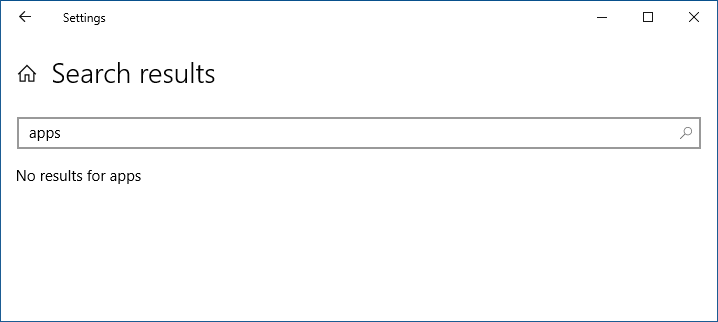
If searching through the Windows 10 Settings page is extremely slow or returns a “No results” message, this article has the solution.
The the Start menu search feature may also be non-functional. Nothing may happen when you click Start and press a letter.