Windows 10 Insider Preview 14942 has a interesting new feature which Microsoft didn’t document. Registry Editor (Regedit.exe) in Insider Preview build 14942 gets the super useful Address Bar feature.Read more
Windows 10
This category contains posts about Microsoft’s latest Operating System – Windows 10.Windows 10’s always been interesting, as every new major update will usually include additional features.
[Fix] Search Results defaults to Content View in Windows 10
When you search for files using Windows 10 File Explorer, the search results page may default to “Content” view every time which some users don’t like. Although you can change the view to Details, or any other view setting manually, the change affects only that folder. Sometimes, search results view settings may not stick at all.
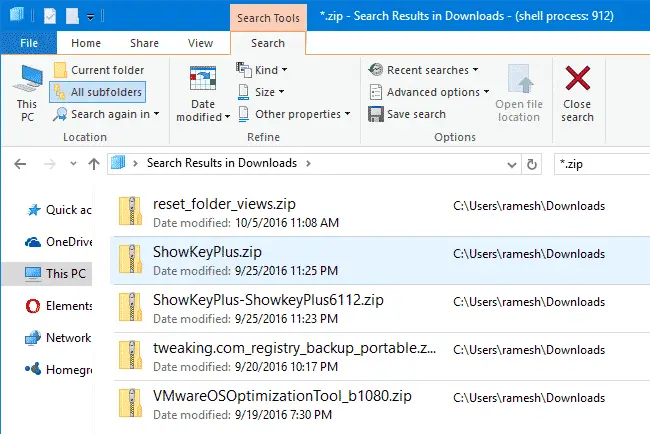
This happens when searching for files in a folder optimized for “General items”. Whereas when you search for files in the Pictures and Videos folders, the search results view defaults to icons view.
This article tells you how to set the Search Results folder default view mode to Details, for all folder types.
Show Process ID in File Explorer Title Bar in Windows 10
There is a hidden registry setting in Windows 10, which when enabled shows the explorer.exe Process ID (PID) in File Explorer title bar, and tells if a folder window is running under the shell process, or as a separate process.Read more
Windows 10 Mail App Background Color or Image – How to Change?
Windows 10’s Mail app comes with some stock images and preset solid colors from which you can choose one for the background. However, if you want to set a custom background color, such as plain white, you can do so by creating an image file using Paint.Read more
Windows Photo Viewer Previous & Next Buttons and Arrow Keys do not work
If the Windows Photo Viewer the navigation buttons (previous and next) or left and right arrows, and the slideshow button don’t work, this post tells you why this happens and how to fix the problem.Read more
How to Track the Geolocation of Your Windows 10 Computer or Mobile Phone Using “Find my device” Feature?
Windows 10 includes device location tracking feature built-in, which helps you easily find the exact geographical location of the device in case it gets stolen or you misplace it somewhere.Read more
How to Disable Auto Update of Store Apps in Windows 10/11
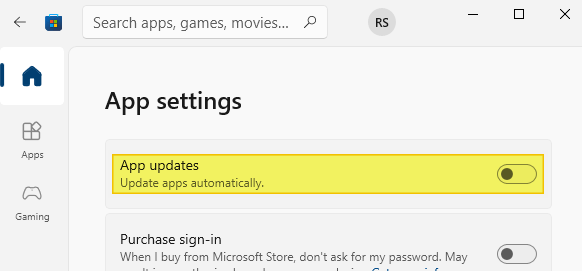
Windows Store apps are automatically updated to the latest version by default, and that’s the recommended setting. Sometimes you’d like to disable automatic updating to save bandwidth and traffic, especially when you’re on a slow connection or evaluating Windows 10/11 on a Virtual Machine.Read more
How to Backup and Restore Sticky Notes Data in Windows 10
Microsoft Sticky Notes is the simple way to quickly save something for later, so you can stay in the flow. With Sticky Notes, you can create notes, type, ink, or add a picture, and stick them to the desktop.
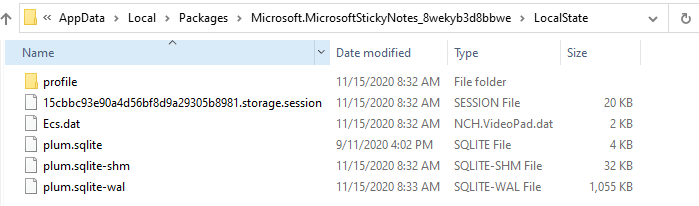
With Windows 10 v1607, the classic desktop version of Sticky Notes is discontinued and it is transformed into a modern or UWP app with Cortana integration and other features. The Sticky Notes content is now saved to a database file named plum.sqlite.
If you want to recover your Sticky Notes data from a broken Windows 10 installation in order to transfer it to another computer, this article tells you how to do that.Read more
Send Files to Email via File Explorer Share Button in Windows 10
The much useful Mail Recipient command in the Send To menu helps you quickly attach files to your email, if you have a desktop email client (with Simple-MAPI support) installed in the system. Unfortunately, the Send To feature which uses Messaging API call, doesn’t support the built-in Mail app.Read more
Windows Store Apps Troubleshooter in Windows 10 Fixes Apps Download and Install Problems
If you’re unable to download, install or use Windows Store apps in Windows 10, use the built-in Windows Store Apps Troubleshooter to identify the problem(s) and fix them automatically.Read more