Installing updates via Windows Update can be problematic sometimes. For example, downloads may stall at a specific stage due to problems with the Windows Update server or the Content Delivery Network (CDN) that hosts the update in your region. It could also be possible that the Windows Update or BITS Services configuration on the local computer is at fault.Read more
Windows 10
This category contains posts about Microsoft’s latest Operating System – Windows 10.Windows 10’s always been interesting, as every new major update will usually include additional features.
Why Is Windows Defender Running Alongside my Antivirus Program?
Is Windows Defender running alongside their main antivirus program, as the icons for both programs are visible in the Notification area? Isn’t Windows Defender supposed to turn itself off when it detects a third-party antivirus program?Read more
Make Action Center Always Remain Open on the Screen in Windows 10
The Windows 10 Action Center displays app & system notifications and provides quick actions buttons so that users can get to the commonly used settings pages easily.
By default, the Windows 10 Action Center panel closes automatically once it loses the active window focus — when the user clicks a program window or anywhere else. Here is a registry hack which makes the Action Center panel always remain on the screen until you close it manually.Read more
Find the Amount of Words, Chars and Lines in a Text File Using PowerShell
If you’re still using the good, old Notepad to craft essays or content for your Website, and want to know the number of characters used in a text file, here is a PowerShell cmdlet that will help.Read more
Pin any file to Windows 10 Start Screen (Registry Tweak)
Windows 10 lets you Pin folders, apps and shortcuts to executable files to the Start screen using the “Pin to Start” context menu. Using a registry tweak discussed in this post, you can pin any file (of any type) to the Start screen in Windows 10.Read more
Cortana Search Registry Tweaks in Windows 10
In Windows 10 Redstone 2 build and higher, you can move the Cortana search text box to the top, change the text box border color and thickness. Also, you can add a search glyph and submit button near the text box with some registry tweaks.Read more
Change Registry Editor Font Face in Windows 10 Creators Update
Registry Editor in Windows 10 Redstone 2 Preview build 14942 has got an Address bar as we saw earlier. The Redstone 2 Preview build introduces another minor feature addition to the Registry Editor. You can change the default Registry Editor font, without having to change the global font settings – that is, without affecting other areas of the Windows Shell.Read more
Replace Settings with Control Panel in Win+X Menu in Windows 10 Build 14942
Starting with Windows 10 Insider Preview Build 14942, the Win+X menu items (the menu which appears when you right-click on Start) which were pointing to the classic Control Panel applets are now directing to corresponding pages in the modern Settings app. Also, the entry “Control Panel” is now replaced by “Settings” in the Group 2 section of the Win+X menu.Read more
Open Cortana Web Search Results in Google and Default Browser
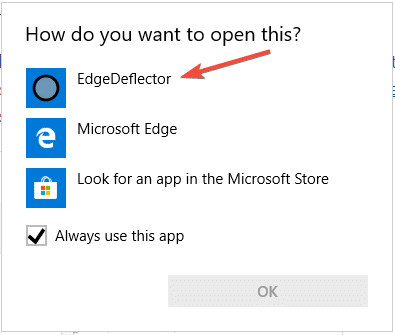
Clicking on a web search result in Cortana would always launch Microsoft Edge regardless of your default browser. However, you can configure Cortana web search links to open with your default web browser. Additionally, you can automatically redirect the search query to Google search instead of Bing.
In April 2018, Microsoft announced that Edge would be the browser that would launch when searching from Cortana, no matter what your default web browser or https protocol association setting is.
While the user interface doesn’t have an option to change the search engine or browser, there is still a way to make Cortana search using Google instead of Bing, using the new microsoft-edge: URL protocol.Read more
How to Show Seconds in Taskbar Clock
You can now configure Windows 10 or 11 to display seconds in the taskbar’s notification area clock without using a third-party program. This is possible using a hidden registry setting in Windows 10, and it’s a built-in GUI option in Windows 11.Read more